
Your webinar just ended, and the energy is high. But what comes next is what separates a one-off event from a powerful conversion machine. Most marketers send a simple 'thanks for attending' email with a replay link and call it a day, missing a huge opportunity to convert engaged leads. That brief window after your presentation is your most critical moment to turn attendee interest into real business results.
To truly capitalize on that momentum, you need a strategic sequence of follow-ups that address attendee questions, handle objections, and guide them toward the next step. A generic message simply won't cut it. This guide moves beyond the basics to provide you with a powerful webinar follow up email template for seven distinct scenarios, each designed to achieve a specific goal.
We break down each example with strategic analysis, subject line ideas, and actionable takeaways. You'll learn how to craft emails that not only deliver value but also use social proof and urgency to drive sign-ups, sales, and long-term customer loyalty. We’ll cover everything from the immediate value recap and objection handling to multi-step sequences and personalized video messages. Let's start building follow-up campaigns that work.
1. The Immediate Value Recap Email
The Immediate Value Recap email is your first and most critical point of contact after a webinar concludes. Sent within 2 to 4 hours, its primary goal is to capitalize on the audience's high level of interest by delivering the promised resources-like the recording and slides-while the content is still fresh in their minds. This swift follow-up reinforces the value you just provided and keeps the conversation going.
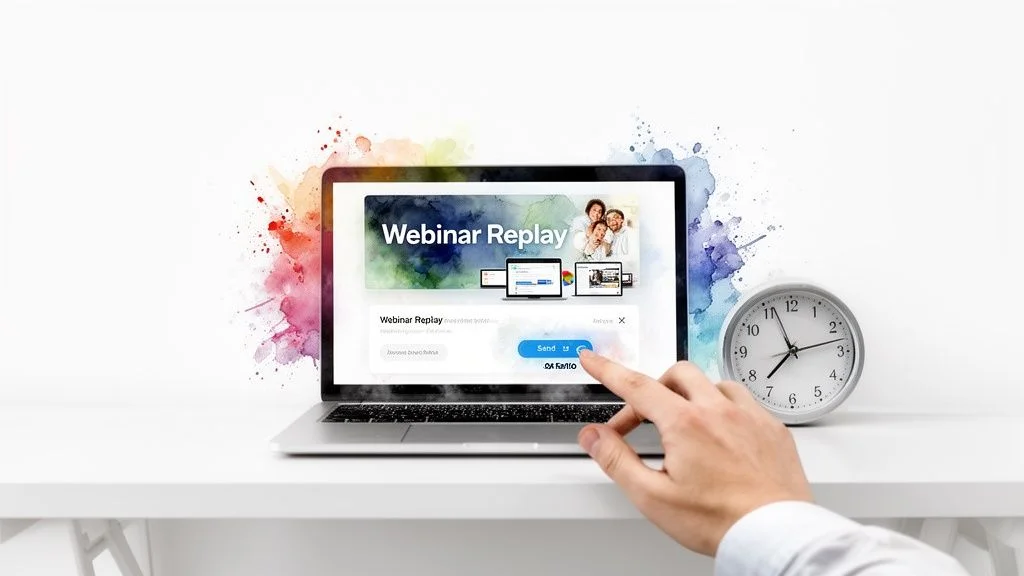
This webinar follow up email template works because it meets an immediate need. Attendees are often eager to review a specific point or share the content with colleagues. Companies like Calendly and HubSpot have mastered this approach, sending replay links almost instantly to maintain momentum and guide attendees toward the next step, whether it's a product demo or another piece of content.
Why This Template Works
- Peak Engagement: You’re reaching attendees when their excitement and interest are at their highest.
- Trust Building: Swiftly delivering on your promises (like sending the replay) builds credibility.
- Reduces Drop-Off: It provides a clear next step, preventing leads from going cold.
Actionable Tips for Implementation
To make this email even more effective, consider these strategies. First, pre-schedule the email to send automatically once the webinar ends. This ensures timeliness without manual effort. A great way to add value is to include timestamps in the replay link description, allowing attendees to jump directly to key sections.
For a powerful personalization touch, you can reference specific questions asked during the live session. Tools that allow you to sync chat logs, for instance, make it easy to see which topics generated the most discussion. You can learn more about how to import your webinar chat logs for analysis to find these key moments. Finally, add a P.S. with a limited-time offer (like a discount or bonus content available for 48-72 hours) to create a sense of urgency and encourage immediate action.
2. The Social Proof & Objection Handler Email
The Social Proof & Objection Handler email is a powerful conversion tool sent 1-2 days after a webinar. Its purpose is to build trust and dismantle purchase barriers by using real attendee feedback and addressing common questions. This approach transforms the authentic conversations from your webinar's chat and Q&A session into persuasive content that reassures hesitant prospects.
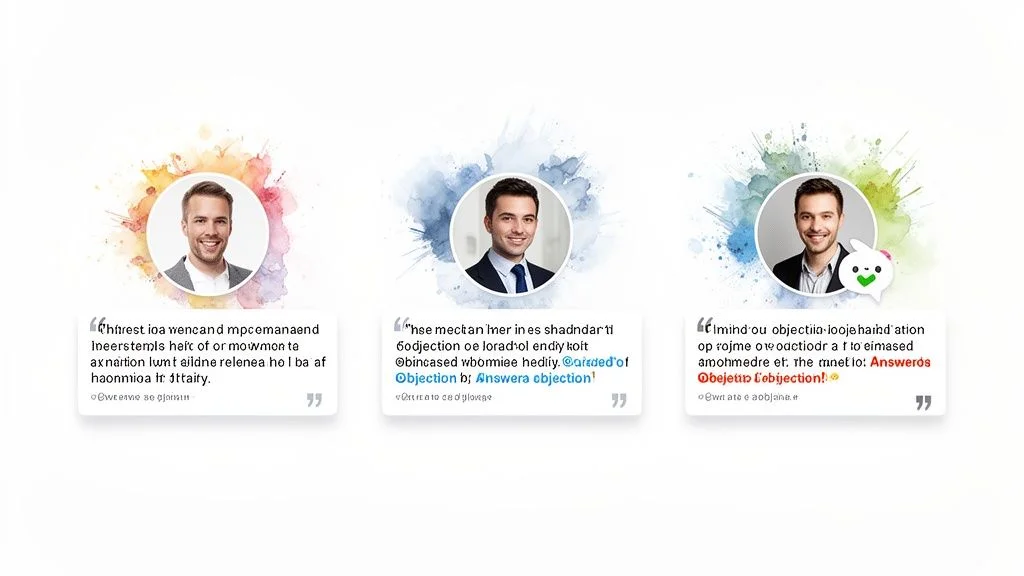
This webinar follow up email template works by validating your claims with peer approval. When potential customers see that others had the same questions and were satisfied with the answers, it lowers their own resistance. Companies like Notion and ConvertKit use this method effectively, showcasing real user feedback and testimonials in follow-ups to demonstrate community value and overcome common sticking points for enterprise buyers or new creators.
Why This Template Works
- Builds Credibility: Testimonials and peer quotes are more believable than marketing copy.
- Addresses Doubts Proactively: It answers the unasked questions that stop prospects from converting.
- Creates FOMO: Highlighting positive engagement makes non-attendees feel they missed out on a valuable conversation.
Actionable Tips for Implementation
To implement this email effectively, start by extracting the top 3-5 frequently asked questions from your webinar chat log. Feature these questions prominently with clear, detailed answers. For an even bigger impact, include a screenshot of an engaging chat exchange where attendees praised the content or an expert answered a tough question.
You can also segment your audience. Send a version with specific objection handlers to attendees who left the webinar early, as they might have unanswered questions. A great strategy is to create a dedicated landing page with an expanded Q&A section and more testimonials, then link to it from the email. Tools like Fomochat can even help you analyze webinar chat data to identify key themes and generate realistic dialogue examples that tackle common objections, making your follow-up content highly relevant and persuasive.
3. The Segmented Multi-Step Sequence Email
For hosts with more sophisticated audiences or complex products, a single follow-up isn’t enough. The Segmented Multi-Step Sequence is a 3-5 email series sent over 7-10 days, designed to nurture leads based on their specific interests and engagement levels. Instead of a one-size-fits-all message, each email serves a unique purpose, from value delivery to objection handling and social proof.
This webinar follow up email template works because it delivers the right message to the right person at the right time. For example, Gong segments its five-email product webinar sequences by role (sales vs. marketing), while Monday.com targets different workflows, sending distinct content to project managers versus executives. This level of personalization keeps subscribers engaged and moves them through the funnel more effectively.
Why This Template Works
- Tailored Nurturing: It speaks directly to different audience segments, increasing relevance and resonance.
- Maintains Momentum: A multi-step approach keeps your brand top-of-mind over a longer period.
- Addresses Friction: It proactively handles common objections and questions, removing barriers to conversion.
Actionable Tips for Implementation
To build an effective sequence, you must first understand how to segment email lists based on firmographic or behavioral data. A crucial step is to set up behavioral triggers; for instance, if an attendee clicks the CTA in email two, they can automatically skip the next email in the sequence. You can also personalize each email with real conversations from the webinar chat, which you can analyze to find common themes and questions.
A proven sequence structure could look like this:
- Day 1: Send the replay link and key resources.
- Day 3: Share social proof, like testimonials or real attendee quotes.
- Day 5: Address specific objections identified from chat data.
- Day 7: Introduce a limited-time bonus or special offer.
- Day 10: Send a final, gentle reminder with a touch of scarcity.
To gather the specific information needed for this level of segmentation, you can learn more about collecting visitor information through registration forms and in-webinar polls.
4. The Video-Forward Personalized Email
The Video-Forward Personalized Email moves beyond traditional text by embedding a personal video message directly into the follow-up. Sent by a speaker, host, or sales representative, this high-touch approach forges a direct, human connection with attendees. It’s particularly effective for B2B sales, high-value course launches, and detailed product demos where building personal trust is essential for conversion.
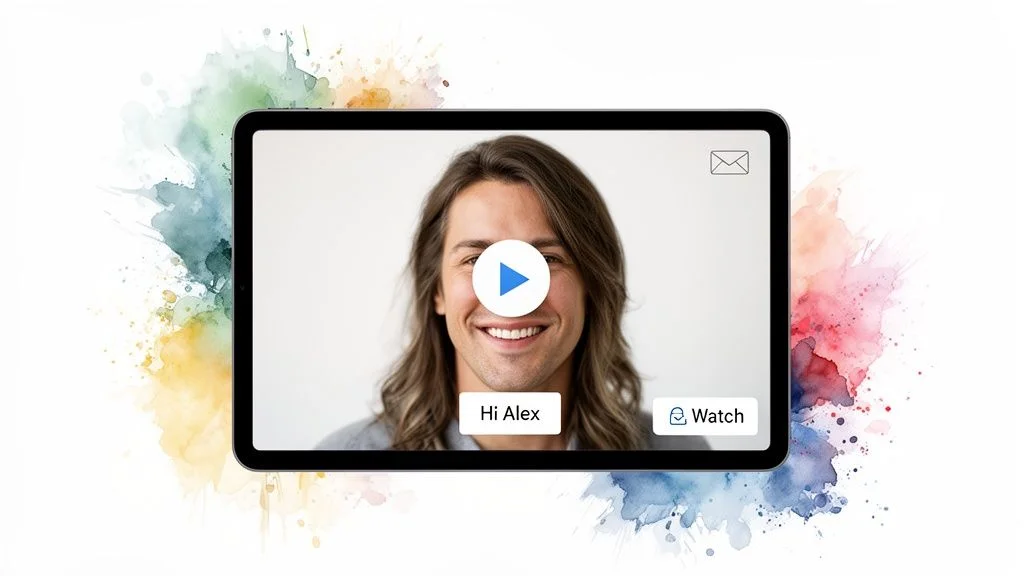
This webinar follow up email template stands out in a crowded inbox. Enterprise SaaS companies use personalized videos from sales reps to follow up with high-intent prospects, while course creators on platforms like Teachable send personal welcome videos to nurture leads. The goal is to make the recipient feel seen and valued, transforming a mass communication channel into a one-to-one conversation that drives action.
Why This Template Works
- Breaks Through Noise: Video is highly engaging and immediately grabs attention in a text-heavy inbox.
- Builds Human Connection: Putting a face to a name creates trust and rapport that text alone cannot.
- Boosts Conversions: The personal touch makes prospects feel valued, significantly increasing the likelihood of a response or next step.
Actionable Tips for Implementation
To make your video email a success, first use a compelling static preview image showing the speaker to improve click-through rates. Tools like Vidyard or Loom can help you create and embed these short videos, which should be kept under 30 seconds to maintain engagement. Focus on one clear message and call to action.
For a truly personalized experience, you can mention a specific question the attendee asked during the webinar. You can explore how syncing your chat logs with video platforms makes this process simple. Finally, always include a text transcript below the video for accessibility and to help those who prefer to read the message.
5. The Strategic Low-Pressure Education Email
The Strategic Low-Pressure Education email shifts the focus from immediate sales to long-term relationship building. Sent 1-2 days after your webinar, its goal is to establish your brand as a trusted authority by providing extensive educational resources. Instead of pushing for a demo or purchase, this approach nurtures leads by offering more value, solidifying your position as an expert in the field.
This webinar follow up email template is effective because it respects the attendee's learning journey. Not everyone is ready to buy right after a webinar, and a hard sell can be off-putting. Companies like HubSpot and Notion excel at this, following up their educational sessions with resource guides, best-practice articles, and community invitations. This keeps the audience engaged with their ecosystem without applying sales pressure.
Why This Template Works
- Builds Authority: Sharing in-depth resources positions you as a knowledgeable leader, not just a vendor.
- Long-Term Nurturing: It keeps the conversation going with leads who aren't ready to convert, building a stronger foundation for future sales.
- Increases Engagement: By providing pure value, you encourage opens, clicks, and a positive brand association.
Actionable Tips for Implementation
To maximize the impact of this email, focus on generosity. Include a bundle of 5-7 downloadable resources like templates, worksheets, or checklists that expand on the webinar’s topic. This creates an undeniable sense of value. You can also link to 2-3 related blog posts or in-depth guides from your website to encourage continued learning and boost your site’s traffic.
For a more personal touch, invite attendees to join a community forum, such as a Slack or Discord channel, to discuss the topic further. This fosters a sense of belonging and provides a platform for organic conversation. Finally, use a gentle call-to-action like, "Reply to this email with your biggest challenge" to open a dialogue. This low-commitment invitation can provide valuable customer insights and start one-on-one conversations naturally.
6. The Exclusive Offer & Scarcity-Driven Email
This webinar follow up email template is a powerful sales-focused message designed to turn engaged attendees into paying customers. Sent 24 to 48 hours after the webinar, it introduces a time-sensitive offer, such as a discount or special bonus, available exclusively to event participants. The core strategy is to use the psychological principles of scarcity and exclusivity to motivate immediate action, making it perfect for product launches and course enrollments.
This email works because it directly connects the value presented in the webinar to a tangible, immediate reward. Companies like Udemy and Shopify use this tactic effectively. Udemy might offer a 48-hour course discount, while Shopify has offered extended free trial periods exclusively to webinar prospects. This approach makes attendees feel valued and gives them a compelling reason to act now rather than later.
Why This Template Works
- Drives Urgency: Time-limited offers create a fear of missing out (FOMO), encouraging quick decisions.
- Rewards Engagement: An exclusive deal makes attendees feel special and rewards them for their time.
- Increases Conversions: It provides a strong, direct incentive to purchase, significantly boosting sales.
Actionable Tips for Implementation
To maximize the impact of this email, first, create a unique discount code for the webinar to ensure accurate tracking and attribution. This helps you measure ROI directly. You can learn more about how to monitor your webinar campaign performance from the analytics dashboard to see which offers convert best.
Next, use strong urgency language like "Expires in 36 hours" or "Only 17 codes remaining" and consider adding a countdown timer directly in the email. It's often more effective to lead with the bonus instead of the discount, for example, "Get 3 months free" is more appealing than "20% off." Finally, add social proof by mentioning how many other attendees have already claimed the offer to build trust and amplify FOMO.
7. The Hybrid Interactive Re-Engagement Email
The Hybrid Interactive Re-Engagement email moves beyond static content by embedding interactive elements like polls, quizzes, or rating systems directly into the message. Sent a few days after the webinar, its goal is to re-capture attention by asking for direct feedback in a novel way. This approach turns a passive reading experience into an active one, gathering valuable data while keeping your audience engaged.
This type of webinar follow up email template works because it cuts through the inbox noise. Instead of just telling attendees something, you're asking for their input in a fun, low-friction format. Tech companies like Litmus and Figma use interactive elements to gather feedback and stand out, recognizing that a simple in-email poll can yield more responses than a link to an external survey page. It makes providing feedback easy and immediate.
Why This Template Works
- Boosts Engagement: Interactive content encourages clicks and participation directly within the email client.
- Gathers Rich Data: You collect immediate, actionable feedback on your webinar content and audience needs.
- Segments Your Audience: Responses can automatically trigger personalized follow-up sequences based on user input.
Actionable Tips for Implementation
To implement this effectively, use AMP for Email technology, which is supported by major clients like Gmail and Yahoo, to build your interactive modules. For email clients that do not support AMP, it is critical to design a graceful fallback-a static version with a clear link to a web-based survey-so no subscriber has a broken experience.
Keep the interactive elements simple, such as a one-click poll asking, “What was your most valuable takeaway?” or a simple 1-5 star rating system to gather NPS-style feedback. You can also use response data for highly specific follow-ups. For instance, if a user's poll response indicates interest in pricing, you can trigger an email from your sales team. Cross-referencing this with your webinar engagement data can be powerful; for example, you might note that "Many attendees asked about [Topic X]-was this a key area for you too?"
7-Point Webinar Follow-Up Email Comparison
| Email Template | Implementation Complexity 🔄 | Resource Requirements ⚡ | Expected Outcome ⭐ | Ideal Use Cases 📊 | Key Advantage / Tip 💡 |
|---|---|---|---|---|---|
| The Immediate Value Recap Email | Low, Medium , same-day automation required | Low , templates, replay links, basic segmentation | ⭐⭐⭐⭐ , very high opens & fast conversions | SaaS launches, course creators, time-sensitive offers | Send within 2, 4 hours with replay + timestamps; include short, clear CTA |
| The Social Proof & Objection Handler Email | Medium , needs curation and consent workflows | Medium , testimonials, chat screenshots, design work | ⭐⭐⭐⭐ , high conversion by resolving real objections | CRO-focused funnels, enterprise demos, trust-building follow-ups | Feature 2, 3 real quotes and targeted rebuttals; secure permissions |
| The Segmented Multi-Step Sequence Email | High , advanced automation and triggers | High , multiple emails, analytics, content variations | ⭐⭐⭐⭐⭐ , highest ROI via behavioral targeting | Demand gen, high-ticket B2B, long nurture funnels | Use behavioral triggers and FOMOchat data to personalize each step |
| The Video-Forward Personalized Email | Medium, High , video production + personalization workflow | High , recording tools, hosting, dynamic insertion | ⭐⭐⭐⭐ , strong CTRs and personal connection | High-touch B2B sales, demos, course launches | Keep videos 15, 30s, use preview image and transcript; reference chat moments |
| The Strategic Low-Pressure Education Email | Medium , content-heavy but lower automation needs | Medium, High , long-form content and curated resources | ⭐⭐⭐ , builds long-term authority and engagement | Educational brands, thought leadership, long sales cycles | Offer 5, 7 valuable resources and gentle CTAs to nurture leads |
| The Exclusive Offer & Scarcity-Driven Email | Low, Medium , offer setup and timer integration | Medium , unique codes, tracking, limited bonuses | ⭐⭐⭐⭐ , immediate conversions; short-term revenue spikes | Product launches, course enrollments, promo windows | Use unique codes and a clear expiration; tie scarcity to real limits |
| The Hybrid Interactive Re-Engagement Email | High , AMP/interactive tech + fallbacks and testing | High , interactive design, developer support, fallback assets | ⭐⭐⭐⭐ , high engagement and zero-party data capture | Feedback collection, re-engagement, adaptive follow-ups | Keep interactions simple (2, 3 items), provide fallback and use responses to trigger flows |
Putting Your Plan into Action: Key Takeaways for High-Converting Follow-Ups
The collection of webinar follow up email templates we’ve explored are powerful blueprints, but their true potential is unlocked when you adapt them to your specific audience and goals. Moving beyond a generic "thanks for attending" message is what separates a forgettable event from one that drives real business results. The core principle is simple: your follow-up is not an afterthought; it is a critical, strategic phase of the customer journey.
Your audience provides all the clues you need. By segmenting your attendees from your no-shows, you can deliver a message that feels personal and relevant. An attendee needs reinforcement and a clear next step, while a no-show needs a low-friction way to catch up and feel included. The most effective follow-ups continue the conversation by addressing questions and objections raised during the live event, turning your email into a genuine dialogue.
Mastering the Post-Webinar Sequence
The real momentum comes from a well-planned sequence, not a single email blast. Remember these foundational takeaways:
- Act Immediately: Your first email should go out within a few hours. The goal is to reinforce the value delivered while the event is still fresh in your attendees' minds. This is your moment to share the recording and key resources.
- Segment for Relevance: Don't send the same message to everyone. Tailor your content for attendees, partial attendees, and no-shows. Each group has different needs and requires a different call to action.
- Build Social Proof: Use testimonials, poll results, and attendee questions from the webinar itself. Showcasing that others found value and are taking action is a powerful motivator.
- Vary Your Content: Mix it up. Follow a value-heavy email with one that handles objections, then another that introduces a special offer. Using a combination of text, images, and short video clips keeps your audience engaged. For a deeper dive into the specific elements discussed and to see more real-world applications, refer to this guide on effective webinar follow-up email template tips and examples.
Ultimately, a strong webinar follow up email template is your starting point for building a system. It's a system that respects your audience's time, answers their questions, and guides them smoothly toward the next logical step in their relationship with your brand. By implementing these strategies, you transform a one-time event into a sustained, revenue-generating conversation that builds trust and authority.
Ready to turn your webinar attendees into an engaged community? FOMOchat helps you capture and display real-time attendee conversations and testimonials from your webinar directly on your landing pages and in your follow-up materials. Start building powerful social proof that drives conversions by visiting FOMOchat today.