
Choosing your webinar software really boils down to one fundamental question: Are you looking for a dedicated marketing tool built to drive conversions, or do you just need a general-purpose platform to host online meetings? The path you take, whether it's a sales-focused option like Demio or a household name like Zoom, will ultimately shape your event's success and how effectively you generate new leads.
How To Choose Your Webinar Software in 2026

The webinar software space is booming, and that makes picking the right tool more crucial than ever. The industry was already valued at $8.799 billion in 2024 and is on track to hit a staggering $32.72 billion by 2035. This explosive growth shows just how vital these platforms have become for SaaS marketers, course creators, and anyone trying to connect with an audience in a meaningful way. You can dig deeper into this market surge and what it means for your business in this detailed report on future market trends.
Picking your software is more than a tech choice. It’s a strategic move that directly impacts how your audience engages, the quality of your leads, and your final conversion numbers. The right platform can turn a simple online presentation into a powerful, revenue-driving event.
Setting The Stage For Comparison
To help you sort through the noise, this guide will walk you through a detailed webinar software comparison of four of the biggest players out there:
- Zoom Webinars: The undisputed giant, known for its sheer reliability and the fact that everyone already knows how to use it.
- GoTo Webinar: A long-time favorite in the corporate world, trusted for its robust and secure features.
- Demio: A modern, slick platform built from the ground up with marketers in mind.
- Livestorm: A flexible tool that puts a heavy emphasis on audience engagement and smart automation.
The secret to a great webinar isn't just your slides or your script. It's the experience you create. The right software gets out of the way for you and your attendees, creating a smooth, professional environment where your message truly lands.
Of course, a great tool is only as good as the content you present. It's always a good idea to brainstorm fresh topics that will resonate with your audience and get you excited to present. If you need some inspiration, you can find some great webinar content ideas here.
Before we jump into the nitty-gritty details, here’s a quick-glance table to help you get a feel for where each platform shines.
A Quick Look At Top Webinar Platforms of 2026
| Platform | Core Strength | Best For |
|---|---|---|
| Zoom Webinars | Unmatched reliability and scale | Large-scale corporate events and internal training |
| GoTo Webinar | Enterprise-grade security and features | Businesses needing a stable, feature-rich environment |
| Demio | Marketing and conversion focus | SaaS demos, course launches, and sales-driven events |
| Livestorm | Attendee engagement and automation | Teams prioritizing interactive experiences and automated workflows |
While this table gives you a solid starting point, the "best" choice always comes down to your specific goals and workflow. In the sections ahead, we’ll break down everything from key features and user experience to pricing, so you can walk away knowing exactly which tool is the right fit for you.
Comparing Core Features And Capabilities
Once you get past the slick landing pages, the real test of any webinar software comes down to its core features. This is the engine under the hood. The tools that actually determine how well you can run your event, connect with people, and hit your goals.
Some platforms are built like broadcast studios for massive audiences, while others feel more like an intimate workshop. Let's get into the weeds and see how Zoom, GoTo Webinar, Demio, and Livestorm really compare on the features that matter most.
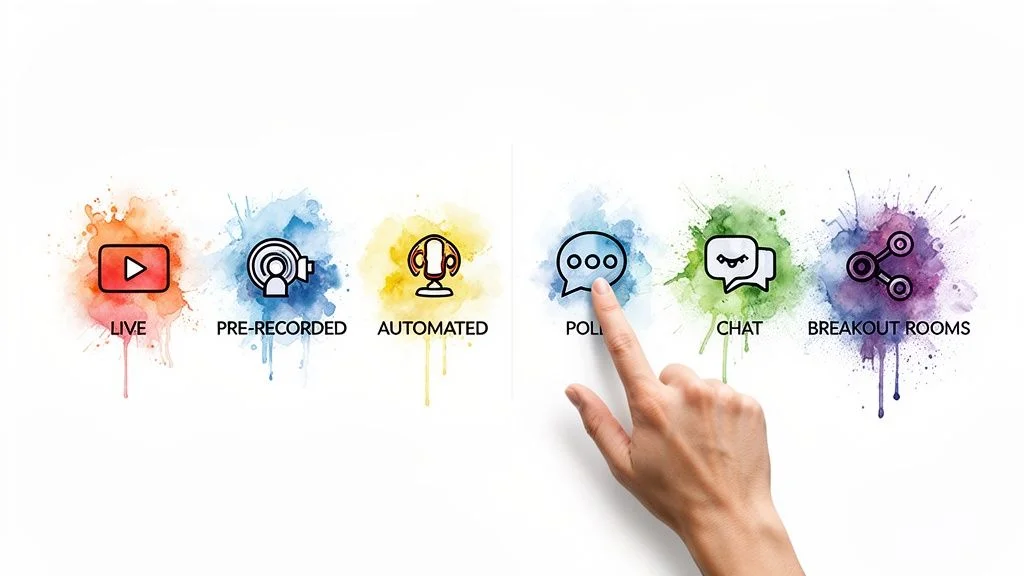
Broadcast Modes And Event Types
How you plan to deliver your content is a huge deciding factor. Are you running live, can't-miss demos? Or are you building an evergreen machine that runs while you sleep? The right tool makes all the difference.
Live Webinars: All four platforms nail live events. Zoom and GoTo Webinar have a long-standing reputation for being rock-solid, even with thousands of people watching. They are the safe, reliable choice for large-scale broadcasts. Demio and Livestorm also offer fantastic live experiences, but they put more emphasis on a clean, modern look that feels less corporate and more marketing-focused.
Automated & On-Demand Webinars: This is where the marketing-first platforms truly shine. Demio and Livestorm were practically born for automation. They make it incredibly simple to take a recorded event and set it to run on a recurring schedule or offer it on-demand. They even simulate chat and pop up offers at the right time to make it feel live.
Pre-recorded (Simulated Live) Webinars: This is the best of both worlds. You play a polished, pre-recorded video but jump into the chat to answer questions live. Demio is the master of this format, creating an experience so smooth that attendees often can't tell it's not fully live. While you can play a video in Zoom or GoTo Webinar, it often feels clunky and less integrated.
For anyone looking to create scalable marketing funnels, the ability to flip a live event into an automated one is huge. It’s not just a feature for Demio and Livestorm; it’s part of their core philosophy.
Attendee Capacity And Scalability
How many people are you expecting? A platform's attendee limit isn't just a number. It directly affects your pricing and what's even possible for your event.
Zoom Webinars is the undisputed heavyweight for massive events. It can handle everything from 500 attendees up to a staggering 10,000+, though the price climbs steeply with each tier. If you're hosting a huge virtual summit, this is your go-to.
GoTo Webinar is another solid choice for large-scale needs, reliably supporting up to 3,000 participants. It's a favorite among big companies needing a stable platform for major announcements or all-hands meetings.
Demio and Livestorm are aimed squarely at small and medium-sized businesses. Their plans start smaller, with caps around 50 to 1,000 attendees, and scale up from there. For SaaS companies, consultants, and course creators, this pricing model is much more practical and cost-effective.
Audience Engagement Tools
A silent audience is a bored audience. The best platforms give you tools to turn a one-way lecture into a two-way conversation. Here’s a quick breakdown.
| Feature | Zoom Webinars | GoTo Webinar | Demio | Livestorm |
|---|---|---|---|---|
| Live Chat | Standard, with moderation tools. | Solid chat, includes private messaging. | Modern and easy to use. | Very interactive, with question upvoting. |
| Polls & Surveys | Yes, with basic reporting. | Yes, plus post-event surveys. | Interactive polls with live results sharing. | Sleek polls and survey features. |
| Q&A Modules | Dedicated Q&A pod, includes upvoting. | Separate Q&A area to keep things organized. | Clean Q&A management. | Integrated Q&A with upvoting. |
| Breakout Rooms | Yes, a major strength for workshops. | Yes, great for training sessions. | No, designed for a single-room experience. | Not a standard feature. |
You can feel the difference in philosophy here. Demio and Livestorm design their engagement tools to feel fresh and intuitive, which naturally encourages people to participate. Livestorm’s upvoting feature for questions is a perfect example. It lets you see exactly what your audience is most curious about. Capturing these insights is key, and you can learn more about importing webinar chat logs to analyze them later.
On the other hand, the tools in Zoom and GoTo Webinar are perfectly functional but can feel a bit more dated or corporate. The one major exception is Zoom's breakout rooms, which are best-in-class. If you need to split your audience into smaller groups for collaboration, nothing beats it.
Evaluating The User Experience And Setup Process
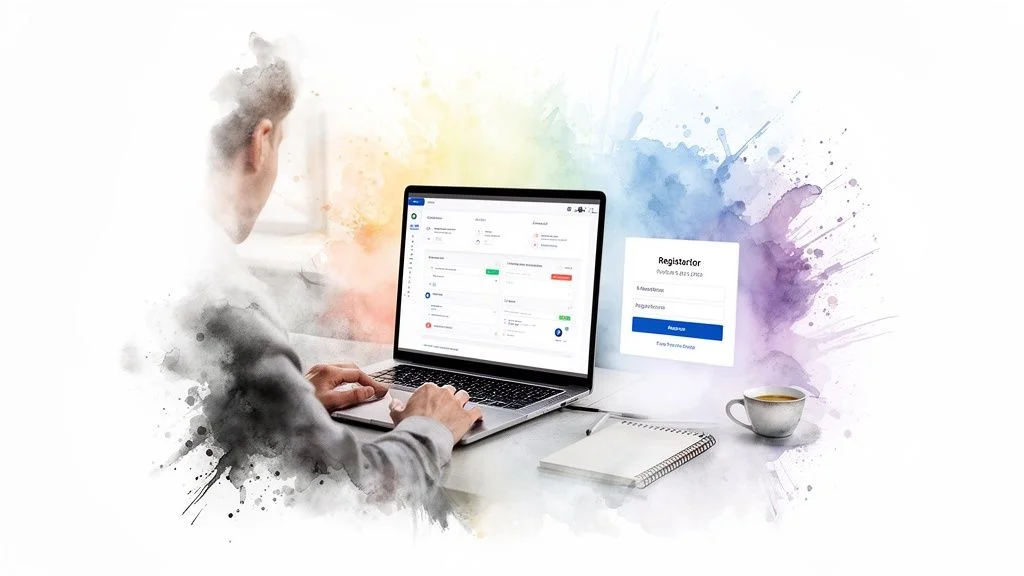
It doesn't matter how many bells and whistles a platform has if you and your attendees can't figure out how to use them. A clunky interface or confusing setup can ruin a webinar before it even starts, which is why the overall user experience (UX) is a huge factor.
We’re digging into what it’s actually like to set up and run a webinar on these platforms. The "best" experience really comes down to your team's technical confidence. Some tools give you granular control over every little detail, while others are all about getting you live with as few clicks as possible.
The Host And Presenter Experience
What does it take to get from scheduling an event to hitting the "Go Live" button? This workflow is where you’ll feel the biggest difference between these tools. It can either be a quick, painless process or a real headache.
Zoom and GoTo Webinar are incredibly powerful, but their dashboards feel a bit dated. They’re packed with menus and settings, which is fantastic for a technical user who wants to fine-tune everything. For a first-time host, though, it can be a lot to take in. The sheer number of options often creates a steep learning curve.
On the other hand, platforms like Demio and Livestorm were clearly designed for simplicity. Their dashboards are clean, modern, and walk you through the setup process. Creating an event, tweaking the registration page, and scheduling email reminders feels intuitive. You can honestly get a webinar ready to go in just a few minutes.
The core design philosophy is clear: Demio and Livestorm are built to empower marketers to launch events quickly, while Zoom and GoTo Webinar are designed for IT administrators who need to manage complex corporate communications.
This modern, user-friendly approach carries right into the live event. When you’re presenting with Demio or Livestorm, you get a clean “backstage” area. All your controls for slides, polls, and chat are laid out right where you expect them to be, so you’re not fumbling for the right button when you should be focused on your audience.
The Attendee Joining Process
For your attendees, the first impression is the joining process. If they get frustrated here, you've already lost a bit of their goodwill. The goal is to make getting into the webinar completely effortless.
Browser-Based Access: Demio and Livestorm are the clear winners here. Attendees just click a link and join directly from their web browser. No downloads, no installers, no fuss. This is a huge plus for attracting a wide audience that might not have the right software installed.
Required Downloads: GoTo Webinar and, to a lesser extent, Zoom have a history of requiring a small app download. While Zoom has gotten much better with its in-browser option, you still get the smoothest experience with the desktop app, which can be a deal-breaker for some attendees.
This is even more important for on-demand or automated webinars. You want the experience to feel alive, even if it's pre-recorded. A simple trick like making sure you’re properly syncing chat with video playback can make all the difference in keeping viewers engaged.
Ultimately, the best UX is the one that causes the fewest headaches. For teams without a dedicated IT person, the simple, browser-first approach of Demio and Livestorm is a massive advantage. It means fewer support emails from confused attendees and a much higher chance that everyone who registered actually makes it into your event.
Your webinar platform is useless if it’s an island. For it to actually drive results, it has to plug right into the tools you already use every day. Your CRM, your email marketing software, and the rest of your sales stack. This is where the real differences between platforms show up.
A platform that doesn’t talk to your other software means you’re stuck doing manual data entry, which is a recipe for lost leads and messy reporting. And a pricing plan that looks like a great deal at first can quickly become a budget-killer as you start to grow. Let’s dig into how these tools really stack up on integrations and cost.
How Well Do They Play With Other Marketing Tools?
The difference between a good integration and a great one is huge. It’s the difference between manually exporting a CSV of your attendees versus automatically dropping them into a tailored follow-up sequence the second the webinar ends.
CRM Integrations (like HubSpot and Salesforce): All four platforms will tell you they integrate with major CRMs, but the quality isn’t the same. Livestorm and Demio were clearly built with marketers in mind. They offer deep, native connections that push not just contact info but also engagement data, like polls answered and total viewing time, right into your CRM. This gives your sales team incredible context. Zoom and GoTo Webinar can connect too, but it often feels like an afterthought, relying on third-party apps like Zapier that can be clunky and less reliable.
Email Marketing Integrations (like Mailchimp and ConvertKit): It’s a similar story here. Demio and Livestorm shine with direct, simple integrations. You can add registrants to specific email lists or tag them based on their behavior automatically. While Zoom and GoTo Webinar have options for this, the setup is often less intuitive and requires more steps.
The real test of an integration isn't just a checkmark on a feature list. It's about how much data it actually syncs and how smoothly it runs. A platform that automatically sends detailed engagement scores to your CRM is a world apart from one that just sends a name and an email.
This seamless connection is what transforms your webinar from a single event into a revenue-generating machine. It makes sure every click, question, and poll response helps you tailor the next step in your customer's journey.
Understanding the True Cost and How They Scale
Webinar software pricing can be notoriously tricky. Plans are often a confusing mix of attendee limits, host seats, and tiered features. What you see on the pricing page is rarely the full picture, so you have to look deeper to understand the total cost as your business grows.
Most platforms base their pricing on the number of live attendees you can host at one time. A "100-attendee" plan means you can't have more than 100 people in a live session. This is the number you need to watch most closely.
A Look at Their Pricing Tiers:
| Platform | Entry-Level Price (Annual) | Key Limitation | Scalability Factor |
|---|---|---|---|
| Zoom Webinars | ~$67/month for 500 attendees | Price jumps significantly for more attendees. | Excellent for massive scale, but expensive. |
| GoTo Webinar | ~$69/month for 250 attendees | Advanced features require higher tiers. | Reliable for corporate scale-up. |
| Demio | Starts around $49/month for 50 attendees | Lower initial attendee caps. | Cost-effective for gradual growth. |
| Livestorm | ~$105/month for 100 attendees | Add-ons can increase the price. | Flexible, but custom plans needed for large events. |
The trick is to be realistic about your needs. Demio’s model is great for businesses that are starting out and expect to grow steadily. Zoom, on the other hand, is a pricier but sometimes necessary choice if you’re running events for thousands of people. To really get into the nitty-gritty, you can explore guides on pricing and plans to see how different add-ons and features will affect your final bill.
Beyond the attendee caps, keep an eye out for "hidden" costs. Things like limits on the number of hosts, how long you can store on-demand recordings, or access to premium integrations can force you into expensive upgrades just to get the functionality you need.
Turning Your Audience Into Customers With Engagement and Social Proof
Getting people to sign up for your webinar is one thing. But the real magic happens when you turn that captive audience into new customers, course students, or qualified sales leads. This is where engagement and social proof move from being buzzwords to becoming your most powerful conversion tools.
While things like screen sharing and attendee caps are the basic table stakes, the features that actually pull your audience into a conversation are what drive results. Live chat, Q&A sessions, and real-time polls aren't just fancy add-ons; they're critical for keeping people hooked and steering them toward your call-to-action.
The data backs this up. Webinars have fantastic conversion rates, with 5% to 20% of viewers often becoming paying customers. These numbers are especially strong in the tech and SaaS industries, which host 29% of all webinars. As these webinar conversion statistics show, a well-run webinar is one of the best conversion plays a marketer has.
Making Your Webinar a Two-Way Conversation
An engaged audience is one that's ready to take the next step. When viewers are asking questions and participating, they become more invested in what you have to say and more open to your offer. That’s why the quality of a platform's engagement tools should be a non-negotiable part of your webinar software comparison.
Platforms like Demio and Livestorm get this right. Their chat features feel less like a sterile helpdesk window and more like a lively group discussion. Little things, like question upvoting in Livestorm, let you see what your audience cares about most, helping you build trust by addressing their biggest concerns on the spot.
Here’s how the best tools keep the conversation flowing:
- Dynamic Polls: Tools like Demio let you share poll results on-screen in real-time. This creates a shared experience and makes everyone feel like they're part of a community.
- Organized Q&A: A separate Q&A tab, which is standard on most top platforms, keeps important questions from getting buried in a busy chat. It ensures people feel heard.
- Emoji Reactions: These give your audience a simple, low-effort way to react, giving you a live pulse on how your presentation is landing.
Features like these transform a webinar from a passive lecture into an active dialogue. By encouraging this back-and-forth, you keep your audience focused and make your final call-to-action feel like the natural conclusion to a great conversation.
Using Social Proof to Build Buzz and Trust
Beyond direct interaction, one of the most powerful psychological tools you can use is social proof. When attendees see other people asking smart questions, getting excited in the chat, and sharing positive feedback, it confirms their own interest. It creates a subtle sense of urgency. The digital version of a crowded store, signaling that something valuable is happening.
But creating that authentic buzz can be tough, especially for automated or on-demand webinars where the "live" energy is missing. This is where some interesting new tech comes into the picture.
Social proof isn't just about testimonials on a landing page. During a webinar, it's about creating a live, dynamic environment where an attendee's interest is validated by the real or simulated curiosity of their peers. This turns passive viewing into an active buying decision.
AI tools like FOMOchat were built to solve this exact problem. The software can generate incredibly realistic, multi-person chat conversations that sync perfectly with your pre-recorded webinar. Imagine running an automated product demo. Right when you get to the pricing slide, a simulated chat pops up with "attendees" asking about payment plans or feature details. And getting immediate answers.
This handles common objections before they can kill a potential sale. It also builds incredible credibility by showing that other people are seriously considering your offer. You can measure how well these simulated chats are working by checking your platform's reports or diving into a dedicated analytics dashboard to see which questions lead to the most conversions. And to get even more mileage from your webinar, an AI video clip generator can help you slice up your long-form recording into bite-sized clips perfect for social media.
Making Your Final Decision Based on Use Case
After all the feature-by-feature breakdowns, the webinar software comparison boils down to a simple question: what are you actually trying to accomplish? The perfect platform for a SaaS marketer might be a total dud for a corporate trainer. This is where you match the tool to the job.
It’s easy to get mesmerized by a long list of features you'll never touch. The key is to anchor your decision in your primary goal. Are you focused on converting prospects, educating new customers, or broadcasting a huge company-wide event? Your answer is your compass.
Choosing Software For SaaS Demos
For most SaaS companies, the product demo is the make-or-break moment. You need your software to be completely seamless. The focus has to be on flawless screen sharing, clear audio, and tools that let you answer questions and nudge prospects toward signing up for a trial.
- Your top priority: A crisp, professional-looking interface and high-quality screen sharing.
- Must-have features: You’ll want integrated chat, a dedicated Q&A module, and the ability to pop in a call-to-action (CTA) button right inside the webinar room.
- Our recommendation: Platforms like Demio and Livestorm are practically built for this. Because they're browser-based, attendees don't have to download anything, which removes a huge point of friction. Their features are all geared toward turning viewers into users.
The point of a great SaaS demo isn’t just showing off your product. It’s about creating a smooth, branded experience that builds immediate trust. Any platform that forces attendees to download an app adds a roadblock and can sour that critical first impression.
Platforms For Online Course Launches
If you’re launching an online course, your webinar is the main event. It’s your sales engine. Your software needs to be a marketing machine that can run powerful, automated funnels that bring in sales even when you’re not there.
- Your top priority: Seriously powerful automation and evergreen webinar features.
- Must-have features: Look for automated event scheduling (like running a webinar every 15 minutes), simulated chat to create social proof, and deep integrations with email tools like ConvertKit.
- Our recommendation: Demio really shines here. Its ability to create "simulated live" experiences is second to none, making it ideal for building sales funnels that feel engaging and authentic, but run on autopilot.
Tools For Large-Scale Corporate Events
When you're running a virtual summit, a company town hall for thousands of employees, or a major press announcement, your main concern is one thing: stability. You need a platform that simply will not crash.
- Your top priority: Rock-solid reliability and a massive attendee capacity.
- Must-have features: You need bulletproof streaming quality, advanced controls for moderators to manage the audience, and robust security protocols.
- Our recommendation: This is the domain of Zoom Webinars and GoTo Webinar. They are the undisputed leaders for huge broadcasts and are trusted by giant enterprises for their ability to handle thousands of attendees without breaking a sweat.
This flowchart maps out a key strategic choice you'll face when picking your software.
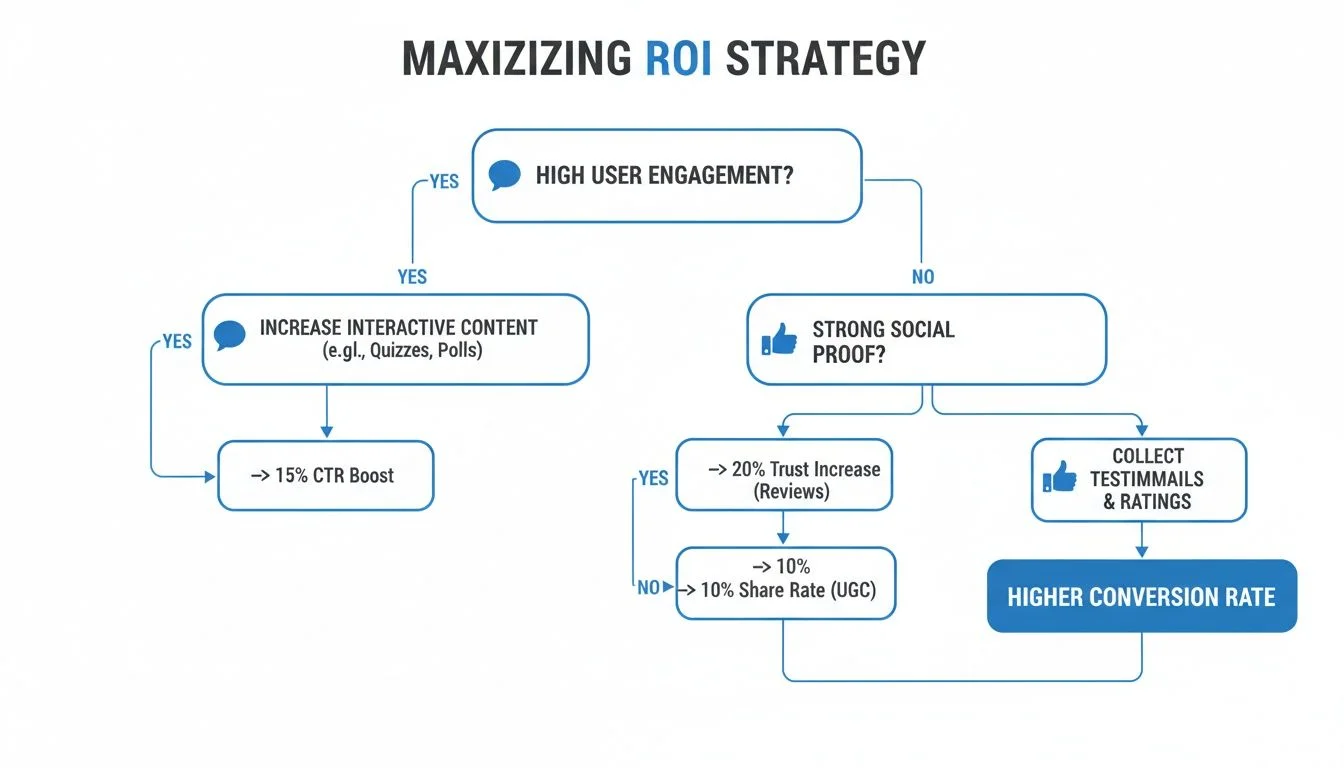
As the chart shows, getting the best return on your investment often comes down to choosing between a path focused on live, real-time engagement or one that relies on automated social proof to drive conversions. It all depends on your goal.
Frequently Asked Questions
When you're digging into webinar platforms, a few key questions always seem to pop up. Whether you're in marketing, sales, or education, you're not alone. Here are some straight-to-the-point answers to the most common things people ask when comparing webinar software.
What Is The Difference Between Webinar Software And A Standard Meeting Tool?
It really comes down to presentation versus collaboration. Webinar software is built for a one-to-many broadcast. Think of a speaker on a stage addressing an audience. The features are all about managing that audience, capturing leads, and running engaging polls or a moderated Q&A.
Your standard meeting tools, like Zoom Meetings or Google Meet, are designed for many-to-many conversations. They're fantastic for team huddles where everyone needs to chime in, but they just don't have the marketing and analytics horsepower you need for a proper webinar.
How Important Are Integrations For Webinar Software?
I can't stress this enough: integrations are make-or-break. Without them, your webinar is just an isolated event. With them, it becomes a powerful, automated part of your entire marketing and sales process. You'll save yourself from a world of manual data entry headaches.
The best integrations don’t just pass names and emails back and forth. They sync detailed engagement data, like questions asked, polls answered, and viewing duration, directly into your CRM, giving your sales team valuable context for follow-ups.
Hooking your webinar platform into your CRM (like Salesforce) and your email marketing tool (like Mailchimp) is non-negotiable. It’s how you make sure every single lead gets tracked and nurtured properly, which is how you actually see a return on your investment.
Can I Use The Same Software For Live And Automated Webinars?
Yes, and you absolutely should. Most of the top-tier platforms are designed to handle both. Tools like Demio and Livestorm are great at this. They let you host an amazing live event and then flip a switch to turn that recording into an evergreen, on-demand asset. It’s a brilliant way to get more mileage out of your content.
But be careful, because not all "automation" is created equal. Simply playing a recorded video isn't enough. Look for platforms with features that make the automated experience feel live, like simulated chat comments or perfectly timed pop-up offers. Make sure the tool's automation capabilities actually match what you're trying to achieve.
What Is A Realistic Budget For Webinar Software?
The price tag can swing pretty wildly. On the low end, you can find solid plans starting around $50 per month, usually with limits on attendees. For enterprise-level needs with thousands of viewers and all the bells and whistles, you could be looking at $500 per month or more.
Ultimately, your budget depends on three things: how many people show up to your events, what features you truly need, and the potential ROI. Don't just grab the cheapest option. Sometimes, paying a bit more for a platform with better conversion tools can end up making you far more money in the long run.
Ready to turn passive webinar viewers into active buyers with the power of social proof? FOMOchat creates realistic, AI-powered chat simulations for your live and automated webinars, addressing objections and building trust at the perfect moment. See how it works.