
Picture a person walking into your store, glancing around for a second, then heading straight for the exit. That’s a bounce. On your website, it’s the digital version of that exact moment, and your website bounce rate tells you how often it’s happening.
What Is Website Bounce Rate and Why It Matters

Your website bounce rate measures the percentage of people who land on a page and leave without doing anything else. No clicks, no form fills, no navigating to another page. They just arrive and depart.
The math is simple: it's the total number of single-page visits divided by the total number of all visits. So, if 1,000 people land on your homepage and 450 of them leave without clicking anywhere else, your homepage's bounce rate is 45%.
But hold on: a high bounce rate isn't automatically a disaster. Context is everything. Someone might land on your blog, find the perfect answer to their question, and leave feeling completely satisfied. The page did its job, even though the visit technically counts as a bounce.
The Shift to a Smarter Metric
The way we track this has gotten a lot smarter. Old-school Universal Analytics focused on that simple bounce rate, but the newer Google Analytics 4 (GA4) has moved the goalposts to a much more insightful metric: Engaged sessions.
This new approach gives you a better sense of who's actually paying attention. In GA4, a session is considered "engaged" if the visitor does at least one of these things:
- Stays on the page for longer than 10 seconds.
- Triggers a conversion event (like signing up or making a purchase).
- Views at least two pages.
If a visit doesn't meet any of these criteria, it’s now considered a bounce. This is a huge improvement because it helps you separate the people who leave instantly from those who stick around to read your content before leaving. In short, bounce rate is now just the opposite of your engagement rate. If your engagement rate is 60%, your bounce rate is 40%. Simple as that.
Why Your Bounce Rate Is Important
Keeping an eye on your bounce rate is one of the best ways to diagnose problems on your site. It’s a direct signal telling you which pages aren’t living up to visitors' expectations. A high bounce rate on a key landing page, for example, is a major roadblock that stops people from moving through your conversion funnel.
A high bounce rate often points to a disconnect between what the user expected and what they found. It’s a direct signal that your page's message, design, or performance might be missing the mark, causing potential customers to turn away.
Now, Google has never come out and said that bounce rate is a direct factor in SEO rankings. However, they do care a lot about user interaction signals. A page that consistently fails to hold a user's interest is just not going to perform well in search results over the long run. That's why it’s so important to look at bounce rate alongside other key website traffic metrics to get the full picture of your site's health.
How to Accurately Measure Your Bounce Rate
Before you can fix a high bounce rate, you have to be sure you’re measuring it correctly. If your analytics data is shaky, any "fixes" you make are just shots in the dark. For most of us, that means getting comfortable with Google Analytics.
The way we track bounces has changed dramatically, and this is a good thing. The old system, Universal Analytics (UA), was notoriously rigid. It counted any single-page visit as a bounce. Full stop. This was a huge headache because it meant a visitor who spent ten minutes reading your latest blog post and left completely satisfied was still marked as a "bounce." It just wasn't the full picture.
Enter Google Analytics 4 (GA4). The new standard ditches that old model for a much smarter metric: Engaged sessions. This shifts the focus from "did they leave?" to "did they actually do anything?"
GA4 Engaged Sessions: A Better Metric
In GA4, a visit is only considered an "Engaged session" if the person does at least one of these three things:
- Stays on your site for more than 10 seconds
- Clicks through to a second page
- Triggers a conversion event (like filling out a form or making a purchase)
If a session doesn't meet any of these simple criteria, then it's considered a bounce. That's a real shift. It helps you distinguish between someone who landed, saw nothing of interest, and left, versus someone who got exactly what they needed from that one page.
You'll notice that GA4 focuses heavily on engagement rate. Your bounce rate is just the other side of that coin. So, if your engagement rate is 75%, your bounce rate is a healthy 25%. You might need to add the bounce rate metric to your reports manually, which you can usually do by customizing your "Pages and screens" report.
Segment Your Data for Deeper Insights
Looking at your website's overall bounce rate is a start, but it won't tell you the whole story. A single, site-wide average can easily mask major issues lurking on specific pages or with certain types of visitors.
A high bounce rate is a symptom, not the disease. Simply looking at the site-wide average is like taking your temperature without knowing where the infection is. You need to segment your data to find the root cause.
This is where the real detective work begins. Instead of just one number, you need to slice up your data to see what’s really going on. Start asking questions and use filters to find the answers.
For example, compare performance across different groups:
- Traffic Source: Are people coming from your paid ads bouncing more than those from organic search? That might mean your ad copy is setting the wrong expectations for what’s on the landing page.
- Device Type: It’s normal for mobile bounce rates to be a bit higher, but if there’s a massive gap between mobile and desktop, your site probably isn’t working well on phones. That's an urgent fix.
- Landing Pages: Which pages are bleeding visitors? A high bounce rate on a critical product page or your homepage is a five-alarm fire.
When you dig into the numbers this way, you stop guessing and start building a clear plan based on real user behavior. If you want to get more comfortable with these reports, take a look at our guide to navigating your analytics dashboard.
What Is a Good Bounce Rate in 2026?
Let's get one thing straight: there's no single "good" bounce rate. Chasing some magic number is a surefire way to drive yourself crazy. What really matters is context: your industry, the specific page, and what you actually want a visitor to do.
If someone lands on your blog post from a Google search, reads the whole thing, finds their answer, and leaves, that's a success! Even though it counts as a bounce, your page did its job perfectly. The visitor left happy.
But what about a product page? Or your checkout? A bounce there is a completely different story. It's a lost sale, a missed opportunity. That's why looking at a site-wide average is almost useless. You have to dig into the numbers on a page-by-page basis.
Setting Realistic Benchmarks
So, how do you know if your numbers are in the right ballpark? You need to look at what’s normal for your type of website. User behavior is wildly different across the web, and your expectations should be, too.
Here’s a rough guide to what you can generally expect:
- E-commerce Sites: People are here to browse and buy, so they tend to click around more. Bounce rates are typically in the 20% to 45% range.
- Lead Generation Pages: These pages have one job: get a form fill. Every bounce is a lost lead, so you want this number as low as possible.
- Blogs & Content Sites: These often have the highest bounce rates, easily hitting 70% to 90%. Again, this is totally normal. Readers find what they need and move on.
The real question isn't "What is a good bounce rate?" It's "What is a good bounce rate for this specific page?" A high bounce rate on your contact page is probably fine. A high bounce rate on your pricing page is a fire alarm.
Benchmarks for SaaS and B2B Websites
For SaaS and B2B companies, the customer journey isn't as simple as "add to cart." Prospects are doing their homework, comparing features, and weighing options. This leads to very different browsing patterns.
In 2026, SaaS websites typically see average bounce rates between 35% and 55%. This makes sense. A potential customer is probably hopping between your site and a few competitors, comparing pricing and features before they commit. This is pretty consistent with the broader B2B world, where long decision-making cycles mean people might make several short visits over weeks or months.
If you want to get more granular, you can see more detailed industry benchmarks on Causal Funnel to see exactly how you stack up.
The way we measure all this is changing, too. Take a look at how a modern tool like Google Analytics 4 thinks about engagement compared to the old way.
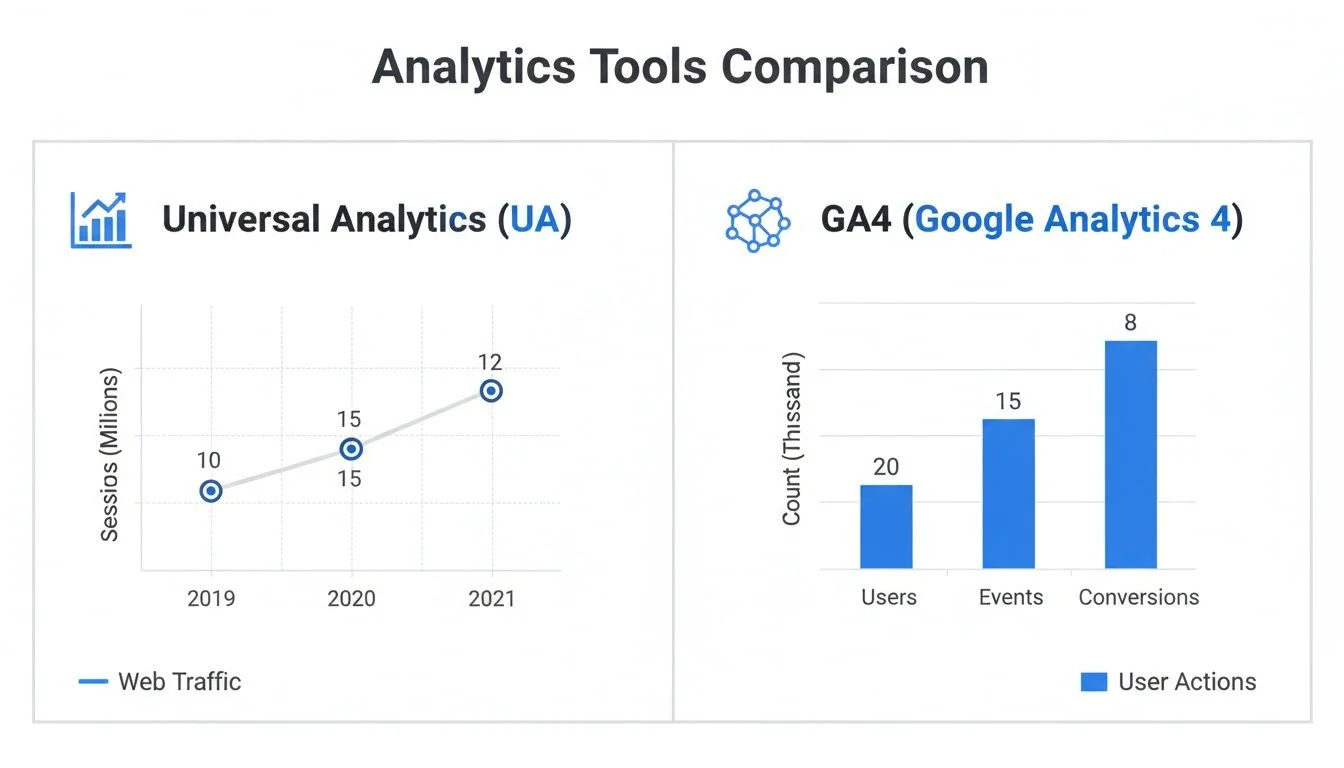
As you can see, GA4 is moving away from just counting "bounces" and is instead focused on "Engaged sessions." This gives you a much better feel for who's actually interested in what you have to offer.
7 Common Reasons Your Website Bounce Rate Is High

When you see a high bounce rate, it's easy to feel a bit lost. But step back: a high bounce rate isn't the actual problem, it's a symptom. It’s a bright, flashing signal that something is pushing visitors away.
Your job is to play detective. By digging into the clues, you can figure out exactly why people are leaving so quickly. Once you know the cause, you can stop guessing and start implementing fixes that actually work.
Let’s look at the 7 most common culprits I’ve seen tank a website's engagement.
1. Slow Page Load Speed
Patience is not a virtue online, and the numbers back that up. If your page feels sluggish and takes more than a couple of seconds to appear, you've already lost. Visitors will hit the back button without a second thought.
Every single second of delay makes a bounce more likely. This is especially true on mobile, where connections can be spotty. A slow site isn't just a minor inconvenience; it's a closed door to a potential customer.
2. Misleading Titles and Meta Descriptions
Ever clicked on a search result promising a "Definitive Guide to Italian Cooking" only to land on a one-paragraph page selling a cookbook? It’s frustrating, right? That immediate feeling of being misled is a bounce-rate disaster.
Your page title and description are a promise you make to your audience. If your content doesn't deliver on that promise the moment the page loads, you’ve broken their trust. They’re gone.
A high bounce rate is almost always the result of a broken promise. Your ad, search result, or social post creates an expectation. When your landing page fails to meet it, that visitor instantly loses trust and leaves.
3. A Confusing or Cluttered Website Design
You get milliseconds to make a good first impression. If a visitor lands on a page that looks like a chaotic mess of ads, tiny text, and confusing menus, their brain switches off. They won't waste energy trying to figure it out; they'll just bounce to a competitor with a cleaner design.
A good user experience (UX) should feel effortless. Watch out for these common design flaws:
- Poor Navigation: People give up fast if they can't find what they're looking for.
- No Visual Hierarchy: If everything is yelling for attention, nothing gets heard. Make your most important elements stand out.
- Unreadable Text: Walls of tiny font or low-contrast colors are an instant dealbreaker.
A site that’s clean and easy to navigate shows visitors you respect their time. This builds confidence and is one of the many simple symbols of trustworthiness that encourage people to stick around.
4. Aggressive Pop-ups and Ads
Nothing screams "we don't care about you" quite like a massive, screen-blocking pop-up the second someone lands on your site. While a well-timed pop-up has its place, hitting visitors with one immediately is a surefire way to send them packing.
Remember, they came for your content, not to play a game of whack-a-mole with ads and subscription boxes. Give them a moment to breathe and see what you have to offer before you ask for their email address.
5. Your Content Fails to Meet Expectations
Sometimes, the problem isn't the design or the speed. It's the content itself. A visitor arrives with a specific question, but your page gives a shallow, vague, or completely off-topic answer. They'll scan the first few sentences, realize it's not what they need, and bounce.
This is a classic sign of content written for search engines instead of actual humans. Make sure your page delivers real, tangible value that directly solves the problem your visitor is facing.
6. Technical Glitches and Broken Elements
A 404 "Page Not Found" error is a digital dead end. It’s a guaranteed bounce. The same goes for broken images that won't load, buttons that don't work, or interactive elements that are just plain broken.
These technical snafus make your site look amateurish and untrustworthy. Who wants to buy from a site that can't even keep its own links working? Regularly checking for these errors isn't just good practice; it's essential maintenance.
7. No Clear Call-to-Action (CTA)
Finally, visitors might leave simply because you never told them what to do next. They read your blog post or check out your product page and think, "Okay, cool. Now what?" Without a clear next step, their journey on your site is over.
Every page should guide the user toward an action, whether it's "Read More," "Download the Guide," or "Start Your Free Trial." A missing CTA creates a dead end, and the only way out is the back button. For help writing CTAs that actually convert, see our guide to writing effective calls-to-action.
Actionable Strategies to Reduce Your Bounce Rate

Knowing why your bounce rate is high is half the battle. Now, let’s get our hands dirty and actually fix it. There’s no single magic bullet here; lowering your bounce rate comes from a series of smart, intentional changes that make your website faster, clearer, and far more engaging.
These aren't just cosmetic tweaks. We're going to tackle the real reasons people leave, turning those quick exits into genuine interactions. We’ll start with the non-negotiable foundations and then look at how you can use modern tools to hook visitors the second they land on your page.
Boost Your Page Speed and Core Web Vitals
In the race for a user's attention, speed is everything. A slow website is the quickest way to send a visitor packing. People expect pages to load instantly, and even a one-second delay can be enough to make them hit the back button.
Your first stop should be Google's PageSpeed Insights. It’s a free tool that grades your site’s performance and gives you a clear to-do list. Pay close attention to what Google calls Core Web Vitals:
- Largest Contentful Paint (LCP): This measures how fast the most important content on your page loads. You should be aiming for under 2.5 seconds.
- Interaction to Next Paint (INP): How quickly does your page react when someone clicks a button or menu? A good INP score means your site feels responsive, not sluggish.
- Cumulative Layout Shift (CLS): Do images and buttons jump around while the page is loading? A low CLS score means your layout is stable, so users don't get frustrated by accidentally clicking the wrong thing.
Simple things like optimizing your images, using browser caching, and trimming down unnecessary code can make a huge difference here. A faster site is a stickier site.
Align Your Content with User Intent
Think about it: when someone clicks a link to your site, they arrive with a specific need or question in mind. Your one and only job is to meet that expectation immediately. If your page title promises a "Complete Guide to SEO," you better deliver something that feels complete.
A high bounce rate is often a direct result of a mismatch between what your headline promises and what your content delivers. It’s a trust-breaker.
Your headline is a promise. Your on-page content is the delivery. If there's a gap between the two, your bounce rate will show it. Visitors leave when they feel misled, not when they're satisfied.
Step into your visitor's shoes for a moment. What are they really looking for? Make sure your main heading (H1) and the very first paragraph give them exactly what they came for. Use simple language and get straight to the point.
For a deeper look at this, our article on landing page optimization best practices is a great resource for making sure your content and user goals are perfectly aligned.
Create Social Proof and Build Instant Trust
New visitors land on your site with a healthy dose of skepticism. They're asking themselves, "Is this company legit? Can I trust them?" Answering that question in the first few seconds is crucial for keeping them around. This is where social proof works its magic.
Don't think this is just a small-site problem. In 2023, Twitter.com (now X) saw a bounce rate of 72.08%. Linktr.ee, a site built entirely around sending people away, naturally had a massive 85.56% bounce rate. For anyone in SaaS or online courses, this proves that even huge traffic numbers mean nothing if the experience doesn't build confidence and encourage interaction.
This is the exact problem a tool like FOMOchat was built to solve. It adds an AI-powered chat widget to your site that feels like a real, active group conversation is already happening. When a new visitor arrives, they see questions about pricing, features, and common issues being asked, and answered instantly.
This AI representative, which you train on your own website content, handles objections and offers help 24/7. It transforms a lonely browsing experience into a lively, helpful community, giving visitors the social proof they need to trust you and stick around. For more ideas, check out these proven strategies to reduce bounce rate and keep your audience captivated.
Your Bounce Rate Questions, Answered
Alright, we've covered a lot of ground. It's completely normal to still have a few questions buzzing around. Let's clear up some of the most common sticking points so you can feel confident digging into your own analytics.
Is a High Bounce Rate Always a Bad Thing?
Definitely not. In fact, sometimes a high bounce rate means your page is doing its job perfectly.
Think about a blog post that answers a very specific question. If someone lands on it from Google, finds their answer in the first paragraph, and leaves. Win. The same goes for a contact page. A visitor might just pop in to grab your phone number or address and then leave. Mission accomplished.
Where a high bounce rate becomes a problem is on pages designed to pull visitors deeper into your site. If your product pages, service pages, or landing pages have high bounce rates, that’s a flashing red light signaling a lost opportunity.
How Is Bounce Rate Different From Exit Rate?
This is easily the most common point of confusion, but the difference is pretty simple once you get it.
A bounce happens only when a visitor lands on a page and leaves without doing anything else. It's a single-page session, plain and simple.
Exit rate, on the other hand, tells you the percentage of people who left your site from that specific page, regardless of how many other pages they visited first.
Here's the distinction: all bounces are exits, but not all exits are bounces. A high exit rate on a "Thank You" page after a purchase is totally normal. A high bounce rate on your homepage is a major problem.
How Can I Reduce Bounce Rate on My Mobile Site?
Mobile bounce rates almost always start out higher than desktop rates, but you can absolutely close that gap. The trick is to stop thinking of your mobile site as a shrunken-down version of your desktop site and start prioritizing a mobile-first experience.
- Make it responsive: Your site has to look and feel great on a small screen. That means large, easy-to-tap buttons and text that’s readable without any pinching or zooming.
- Obsess over speed: Page speed is even more important on mobile, where connections can be spotty. Get aggressive with image compression and streamline your code for the fastest possible load times.
- Simplify everything: Make it dead simple for users to find what they're looking for. Cut down your navigation menus and remove any form fields that aren't absolutely essential.
- Engage smartly: You can still use tools to engage visitors, but they need to be mobile-friendly. A chat widget, for instance, should be helpful without blocking the whole screen.
When you focus on creating a seamless and fast experience for mobile users, they’ll have every reason to stick around.
Ready to stop watching visitors bounce and start turning them into customers? FOMOchat uses AI-powered social proof and instant support to build the trust that keeps users engaged.
Start converting more visitors today at https://fomochat.com