

Launching a new product feels like juggling dozens of tasks, deadlines, and team members all at once. A single forgotten step, like a mis-timed email or a bug in the checkout flow, can jeopardize the entire effort. While a generic to-do list might seem sufficient, it often fails to capture the specific needs of different launch types, whether you're introducing a SaaS feature, an online course, or a physical product. A one-size-fits-all approach simply doesn't work.
This resource guide cuts through the noise. We've compiled a detailed list of the best product launch checklist template options from platforms like Asana, ClickUp, and Miro. Each entry is more than just a link; it's a practical analysis showing you exactly how the template functions with screenshots and real-world use cases. You will find templates suited for various scenarios, including soft vs. hard launches, webinar promotions, and major software updates.
We’ll explore how to customize these frameworks for your specific project, assign roles, and integrate key performance indicators directly into your plan. To ensure your launch is grounded in solid planning from the start, consider how it fits within your larger commercialization plan. Our guide to building an Ultimate Go-to-Market Strategy Template provides the high-level framework that complements the detailed checklists covered here. This article will help you select the right template to keep your team aligned, your timeline on track, and your launch day a success, not a scramble.
1. ClickUp , Product Launch Checklist Template
ClickUp provides a robust, project management-style product launch checklist template perfect for teams needing deep visibility and cross-functional coordination. Rather than a simple static list, this template is an interactive workspace you can import directly. It’s particularly effective for complex SaaS launches where marketing, sales, and development tasks are interdependent.
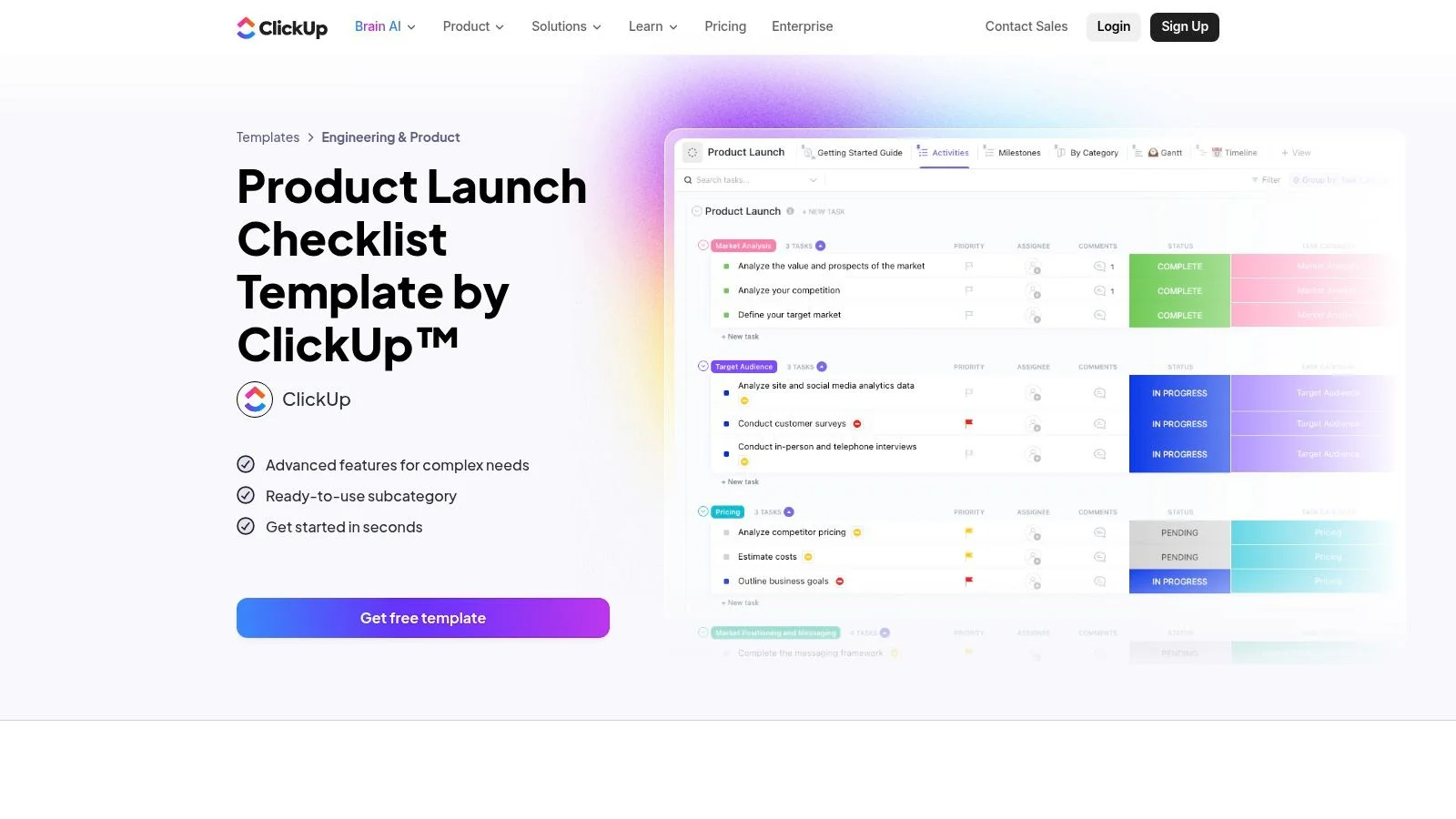
The template comes pre-configured with five statuses (e.g., "To Do," "In Progress," "Done") and custom fields like "Task Category" and "Duration," which helps you organize and estimate work immediately. Its strength lies in its multiple views. You can switch between a standard list, a Gantt chart for timeline dependencies, and a Milestones view to track major achievements, giving product managers a clear overview of progress at all times.
Practical Use and Tips
This template is accessible on ClickUp's Free Forever plan, but its full power is unlocked if your team already uses the platform. Advanced features like automations, which can auto-assign tasks or notify stakeholders, often require a paid subscription.
Here is what makes this template stand out:
- Best for: SaaS product teams needing a centralized command center.
- Implementation Tip: After importing, customize the "Task Category" field to match your team’s structure (e.g., "Content Marketing," "DevOps," "Sales Enablement").
- Social Proof: As you approach launch day, you can add a task to embed social proof widgets on your new landing pages. Real-time notifications of recent sign-ups or purchases can significantly improve trust. For ideas on how to do this effectively, read more on how to increase website conversion rates.
Access the template: ClickUp Product Launch Checklist
2. Asana , Product Launch Template
Asana offers a clean, marketing-focused product launch checklist template ideal for go-to-market (GTM) teams that need centralized visibility. It functions as a pre-built project plan, allowing you to track all documents, assets, and tasks in one shared space. Its familiar user experience makes it a quick-start option for marketing departments already comfortable with Asana’s interface.
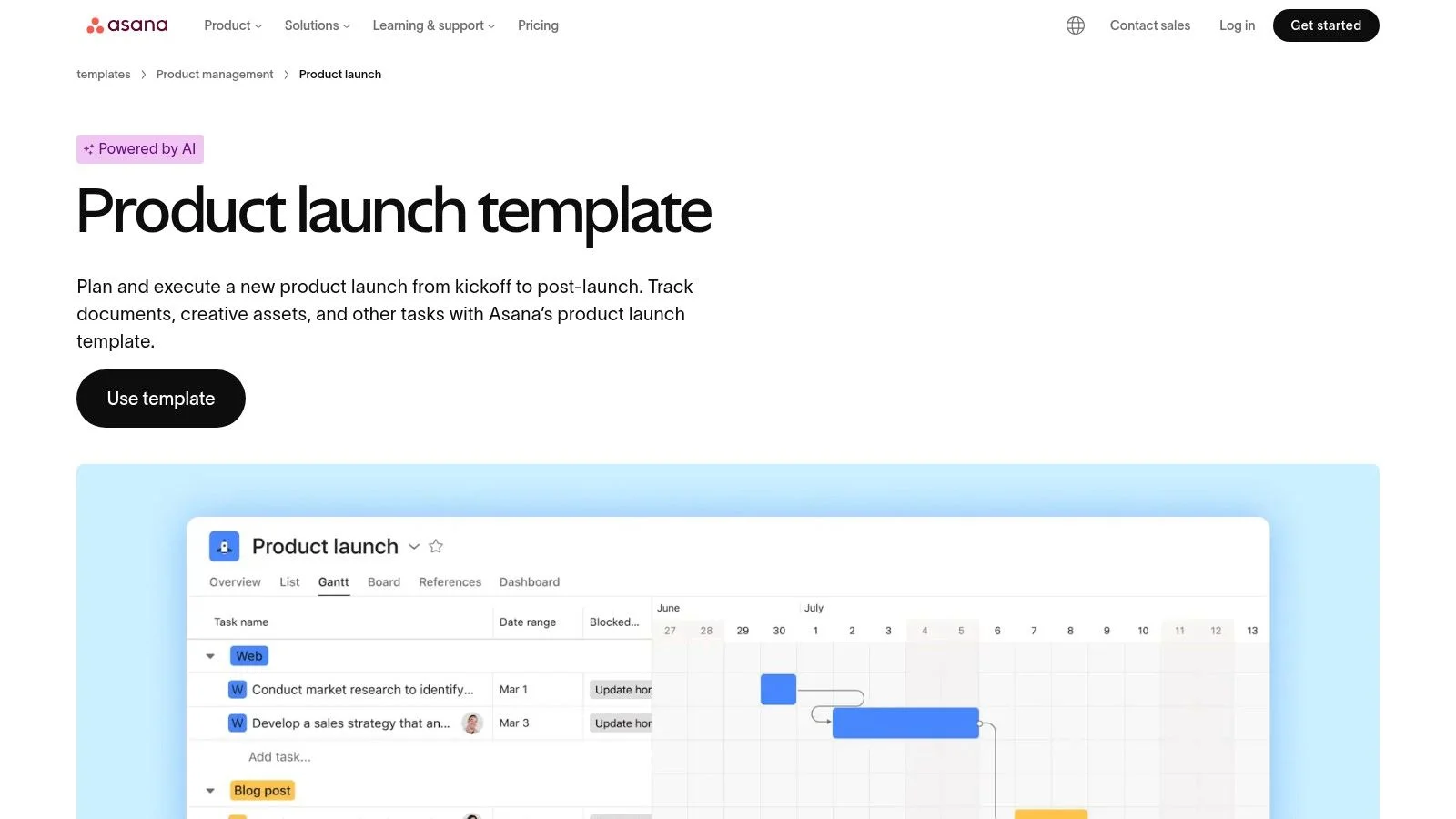
This template is structured around key launch workflow stages, complete with sample tasks and dependencies. The real value comes from its different views, which let you switch between a traditional list, a Kanban-style board to visualize workflow, and a Timeline view that maps out dependencies and deadlines. This visual flexibility helps team leads easily communicate progress and identify potential bottlenecks before they cause delays.
Practical Use and Tips
You can use this template for free within any Asana account. However, accessing portfolio-level reports that roll up progress from multiple launch projects requires a paid Asana subscription. While the template provides a solid foundation, you will likely need to customize it with specific tasks and sections for more complex GTM workstreams, such as engineering dependencies or sales training.
Here is what makes this template stand out:
- Best for: Marketing and GTM teams looking for a simple, visual way to manage launch activities.
- Implementation Tip: Immediately create custom sections for each major GTM function, such as "PR & Comms," "Paid Acquisition," and "Website Updates," to ensure clear ownership.
- Social Proof: Add a task to your "Website Updates" section to integrate social proof elements on the product page. Understanding what social proof is in marketing can give you ideas for showing off customer testimonials or early user activity to build momentum.
Access the template: Asana Product Launch Template
3. monday.com , Product Marketing Launch Template
For teams who thrive on visual organization, monday.com offers a product launch checklist template that excels in clarity and flexibility. Instead of a rigid list, it’s a dynamic board where you can manage tasks, timelines, and team communication in one colorful, intuitive space. It’s particularly useful for product marketing teams coordinating go-to-market activities across multiple channels.
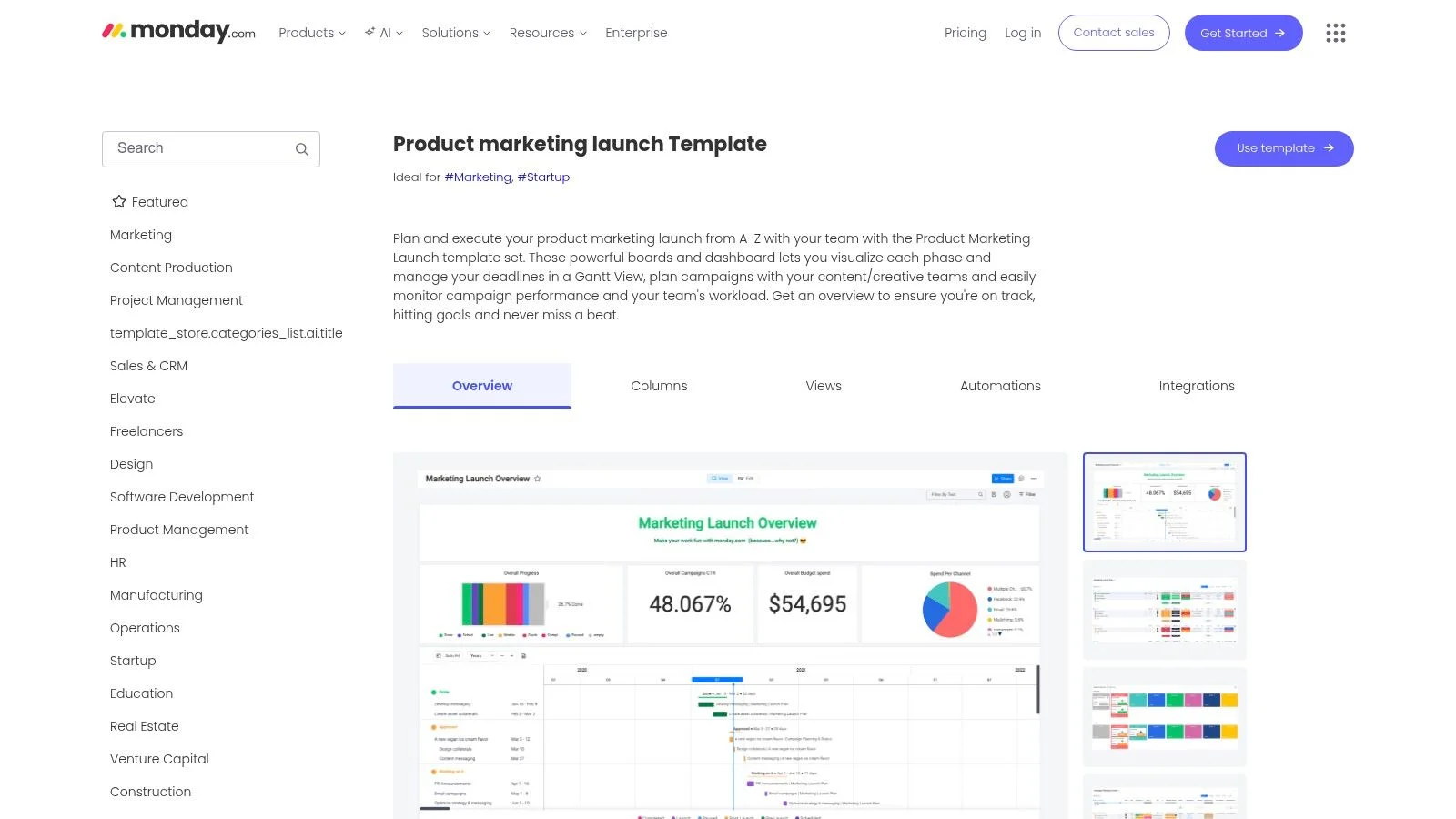
The template is built around customizable columns for assigning owners, setting deadlines, and tracking status. Its true advantage comes from its various views, allowing you to switch between a main board, a Gantt chart for timeline planning, and a calendar for key dates. The built-in automations are a major plus, sending reminders for deadlines or notifying team members when a task is ready for their input, which helps keep the entire launch process moving smoothly.
Practical Use and Tips
While you can access the template on a free plan, the most helpful features, like advanced automations and dashboard views, require a paid subscription. Teams new to monday.com will also need some initial onboarding to get the most out of the platform’s capabilities.
Here is what makes this template stand out:
- Best for: Visual-first product marketing teams managing cross-channel launch campaigns.
- Implementation Tip: Customize the status column with your team’s specific workflow stages (e.g., "Drafting," "In Review," "Approved," "Scheduled"). Use automations to automatically move items between team boards.
- Social Proof: Add a task to your pre-launch phase for integrating social proof notifications on key pages. Showing real-time activity helps validate your new product and can guide users through your conversion funnel. For a deeper dive into this concept, you can learn more about what a conversion funnel is and how to optimize it.
Access the template: monday.com Product Marketing Launch
4. Wrike , Product Launch Plan Template
Wrike offers a structured folder and task set with its product launch checklist template, designed for enterprise teams that need tight control over dependencies and reporting. Instead of a single document, it's a complete project folder with prebuilt tasks organized by launch phases. This makes it ideal for large organizations where product marketing, sales, and operations must align on a complex go-to-market strategy.
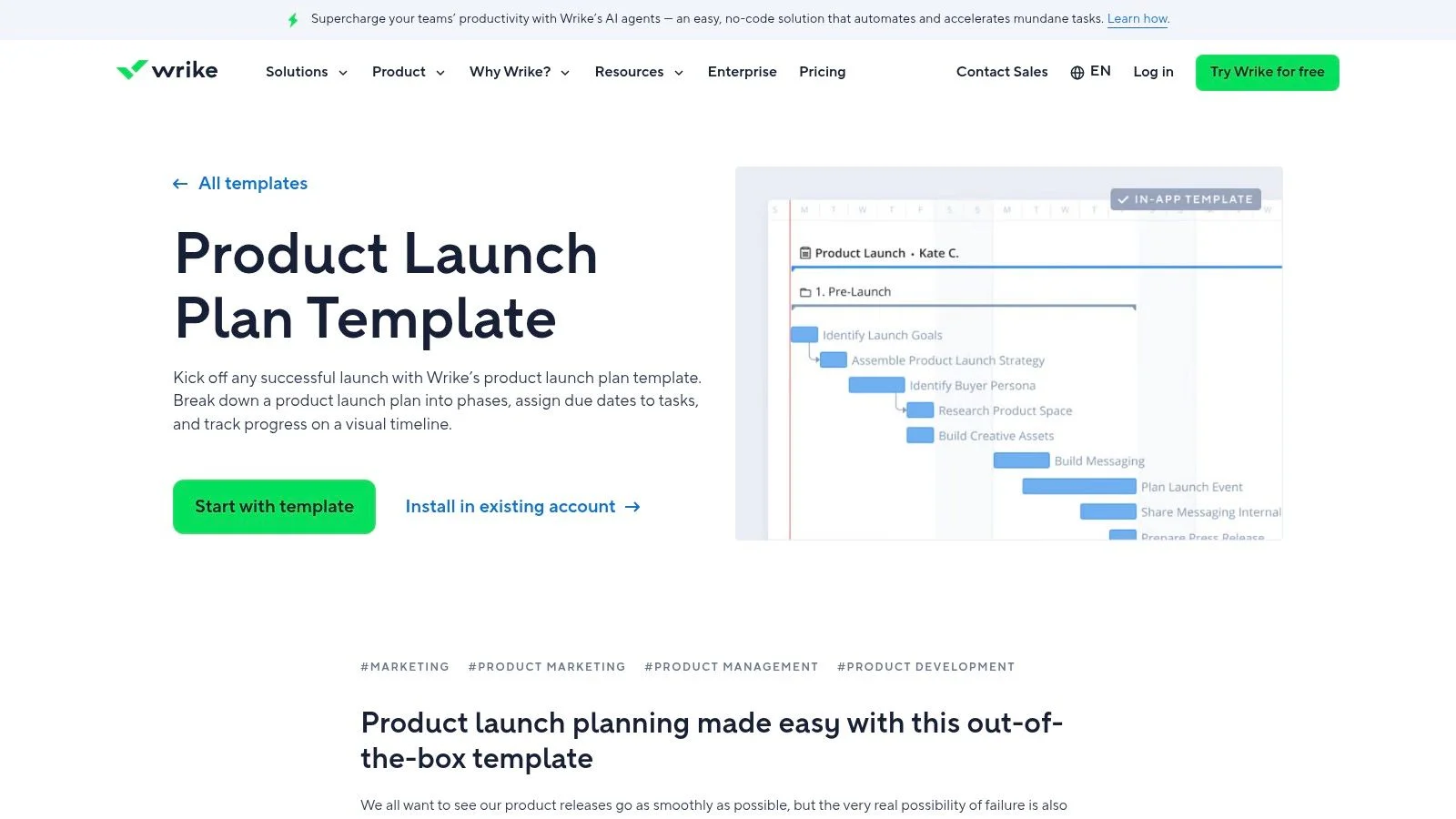
The template's main strength is its focus on cross-functional dependency tracking and real-time dashboards. You can immediately assign tasks across departments and visualize how delays in one area will impact another. This level of oversight is critical for product marketing managers (PMMs) juggling multiple workstreams. While powerful, its comprehensive nature can present a steeper learning curve for teams new to the platform.
Practical Use and Tips
This template is available on Wrike’s plans, but the full reporting and workload management features are part of its paid tiers. To get the most from it, your team should be prepared to invest time in setup and training.
Here is what makes this template stand out:
- Best for: Enterprise marketing and PMM teams managing complex, multi-stage launches.
- Implementation Tip: Immediately after setting it up, use the workload view to identify potential resource bottlenecks before the project kicks off.
- Social Proof: As part of your launch tasks, schedule the optimization of your new landing pages. Incorporating social proof elements like testimonials and recent activity feeds is a key step. For more on this, check out these landing page optimization best practices.
Access the template: Wrike Product Launch Plan Template
5. Aha! , Product Launch Plan Template
Aha! provides a strategic product launch checklist template built directly into its roadmapping software. Unlike standalone documents, this template is designed for product managers and marketers in larger organizations who need to align every launch activity with a broader product strategy. It excels at connecting high-level goals with the specific, cross-functional tasks required for a successful go-to-market execution.
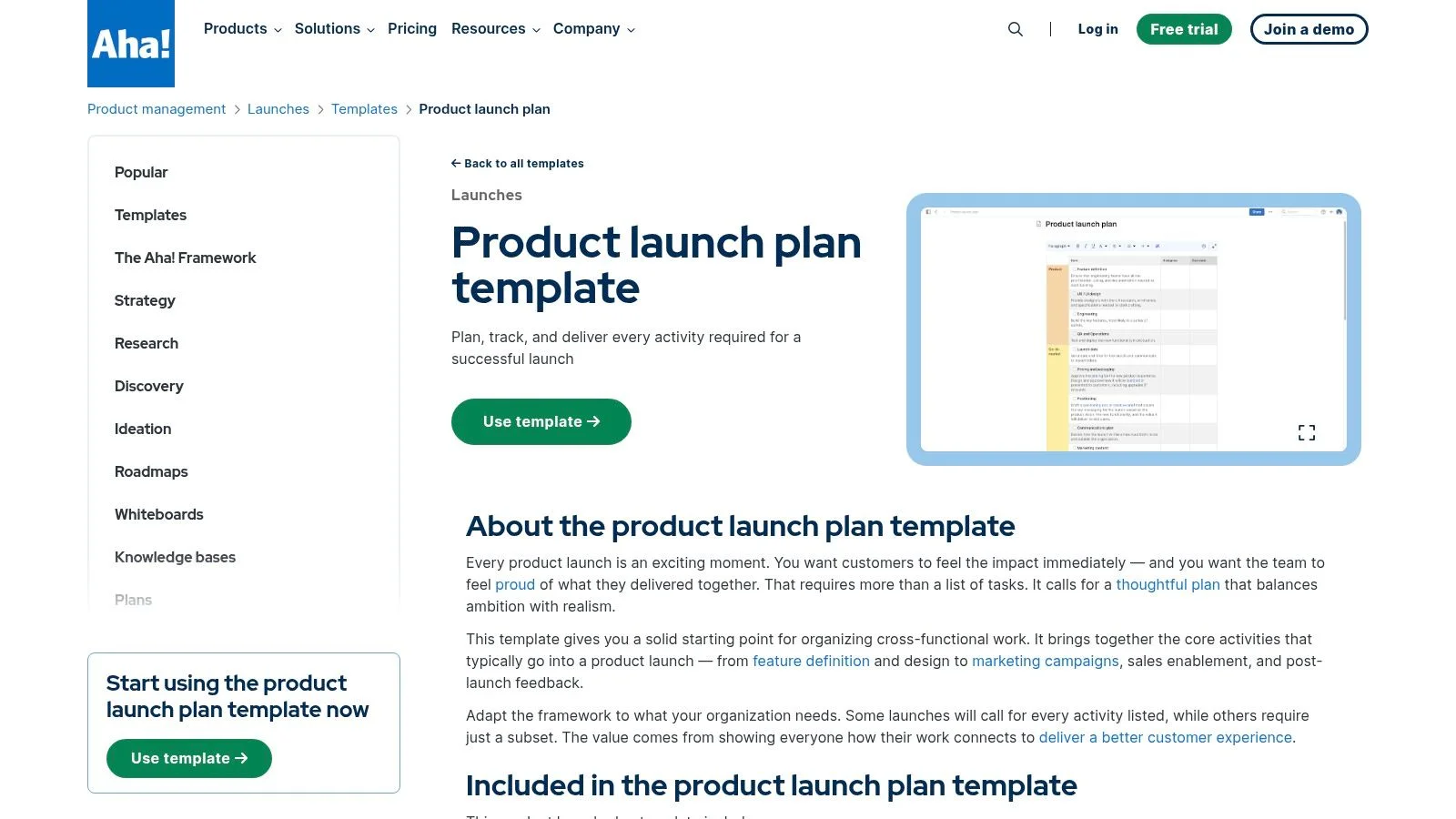
The template's key strength is its deep integration with the Aha! platform, allowing you to link launch phases and milestones directly to features on your product roadmap. This creates a single source of truth where dependencies between development, marketing, and sales are visible to everyone. It is purpose-built for coordinating complex workstreams, making it ideal for organizations with frequent product releases that require close collaboration between product management and product marketing teams.
Practical Use and Tips
This template requires an Aha! subscription, as it is part of the core platform. It is not available as a standalone download, making it best suited for teams already using or planning to adopt Aha! for product management. The platform’s complexity might be excessive for small startups or teams managing a single product launch.
Here is what makes this template stand out:
- Best for: Larger product organizations needing to connect launch execution with overall product strategy.
- Implementation Tip: Start by linking your top-level launch phases to the strategic initiatives and goals already defined in your Aha! roadmap to ensure alignment from day one.
- Social Proof: Within your launch plan, create a post-launch task to analyze the impact of social proof. A/B test a landing page with and without real-time notifications to measure their direct effect on sign-ups or demo requests, feeding this data back into your strategic planning.
Access the template: Aha! Product Launch Plan
6. ProductPlan , Product Launch Plan Template
ProductPlan offers a high-level, timeline-based product launch plan template designed for visualizing cross-functional deliverables and tracking readiness. Instead of a granular task list, this template operates as a strategic roadmap, making it ideal for aligning product management, product marketing, and executive teams around key GTM milestones. It excels at creating clean, executive-friendly visuals that clearly communicate the launch schedule.
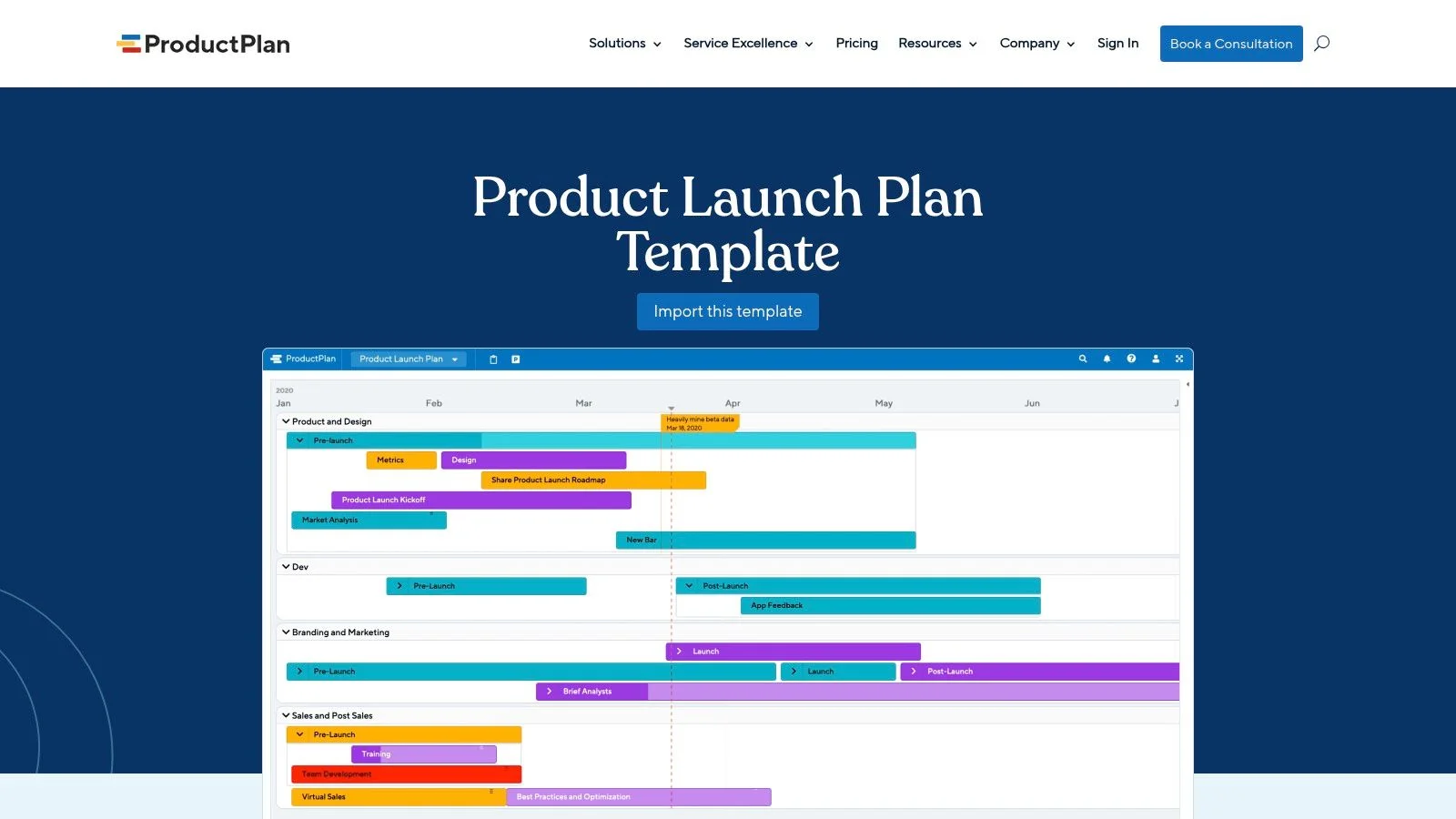
The template's core strength is its roadmap view, which organizes initiatives and deliverables across different teams on a shared timeline. This perspective helps product marketers coordinate dependencies between product development and marketing campaigns. Its design is less about day-to-day task management and more about ensuring strategic alignment toward the launch date, with easy export and sharing options for stakeholder updates.
Practical Use and Tips
While you can view the template, full customization and use require a ProductPlan subscription. It is not a free, downloadable file but an integrated part of the platform. It's most effective when used alongside a more detailed project management tool for task execution, with ProductPlan serving as the master visual guide.
Here is what makes this template stand out:
- Best for: Product leaders and PMMs who need to present a clear go-to-market timeline to executives.
- Implementation Tip: Use the roadmap to align marketing and product calendars. Define major phases like "Beta Testing," "Pre-Launch Buzz," and "GA Release" as parent initiatives, with key deliverables nested underneath.
- Social Proof: As your launch date nears, your roadmap should include a key deliverable for "Website & CRO." This is the perfect place to schedule the implementation of social proof notifications on your key conversion pages, which helps build momentum from day one.
Access the template: ProductPlan Product Launch Plan
7. Airtable , Product Launch Checklist (+ free base)
Airtable offers a highly adaptable product launch checklist template that combines the simplicity of a spreadsheet with the power of a database. This free base provides a step-by-step launch framework that is excellent for teams who need a flexible structure that can scale with their launch complexity. It excels at allowing you to build a completely custom GTM workflow from the ground up.
The template comes with pre-built tables for tasks, team members, and timelines, but its real strength is the custom field functionality. You can easily add specialized fields for tracking webinar registrants, content marketing assets, or even CRO experiments without being locked into a rigid system. Its ability to create different views, such as Kanban boards, calendars, and galleries, allows each team member to visualize their work in a way that makes sense for them.
Practical Use and Tips
This template is a free Airtable base, but some familiarity with the platform is helpful to get the most out of it. Advanced features, such as tailored interfaces for stakeholders and complex automations, are part of Airtable’s paid plans. The setup for views and automations will also require some initial configuration.
Here is what makes this template stand out:
- Best for: Teams wanting a fully customizable schema for complex or multi-faceted launches.
- Implementation Tip: Start by tailoring the primary "Tasks" table. Add unique fields relevant to your launch, like "Target Persona," "Funnel Stage," or a "Budget" currency field for tracking spend on specific initiatives.
- Social Proof: As part of your post-launch activities, create a view in your base dedicated to collecting customer testimonials. You can add a task to integrate these testimonials onto your key sales pages to build credibility.
Access the template: Airtable Product Launch Checklist
8. Smartsheet , Free Product Launch Checklist Templates
Smartsheet offers a hub of free product launch checklist templates that appeal to teams valuing flexibility and traditional planning formats. Instead of locking you into one system, it provides checklists in multiple downloadable formats, including Excel, Word, and PDF. This is ideal for teams that prefer offline spreadsheets or need a static document for straightforward planning.
The platform’s strength is its hybrid approach. You can use a simple Excel file for basic task tracking or import the template directly into the Smartsheet application for a more dynamic, collaborative experience. The native Smartsheet versions include Gantt chart views, which are critical for visualizing dependencies and managing timelines for complex launches. This makes it a great middle-ground between a simple list and a full-blown project management tool.
Practical Use and Tips
All the static templates are completely free to download, with no Smartsheet account required. However, to access real-time collaboration, automated workflows, and Gantt chart features, you and your team will need to import the file into Smartsheet and have the appropriate licenses. This setup works well for organizations transitioning from spreadsheets to a more structured project management environment.
Here is what makes this template stand out:
- Best for: Teams comfortable with spreadsheet-style planning or those looking to migrate from Excel to a more powerful tool.
- Implementation Tip: Start with the Excel version to map out your initial launch phases. If dependencies become too complex to manage, import the file into Smartsheet to convert it into an interactive plan with a Gantt view.
- Social Proof: A key task in your launch plan should be "Implement trust signals." After your product goes live, add a task to your checklist to integrate a social proof tool that displays recent customer activity, building credibility from day one.
Access the template: Smartsheet Product Launch Checklists
9. Miro , Product Launch Lifecycle Template (by Unito)
Miro offers a highly visual, collaborative whiteboard as a product launch checklist template, created in partnership with Unito. It is designed for teams that need to map out complex, cross-functional go-to-market strategies in a workshop setting. Instead of a linear list, this template provides a spatial canvas where marketing, sales, product, and support tasks can be visually organized and connected across different launch phases.
The template comes with pre-filled examples to guide you, alongside an empty, customizable framework. Tasks are grouped by department (e.g., Marketing, Sales, Customer Success) and laid out across a timeline from research to post-launch. This makes it exceptionally good for aligning stakeholders and clarifying ownership during live planning sessions. Its real strength comes from its optional integration with Unito, which can sync the tasks on the Miro board with project management tools like Asana or Jira, turning a visual plan into actionable work items.
Practical Use and Tips
This template is available on Miro's free plan, making it easy to start. However, the whiteboard format requires discipline to maintain and translate into your team's day-to-day workflow. The two-way sync feature, a major benefit, depends on a separate Unito subscription and setup.
Here is what makes this template stand out:
- Best for: Cross-functional SaaS teams running collaborative GTM planning workshops.
- Implementation Tip: Use the initial whiteboard session to gain alignment. Immediately after, use the Unito integration or manually transfer tasks into your project management tool to ensure accountability.
- Social Proof: As part of your "Marketing" lane on the board, add a card for "Integrate Social Proof Widgets." This serves as a visual reminder to add tools like live visitor counters or recent purchase notifications to key conversion pages before launch, building momentum from day one.
Access the template: Miro Product Launch Lifecycle Template
10. HubSpot , Product Launch Plan (Excel/PDF)
HubSpot offers a downloadable product launch checklist template in Excel and PDF formats, ideal for teams wanting a structured, spreadsheet-driven plan without adopting new software. This resource is a solid baseline for product marketing managers who need a shareable artifact for stakeholders or prefer working in a familiar spreadsheet environment.
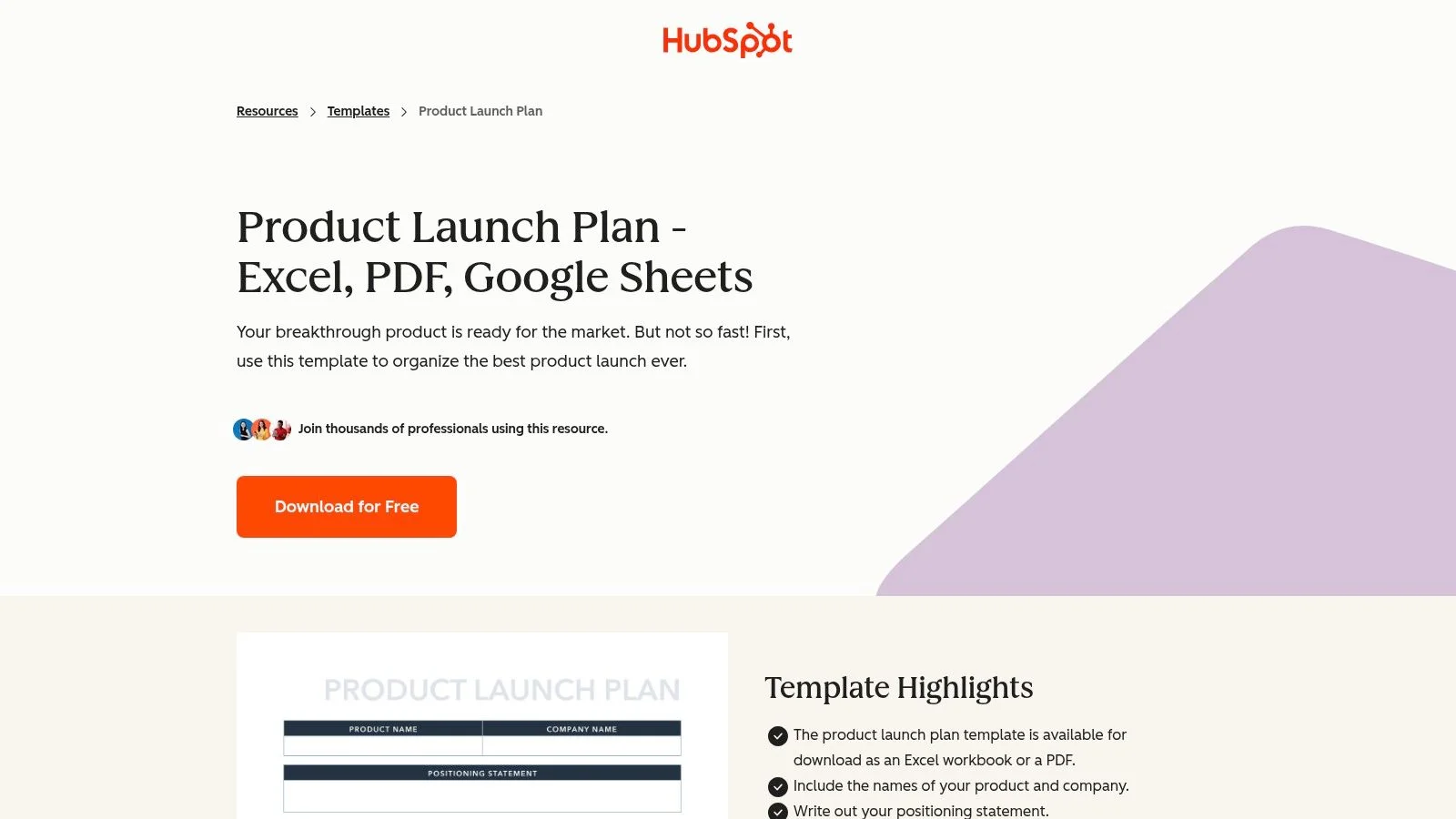
The Excel file comes pre-populated with sections covering every major launch phase, from pre-launch planning and goal setting to post-launch analysis. It prompts you to define your budget, target audience, competitive landscape, and key messaging. Its main advantage is its simplicity and universal accessibility. However, because the template is a static file, it lacks the real-time collaboration and automation features found in dedicated project management tools.
Practical Use and Tips
This template is completely free but requires an email submission to download. Once you have the Excel file, you can upload it to Google Sheets or Office 365 to enable basic online collaboration. It works well as a foundational document that can be expanded or integrated into a more complex project management system as your launch progresses.
Here is what makes this template stand out:
- Best for: Teams looking for a simple, no-cost starting point or those who manage projects primarily through spreadsheets.
- Implementation Tip: After downloading, immediately save a copy and customize the tabs. Add new sheets for specific tasks like "Social Media Calendar" or "Sales Enablement Content" to make it more comprehensive.
- Social Proof: A key task to add to your checklist is "Set up social proof." For instance, you could add a task to your post-launch section to embed a live visitor count on your new feature page to show traction and build user confidence.
Access the template: HubSpot Product Launch Plan
11. Milanote , Product Launch Plan Template
Milanote offers a highly visual product launch checklist template that functions like an infinite whiteboard for creative teams. Instead of a rigid list, it’s a flexible canvas where you can drag-and-drop tasks, research, inspiration, and assets. This makes it ideal for content-heavy launches, such as online courses, webinars, or campaigns where brainstorming and mood boarding are central to the process.
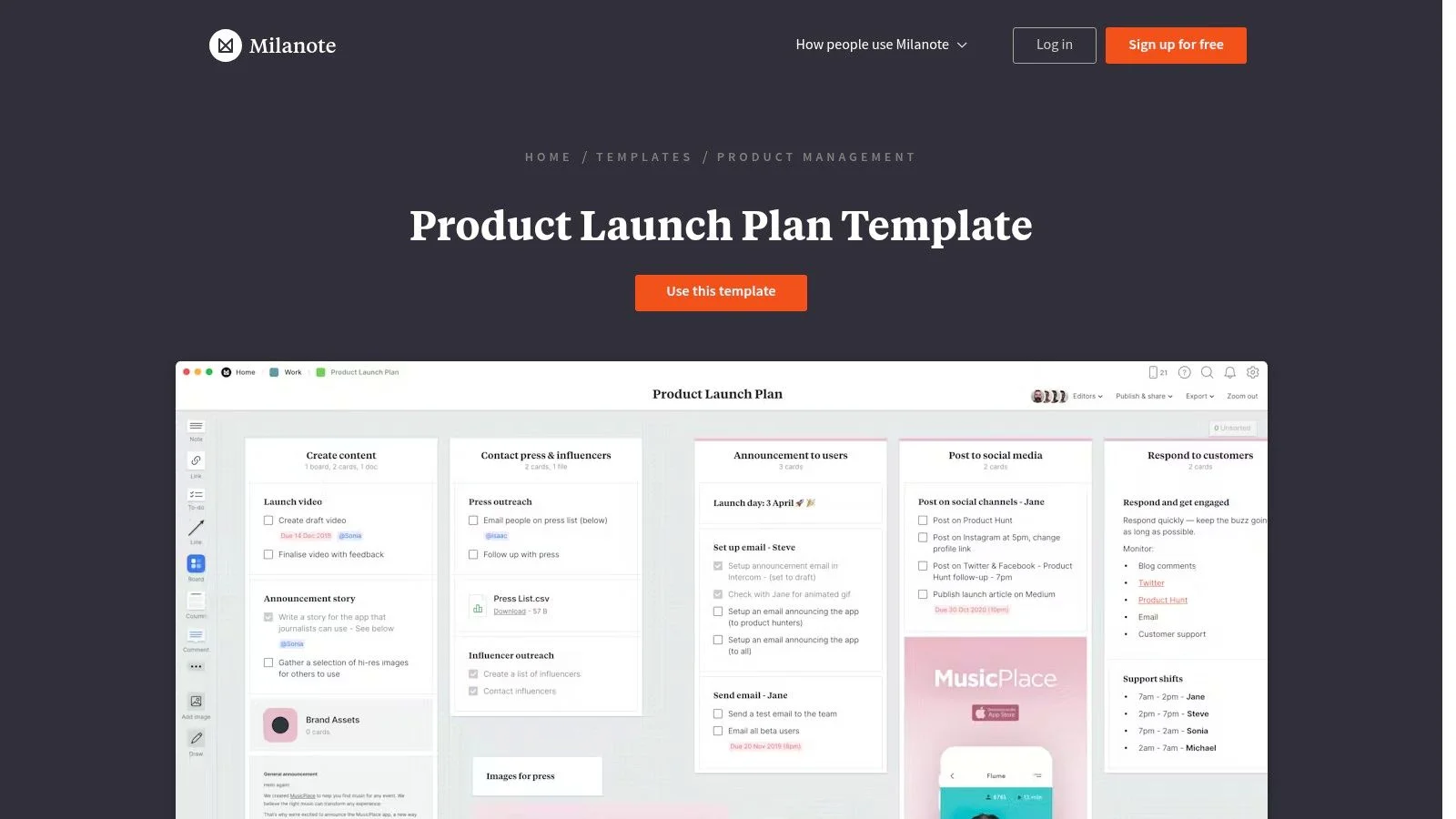
The template allows teams to map out messaging, organize creative assets, and build timelines in a non-linear way. Its strength is in the early, creative stages of a launch. You can group ideas, add comments directly on images or notes, and build out a complete visual plan before moving tasks into a more structured project management tool. It’s a planner's sandbox for your go-to-market strategy.
Practical Use and Tips
This template is available on Milanote's free plan, which has limits on the number of notes, images, and files you can upload. For a full-scale launch with extensive assets, the paid plan is necessary. It’s less of a standalone project tracker and more of a collaborative planning space that complements tools like Asana or Trello.
Here is what makes this template stand out:
- Best for: Creative marketers, course creators, and PR teams planning visually-driven launches.
- Implementation Tip: Use the board to create a "PR Outreach" section. Collect journalist contacts, draft pitch angles, and attach press kit assets directly to the board for a quick reference hub.
- Social Proof: As you finalize your visual assets, add a card to your board for "Social Proof Collection." Plan where testimonials and user-generated content will appear on your new pages to build credibility from day one.
Access the template: Milanote Product Launch Plan
12. Notion , Product Launch Checklist (Notion Template)
Notion offers a flexible, document-centric product launch checklist template that excels at integrating planning with execution. It's designed for teams who already use Notion for documentation, as it allows you to connect launch tasks directly to related documents like PRDs, user research, and marketing briefs. This creates a single source of truth for the entire go-to-market strategy.
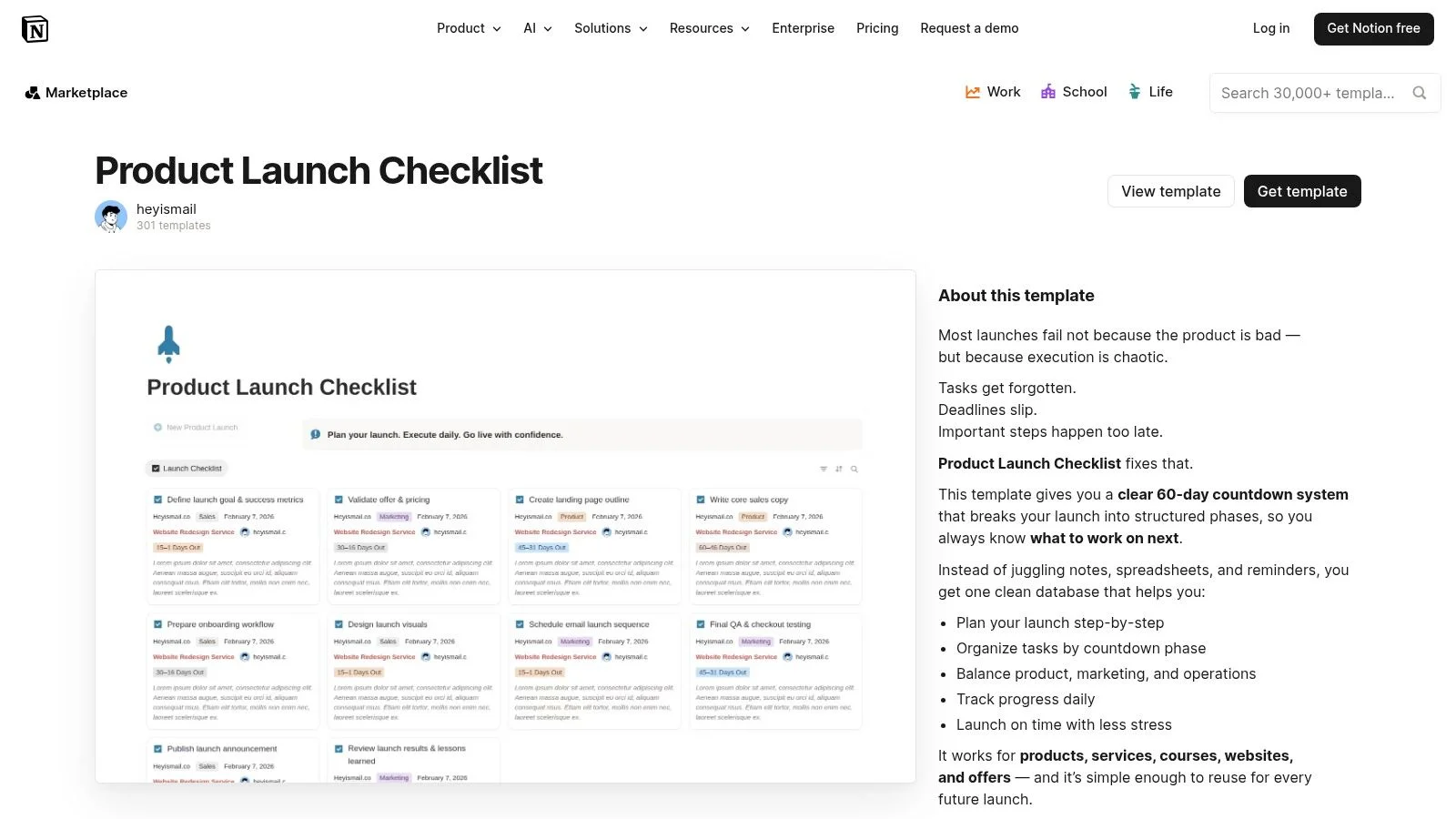
The template is structured around a central task database organized into pre-launch, launch, and post-launch phases. Each task includes properties for status, owner, and due dates, which can be viewed in different formats like lists, boards, or calendars. Its strength lies in its adaptability; you can easily duplicate the template for different types of launches (e.g., a major product versus a minor feature) and customize it without needing complex technical skills.
Practical Use and Tips
This template is available for free to any Notion user and can be duplicated into your workspace with a single click. However, it requires team members to be comfortable with Notion's database relations and views to get the most out of it. More advanced features like permissions or integrations with other tools may need additional configuration or a paid plan.
Here is what makes this template stand out:
- Best for: Teams who use Notion as their primary knowledge base and want to keep launch plans and documentation interconnected.
- Implementation Tip: Immediately after duplicating, create a dedicated "Launch Docs" page and link it to the template. Use relations to connect specific tasks in your checklist to their corresponding documents, like "Write FAQ" to the actual FAQ doc.
- Social Proof: In your post-launch section, add a task to "Collect and display testimonials." You can create a new Notion database to track customer quotes and then embed them on your product page using social proof tools to build credibility with new visitors.
Access the template: Notion Product Launch Checklist
12-Tool Product Launch Checklist Comparison
| Tool | Key features | UX & Quality | Value / Price | Target audience | Standout / USP |
|---|---|---|---|---|---|
| ClickUp , Product Launch Checklist Template | ✨ Prebuilt checklist; statuses & custom fields; Gantt/Timeline/Milestones | ★★★★ , structured PM views, real-time collaboration | 💰 Free template; best value if on ClickUp (paid for automations) | 👥 Cross-functional SaaS PM & launch teams | ✨ Strong timeline visibility; 🏆 fast structured start |
| Asana , Product Launch Template | ✨ Launch stages, dependencies; centralized files; Timeline & Board views | ★★★★ , familiar marketing UX, guided workflow | 💰 Free template; portfolio rollups on paid plans | 👥 Marketing & GTM teams | ✨ Centralized asset tracking; 🏆 stakeholder visibility |
| monday.com , Product Marketing Launch Template | ✨ Custom columns, automations, dashboards; visual boards | ★★★★ , highly visual; onboarding recommended | 💰 Freemium; automations & advanced views paid | 👥 Visual ops teams & PMMs | ✨ Flexible boards + automations; 🏆 visual flexibility |
| Wrike , Product Launch Plan Template | ✨ Phase-based task groups, dependencies, dashboards | ★★★ , enterprise-grade reporting; steeper learning curve | 💰 Paid tiers for full reporting & features | 👥 Enterprise PMM & marketing teams | ✨ Dependency & workload views; 🏆 robust enterprise reporting |
| Aha! , Product Launch Plan Template | ✨ Roadmap-tied launch plans; date-driven milestones | ★★★★ , roadmap-centric for product teams | 💰 Paid platform; best for larger orgs | 👥 PM & PMM teams in larger product orgs | ✨ Deep strategy-roadmap linkage; 🏆 roadmap alignment |
| ProductPlan , Product Launch Plan Template | ✨ Timeline/roadmap view; exports & stakeholder sharing | ★★★★ , executive-friendly visuals | 💰 Subscription required for full use | 👥 PMM, exec stakeholders & GTM leads | ✨ Clean roadmap exports; 🏆 exec-friendly visuals |
| Airtable , Product Launch Checklist (+ free base) | ✨ Custom fields, progress tracking, flexible base schema | ★★★★ , highly customizable; setup needed | 💰 Freemium; advanced interfaces/automations paid | 👥 Teams needing flexible schemas (CRO, webinars, content) | ✨ Highly customizable tables; 🏆 scales with complexity |
| Smartsheet , Free Product Launch Checklist Templates | ✨ Multiple formats (Excel/Word/PDF/Smartsheet); Gantt-equipped plans | ★★★ , familiar spreadsheet UX; static unless imported | 💰 Free downloads; real-time requires Smartsheet license | 👥 Spreadsheet-prefering teams & planners | ✨ No vendor lock-in formats; 🏆 classic tabular planning |
| Miro , Product Launch Lifecycle Template (by Unito) | ✨ Collaborative whiteboard; dept mapping; optional Unito sync | ★★★★ , excellent for workshops and visual planning | 💰 Free tier; Unito sync may add cost | 👥 Cross-functional workshop teams & planners | ✨ Workshop-friendly canvas; 🏆 visual alignment |
| HubSpot , Product Launch Plan (Excel/PDF) | ✨ Prebuilt spreadsheet sections; pairs with HubSpot GTM content | ★★★ , quick baseline; gated download | 💰 Free download (email gated); static file | 👥 Small teams wanting an offline baseline plan | ✨ No new software required; 🏆 easy baseline doc |
| Milanote , Product Launch Plan Template | ✨ Visual boards for tasks, timelines & assets; drag-and-drop | ★★★ , creative-friendly; not a full PM system | 💰 Freemium; free plan limits apply | 👥 Creative & marketing teams (courses, webinars, PR) | ✨ Flexible visual canvas for creative planning; 🏆 asset-centric ideation |
| Notion , Product Launch Checklist (Notion Template) | ✨ Task DB with statuses, sections for pre/post launch, links to docs | ★★★★ , document-centric, flexible; needs setup | 💰 Freemium; automations/advanced setups require work | 👥 Teams already using Notion for GTM docs | ✨ Integrated docs + tasks; 🏆 easy duplication & adaptation |
Conclusion: From Checklist to Confident Launch
Navigating the complexities of a product launch can feel like orchestrating a massive, multi-department symphony. Without a clear plan, chaos can quickly take over. This is where a well-chosen product launch checklist template becomes more than just a list of tasks; it becomes your roadmap, your communication hub, and your single source of truth.
Throughout this guide, we’ve explored a variety of templates, from the robust project management powerhouses like Asana and monday.com to the visually flexible canvases offered by Miro and Milanote. We’ve seen how each tool offers a distinct approach, catering to different team structures, workflows, and technical needs. The key insight is that there is no single "best" template, only the one that is best for your specific launch.
Key Takeaways for Choosing Your Template
Your journey from selecting a template to executing a flawless launch requires careful thought. Remember these core principles:
- Adaptability is Non-Negotiable: A template is a starting point, not a rigid set of rules. The most successful teams are those that take a foundational structure and customize it extensively. Add your specific tasks, adjust timelines to reflect your team's capacity, and integrate your unique internal processes.
- Centralization Prevents Silos: The primary benefit of using tools like ClickUp, Wrike, or Airtable is their ability to centralize communication and documentation. This prevents vital information from getting lost in email threads or Slack channels, ensuring every stakeholder has access to the latest updates.
- Function Over Features: It’s easy to get drawn in by a long list of features. Instead, focus on the core functions you need. Do you need advanced Gantt charts for dependency mapping? Or is a simple, visual Kanban board sufficient for your team's workflow? Match the tool's core strength to your team's primary need.
From Planning to Polishing: Your Next Steps
Merely downloading a template won't guarantee success. The real work begins with implementation. The most critical step is to bring your team into the process early. Hold a kickoff meeting to review the chosen product launch checklist template, assign roles, and get collective buy-in. This collaborative approach fosters a sense of ownership that is essential for a smooth execution.
As you populate your checklist with tasks, don't overlook the creation of customer-facing assets. A confident launch means not just organizing tasks, but also ensuring all critical launch assets are prepared. This includes comprehensive documentation; you can explore resources like this user manuals guide to creating better product documentation to help with creating better product documentation. This step ensures your new users have the support they need from day one, reducing support tickets and improving initial user experience.
Ultimately, the goal of any product launch checklist template is to free up mental space. By codifying your process, you move from constantly worrying about what needs to be done to focusing on how to do it best. You can spend less time managing logistics and more time on creative marketing strategies, crafting compelling copy, and engaging with your first wave of customers. Use these templates to build a repeatable, scalable process that turns the stress of a launch into the excitement of a confident, well-executed debut.
A checklist gets your launch organized, but how do you create real-time excitement on launch day? FOMOchat adds live social proof widgets to your site, showing visitor counts, recent sales, and sign-ups to build trust and urgency. Integrate FOMOchat into your launch page to turn passive visitors into active customers.