
Staring at a blank screen is a familiar challenge for any content marketer. You know you need to publish consistently to drive traffic, generate leads, and build authority, but the well of inspiration can run dry. That’s where this article comes in. We’re moving beyond generic advice and providing a concrete list of post ideas for blog content specifically designed for SaaS marketers, course creators, and growth-focused teams.
This isn’t just another list of prompts. Each idea is a complete mini-brief, packed with actionable details to help you get started immediately. You will find:
- Targeted Topics: Concepts that address the direct needs of your audience.
- Headline Templates: Plug-and-play headlines you can adapt.
- SEO Keyword Suggestions: To help your content get found by the right people.
- Repurposing Tips: Ideas to extend the life and reach of each post.
The goal is to give you a system for generating high-value content, not just a temporary fix for writer’s block. We’ve focused on topics that directly tie to conversion, from using social proof widgets and AI chatbots to optimizing webinar pitches and product launch strategies. These are the post ideas for blog articles that don't just fill your calendar; they fill your pipeline.
If you are always looking for new content streams, exploring how AI podcasts for marketing content repurposing can expand your reach is another excellent strategy. For now, let’s get your content calendar filled with posts that perform.
1. The Data-Driven Deep Dive: 'How Social Proof Widgets Increase Conversion Rates'
This type of blog post goes beyond simply stating that social proof works. Instead, it presents a compelling, data-backed case study using your own product or a client's success story. The goal is to prove the tangible ROI of a specific feature, like social proof widgets, turning a marketing concept into a concrete business result. This is one of the most powerful post ideas for a blog aimed at CRO specialists and SaaS marketers who live and breathe metrics.
The core of this post is transparency. You break down the 'before' and 'after' scenarios, detailing the exact metrics that changed. This could be conversion rates on a landing page, sign-ups for a webinar, or sales for a course.
How to Implement This Idea
Headline Templates:
- Case Study: How We Lifted Conversions by [X]% with One Simple Widget
- Data-Backed Proof: The Real Impact of Social Proof on [Specific Goal, e.g., Webinar Sign-ups]
- From [Old Conversion Rate]% to [New Conversion Rate]% - A Deep Dive into Social Proof Widgets
SEO Keywords: "social proof conversion rates," "case study increase conversions," "website notification widget ROI," "FOMO marketing results."
Repurposing Tip: Condense the key data points and the "before/after" story into a shareable infographic for social media. Create a short video testimonial with the client featured in the case study. For practical inspiration on leveraging social proof to drive sales, explore these 10 Powerful Social Proof Examples That Boost Conversions.
Mini-Brief Example (for a SaaS selling webinar software): Goal: Show how adding a "live visitor count" widget to a webinar registration page increases sign-ups. Content:
- Introduction: State the problem - low webinar registration conversion rates.
- The Test: Detail the A/B test setup. Page A (no widget) vs. Page B (with FOMOchat's live visitor widget).
- The Results: Display screenshots of analytics. Show the 17% lift in conversions on Page B. Include charts.
- The 'Why': Explain the psychology. The widget created urgency and a sense of a "can't-miss" event.
- CTA: "Want to see this in action? We'll show you exactly how to add this to your page. FOMOchat prompt: 'Want to boost your webinar sign-ups by 17%? Let's chat!'"
2. AI-Powered Chatbots for Sales: How to Train Your Bot on Product Knowledge
This blog post idea moves beyond generic chatbot announcements and provides a practical, step-by-step guide. It shows readers exactly how to transform an AI chatbot into a highly knowledgeable sales assistant that understands specific product details. The focus is on the training process, turning a general AI into a specialist that can answer nuanced questions, qualify leads, and guide visitors toward a purchase with accuracy and brand consistency.
This is an essential post idea for a blog targeting SaaS marketers and product teams who want to automate lead qualification without sacrificing quality. Instead of just saying "use an AI bot," you're teaching them how to make it effective.
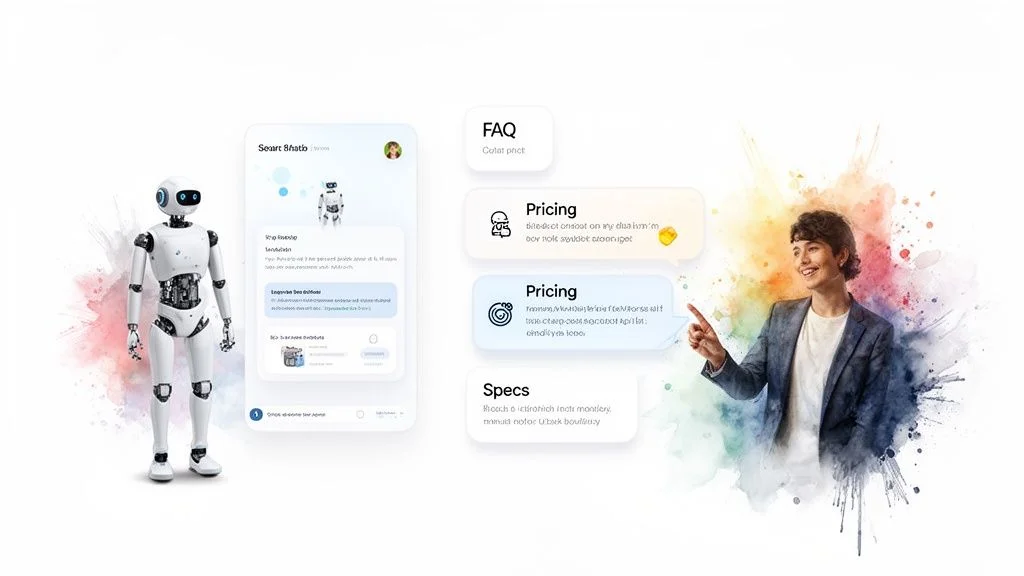
The post demystifies the process of creating a reliable AI representative. By covering training methodologies and knowledge base setup, you address the primary concern many businesses have: chatbot accuracy and "hallucinations." You’ll explain how to set guardrails and use real customer data to build a bot that truly helps, just like Intercom’s and Drift’s well-known conversational AI.
How to Implement This Idea
Headline Templates:
- How to Train Your AI Chatbot on Product Knowledge (And Stop Bad Answers)
- From Clueless to Expert: A 5-Step Guide to Training a Sales AI
- Our Playbook for Building an AI Chatbot That Actually Sells
SEO Keywords: "train ai chatbot," "ai chatbot for sales," "product knowledge base for ai," "conversational ai training," "chatbot accuracy."
Repurposing Tip: Create a checklist infographic titled "7 Steps to Train Your Sales AI." Film a short tutorial video showing the process of uploading a knowledge base document and testing the bot's responses. For an in-depth look at this process, you can direct readers to documentation on setting up domain knowledge.
Mini-Brief Example (for a SaaS selling project management software): Goal: Teach users how to train a FOMOchat bot to answer complex questions about integration capabilities. Content:
- Introduction: The problem - sales teams are bogged down answering repetitive questions about integrations (e.g., "Does it work with Slack?").
- Building the Knowledge Base: Show how to create a simple document with all integration details, organized by app.
- The Training: Walk through uploading the document to the FOMOchat bot and setting its persona (e.g., "You are a helpful product specialist").
- Testing and Refining: Demonstrate asking the bot, "How does your Slack integration work?" and show the accurate, sourced answer. Explain how to correct a wrong answer.
- CTA: "Ready to build your own product expert? See how easy it is to train your bot. FOMOchat prompt: 'Want a demo of how our AI can learn your product in 5 minutes?'"
3. Creating Authentic Social Proof: Best Practices for Generating Realistic Conversations
This blog post idea moves beyond static testimonials and into dynamic, simulated conversations. It’s a guide on ethically creating multi-person dialogue simulations that mirror real customer interactions, including their questions and objections. The goal is to build visitor trust by showing, not just telling, how your product is discussed and valued, making this one of the most effective post ideas for a blog targeting marketers who need to address complex customer concerns proactively.
The essence of this post is demonstrating authenticity in a controlled format. You teach your audience how to generate realistic social proof scenarios that address common hurdles like pricing or implementation, balancing automated tools with a genuine customer voice. This approach turns a potential negative (a customer objection) into a trust-building opportunity.
How to Implement This Idea
Headline Templates:
- How to Ethically Simulate Customer Conversations That Convert
- The Guide to Creating Realistic Social Proof Dialogues (And Why It Works)
- From Objection to Conversion: Using Simulated Conversations to Build Trust
SEO Keywords: "authentic social proof," "generate customer conversations," "realistic testimonials," "handle sales objections blog," "conversation simulation marketing."
Repurposing Tip: Take one of the simulated conversations from your post and animate it into a short video for social media. Create a downloadable PDF checklist titled "The 7 Rules for Authentic Conversation Simulation" to use as a lead magnet. To see how this can be put into practice, you can get more information on generating conversations that feel real and build confidence.
Mini-Brief Example (for a SaaS selling project management software): Goal: Show prospects how the software's value justifies its price by simulating a conversation where the objection is addressed. Content:
- Introduction: Introduce the common "is it worth the cost?" question.
- The Scenario: Present a FOMOchat-style dialogue between a "New User" and a "Veteran User."
- The Dialogue:
- New User: "I'm interested, but the Pro plan seems expensive."
- Veteran User: "I thought so too. But we were losing ~5 hours a week to disorganized tasks. This tool saved us that time in the first month, so the ROI was instant."
- The 'Why': Explain that this simulated conversation, based on real feedback, addresses the price objection with a relatable, benefit-driven answer. Mention using timestamps and different user personas to add credibility.
- CTA: "Facing similar objections? Let's show you how to turn them into your best sales tool. FOMOchat prompt: 'Want to see how [Your Product] pays for itself? Let's chat!'"
4. Webinar Conversion Optimization: Using Live Chat and Social Proof During Pitches
This post is a tactical guide for webinar hosts and marketers aiming to boost conversions during live events. It moves beyond standard presentation advice and focuses on synchronizing real-time audience engagement with key moments in your pitch. The core idea is to use live chat and social proof notifications to create an interactive, high-energy environment that reduces drop-off and amplifies the impact of your call to action.
This approach is perfect for a blog targeting course creators, SaaS companies, and anyone using webinars for sales. It demonstrates how to turn passive viewers into active participants by showing them they are part of a live, dynamic event. You detail how to orchestrate these elements, showing how platforms like Demio or even live YouTube streams can be used to display attendee counts, highlight real-time questions, and inject social proof at the most persuasive points.
How to Implement This Idea
Headline Templates:
- How We Increased Webinar Sales by [X]% with Synchronized Live Chat
- The Webinar Pitch Playbook: Using Social Proof to Drive Action
- Stop Losing Attendees: A Guide to Real-Time Webinar Engagement
SEO Keywords: "webinar conversion optimization," "increase webinar attendance," "live chat for webinars," "webinar social proof," "improve webinar pitch."
Repurposing Tip: Create a short "how-to" video demonstrating the technical setup for synchronizing a chat replay with a webinar recording. Turn the key tactics into a downloadable PDF checklist titled "The Pre-Webinar Engagement Checklist."
Mini-Brief Example (for a course creator selling a marketing course): Goal: Increase on-the-spot sales during a live masterclass pitch. Content:
- Introduction: Address the common problem of audience drop-off right before the sales pitch.
- The Setup: Explain the strategy: using a moderator to seed the live chat with pre-planned questions and using FOMOchat to display "Just Purchased" notifications.
- The Execution: Show a timeline. At the price reveal, the moderator asks, "Is there a payment plan available?" As the first few sales come in, social proof notifications appear for all attendees.
- The 'Why': Explain the psychology. The seeded question addresses a common objection, while the purchase notifications build momentum and confirm the value of the offer.
- CTA: "Ready to make your next webinar your most profitable one yet? FOMOchat prompt: 'Want to see how I set this up in 5 minutes? Let's talk!'"
5. Conversion Rate Optimization for SaaS: How Support Chats Impact Visitor Decision-Making
This post idea moves beyond treating live chat as a simple customer service tool. It repositions it as a powerful conversion rate optimization (CRO) engine. The article’s purpose is to demonstrate how providing instant, real-time support directly influences a visitor’s journey from consideration to purchase, especially for complex SaaS products. It’s a must-have piece for any blog targeting SaaS marketers and CRO specialists.
The core of this content is connecting the dots between support interactions and revenue. You will analyze how immediate answers to pricing, feature, or implementation questions can remove buying friction and significantly lift conversions. By highlighting how companies like Intercom and HubSpot use chat to guide users through decision-making moments, you provide a practical blueprint for your readers.
How to Implement This Idea
Headline Templates:
- The Chat-to-Conversion Formula: How We Increased Sign-ups by [X]% with Proactive Support
- Beyond Tickets: Using Live Chat as a SaaS Conversion Tool
- Why Your Product Page Needs a Chat Widget (A CRO Teardown)
SEO Keywords: "live chat conversion rate," "saas cro strategy," "support chat for sales," "conversational marketing ROI," "increase saas conversions."
Repurposing Tip: Analyze your own chat transcripts for the top 3-5 pre-sales questions. Create a short "FAQ Buster" video series answering each one. Turn the key data points, like a 25% conversion lift, into a compelling visual for LinkedIn and Twitter.
Mini-Brief Example (for a B2B SaaS selling project management software): Goal: Prove that proactive chat support on the pricing page reduces bounce rates and increases trial sign-ups. Content:
- Introduction: Frame the problem: high bounce rates on the pricing page. Visitors are confused by tiers.
- The Hypothesis: State that offering proactive chat support to answer questions will clarify value and increase conversions.
- The Implementation: Detail how you set up a chat widget to trigger after a visitor has been on the page for 20 seconds.
- The Results: Show data demonstrating a 15% increase in "Start Free Trial" clicks from users who interacted with the chat. Include anonymized chat snippets like, "Does the 'Pro' plan include guest access?"
- CTA: "Don't let pricing confusion kill your conversions. Let's show you how to set up a smart chat prompt in minutes. FOMOchat prompt: 'Got a question about our pricing? We’re here to help!'"
6. Online Course Marketing: Building Trust and Enrollment with Group Chat Demonstrations
This type of blog post acts as a strategic guide for course creators, showing them how to use real student interactions as a powerful marketing asset. It moves beyond generic testimonials by showcasing the vibrant community and active learning happening inside a course. The goal is to prove the value of the course community, address potential student hesitations, and build trust through authentic peer-to-peer engagement. This is one of the most effective post ideas for a blog aimed at education entrepreneurs and course marketers who need to demonstrate intangible value.
The core of this post is showcasing genuine connection and support. You can pull anonymized snippets from your group chat or community platform to highlight common questions, supportive student responses, and "aha!" moments. This turns a static course description into a dynamic preview of the student experience, answering the prospect's question: "Will I get the support I need?"
How to Implement This Idea
Headline Templates:
- Inside the Course: How Our Student Community Drives Real Results
- Beyond the Videos: A Look at the Live Q&A and Peer Support in [Your Course Name]
- Proof of Community: See How Students in [Your Course] Learn and Grow Together
SEO Keywords: "online course community," "student engagement marketing," "course enrollment trust," "social proof for courses," "group chat marketing."
Repurposing Tip: Turn a series of compelling, anonymized chat screenshots into a carousel post for Instagram or LinkedIn. Create a short "Community Highlights" video reel showing the best student questions and instructor answers from the past week. Platforms like Maven are excellent examples of this, as they often feature the community aspect of their courses as a primary selling point.
Mini-Brief Example (for a course creator selling a 'Copywriting for Beginners' course): Goal: Show prospective students that they won't be alone and that the community is a key part of the learning process. Content:
- Introduction: Address the common fear of buying a course and feeling isolated.
- The Challenge: Feature an anonymized question from a student struggling with writing a headline.
- The Community in Action: Display screenshots of three different students offering helpful feedback and encouragement.
- The Instructor's Role: Show your own response, building upon the students' advice with expert guidance.
- CTA: "Ready to join a community that has your back? See what's inside the course. FOMOchat prompt: 'Got a question about our course community? Ask us anything!'"
7. Product Launch Strategy: Generating Buzz with Real-Time Chat and Live Engagement
This post idea acts as a playbook for go-to-market teams aiming to maximize the impact of a product launch. It moves beyond a simple announcement and details how to use live engagement tools to create a dynamic, interactive launch event. The strategy revolves around building pre-launch hype, managing launch day conversations in real-time, and using social proof to maintain momentum.
This is a critical post for SaaS marketers and launch teams because it turns a static event into a live conversation. By detailing how to use real-time chat, live visitor counts, and recent activity feeds, you show your audience how to answer questions, overcome objections, and build a community right on their launch page. It’s a powerful demonstration of turning launch day traffic into active, paying customers.
How to Implement This Idea
Headline Templates:
- Our Product Launch Playbook: How We Used Live Chat to Drive [X]% More Conversions
- Beyond the 'Launch' Button: A Guide to Real-Time Engagement for Your Next Product
- Steal Our Launch Strategy: The Role of Live Chat and Social Proof in a Successful Release
SEO Keywords: "product launch strategy," "go-to-market playbook," "live chat for product launch," "increase launch day sales," "ProductHunt launch tips."
Repurposing Tip: Create a "Launch Day Checklist" PDF that readers can download. Host a short "Ask Me Anything" (AMA) webinar with your launch team to discuss the highs and lows of the process, then share the recording as a follow-up. For tactics on building urgency without the pressure, see How to Create Urgency in Sales Without Being Pushy.
Mini-Brief Example (for a project management SaaS): Goal: Document a successful product launch strategy focused on real-time engagement to attract new B2B teams. Content:
- Pre-Launch (1 Week Out): Detail the setup. Prepare an FAQ database in FOMOchat for common questions about features, pricing tiers, and integrations. Announce the upcoming launch and tease "live support from the founders" on launch day.
- Launch Day Strategy: Show how the team used a "Recent Sign-ups" feed to create social proof. Detail the chat strategy: proactively engaging visitors who linger on the pricing page.
- The Results: Share metrics. "We converted 40% of all chat conversations into trials." Display a chart showing the spike in sign-ups during peak chat activity.
- The 'Why': Explain that direct access to the team built immediate trust and credibility. Answering objections instantly removed friction from the buying process.
- CTA: "Planning a launch? Don't leave conversions on the table. See how you can add live engagement to your launch page in minutes. FOMOchat prompt: 'Want to see our full launch day chat script? Let's talk!'"
8. Building Brand Voice in AI Chat: Maintaining Authenticity While Automating Support
This post idea directly addresses a growing concern for marketers: how to automate support and engagement without sounding like a robot. It’s a guide on infusing your brand’s unique personality, tone, and values into an AI chatbot. Instead of a generic, unhelpful bot, you teach readers how to create an automated assistant that acts as a true extension of their brand, building connection and trust. This is a crucial topic for any business using chatbots, from SaaS companies to course creators who want to maintain a personal touch.
The article explores the practical steps of developing a bot persona, documenting voice guidelines, and using system prompts to ensure every automated response feels authentic. You can showcase examples like Mailchimp's quirky voice or Slack's friendly, emoji-filled interactions to make the concept tangible. This idea is one of the more forward-thinking post ideas for a blog focused on customer experience and marketing automation.
How to Implement This Idea
Headline Templates:
- From Robotic to Remarkable: A Guide to Building Your Brand Voice in AI Chat
- How We Taught Our Chatbot to Sound Like Us (And You Can Too)
- Stop Sounding Generic: Maintaining Authenticity with AI-Powered Support
SEO Keywords: "brand voice AI chat," "chatbot personality guide," "authentic AI responses," "customize chatbot tone," "AI customer support."
Repurposing Tip: Create a checklist or worksheet titled "My AI Chatbot Persona Builder" that readers can download. This can include sections for defining tone, key phrases, emoji usage, and "do's and don'ts." Film a short tutorial video showing how to write a system prompt for a chatbot platform using your brand guidelines.
Mini-Brief Example (for a project management SaaS): Goal: Teach users how to make their support bot reflect their brand's straightforward, helpful, and efficient personality. Content:
- Introduction: The problem: chatbots can feel impersonal and hurt brand perception.
- Define Your Persona: Is your bot a "hyper-efficient project manager" or a "friendly team cheerleader"? We'll show you how to choose.
- Core Voice Guidelines: Document your vocabulary (e.g., use "tasks" not "to-dos"), tone (direct but encouraging), and when to use humor.
- Writing System Prompts: Provide a template: "You are an expert assistant for [Our Product]. Your tone is direct, clear, and encouraging. Never use jargon. Always aim to solve the user's problem in the fewest steps possible."
- CTA: "Ready to make your support feel more human? Our AI is trained on thousands of positive interactions. FOMOchat prompt: 'See how our on-brand AI can improve your customer support. Let’s connect!'"
9. Demand Generation: How Social Proof and Live Chat Fuel Lead Qualification and Pipeline Growth
This blog post idea focuses on the strategic intersection of demand generation, social proof, and conversational marketing. It moves beyond simple lead capture to explain how to actively qualify leads and accelerate pipeline growth. This is an essential topic for demand gen specialists and B2B marketers who need to demonstrate a direct link between marketing activities and sales revenue.
The article would show how combining visible engagement signals (like social proof notifications) with intelligent live chat can create a powerful system for identifying and nurturing high-intent prospects. It's about using chat not just to answer questions, but to actively guide buyers, score their intent, and route them to sales efficiently. This type of content is a must-have for anyone looking for post ideas for a blog that targets a sophisticated marketing audience.
How to Implement This Idea
Headline Templates:
- Beyond the MQL: How We Use Chat to Qualify and Accelerate Our Sales Pipeline
- The Demand Gen Playbook: Using Social Proof and Chat to Improve Lead Quality
- Stop Guessing: A Guide to Qualifying Leads with Conversational Marketing
SEO Keywords: "demand generation lead qualification," "conversational marketing for sales," "live chat pipeline growth," "qualify leads with chatbot," "chat lead scoring."
Repurposing Tip: Create a downloadable "Lead Qualification Chat Playbook" PDF that outlines specific question flows and scoring criteria. Host a webinar demonstrating how to build a qualifying chatbot workflow from scratch, using real-world examples.
Mini-Brief Example (for a B2B SaaS selling analytics software): Goal: To educate demand generation managers on using chat and social proof to identify enterprise-level leads. Content:
- Introduction: The challenge of separating high-quality leads from low-intent sign-ups.
- The Strategy: Explain the dual approach: Use social proof ("15 other project managers are viewing this page") to build confidence, then use chat to engage.
- The Chat Workflow: Detail the progressive qualification questions (e.g., team size, current solution, biggest challenge). Show how a bot like Drift or Intercom can handle this.
- The Hand-off: Explain the logic for routing. If a lead indicates a team size over 50 and a specific pain point, automatically book a meeting for them with a sales rep.
- CTA: "Ready to stop wasting time on unqualified leads? We can build a custom qualification playbook for you. FOMOchat prompt: 'Want to see how our chat playbook can pre-qualify your leads? Let's talk!'"
10. Code-Light Implementation: Getting Social Proof Widgets Live in Minutes (Not Weeks)
This blog post demystifies the technical side of marketing tools, proving that adding powerful widgets doesn't require a development sprint. The focus is on a practical, step-by-step guide showing non-technical marketers how to deploy social proof and chat tools by simply copying and pasting a snippet of code. This is one of the most empowering post ideas for a blog targeting course creators, solopreneurs, and small marketing teams who lack dedicated developer resources.
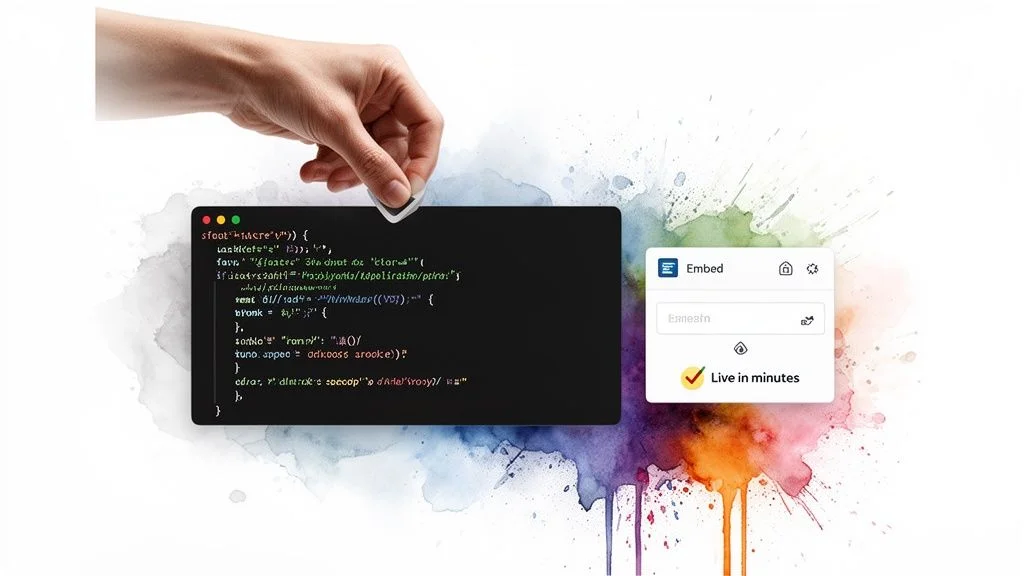
The post tackles the common fear of "breaking the website" and showcases how modern tools like FOMOchat, Intercom, and Calendly are designed for rapid, code-light implementation. You walk the reader through the entire process, from customizing the widget's appearance in a user-friendly interface to pasting the embed code into a site’s header or footer.
How to Implement This Idea
Headline Templates:
- How to Add a Chat Widget to Your Site in 5 Minutes (No Code Required)
- The Marketer's Guide to Installing Social Proof Widgets without a Developer
- From Zero to Live: A Step-by-Step Guide to Code-Light Tool Implementation
SEO Keywords: "install chat widget," "add social proof to website," "no-code marketing tools," "embed widget in wordpress," "code-light implementation."
Repurposing Tip: Create a 2-minute screen-recording video that visually walks through the entire copy-paste process on a popular platform like WordPress or Shopify. Turn the key steps into a simple, downloadable PDF checklist for quick reference.
Mini-Brief Example (for a marketing blog): Goal: Show readers how easy it is to install FOMOchat on their website. Content:
- Introduction: Address the pain point - wanting to use advanced tools but fearing the technical setup.
- Step 1: Customize Your Widget: Show screenshots of the FOMOchat dashboard where users pick templates, colors, and initial messaging.
- Step 2: Find Your Code: Highlight the "Copy Snippet" button. Explain what this code does in simple terms.
- Step 3: Paste and Go Live: Provide visual guides for pasting the code into the header/footer of common CMS platforms. For more details, our guide on installing the widget provides platform-specific instructions.
- CTA: "You've just seen how simple it is. Ready to get your own widget live in the next five minutes? FOMOchat prompt: 'Need help installing your first widget? Let's walk through it together!'"
10-Post Comparison: Social Proof & Chat Tactics
| Item | Implementation Complexity 🔄 | Resource Requirements ⚡ | Expected Outcomes 📊 | Ideal Use Cases 💡 | Key Advantages ⭐ |
|---|---|---|---|---|---|
| How Social Proof Widgets Increase Conversion Rates: A Data-Driven Guide | Low–Medium: simple embed + content tuning | Low: widget/snippet, testimonials, occasional updates | 20–40% signup/conversion uplift (varies by audience) 📊 | Product pages, pricing pages, signup flows | Builds trust; reduces decision friction; creates FOMO |
| AI-Powered Chatbots for Sales: How to Train Your Bot on Product Knowledge | Medium: training, integrations, guardrails | Medium: training data, monitoring, engineering oversight | Faster response times; higher lead capture and qualification 📊 | Lead qualification, real-time sales support, FAQs | 24/7 availability; consistent messaging; scales with traffic |
| Creating Authentic Social Proof: Best Practices for Generating Realistic Conversations | Medium: content design and ethical disclosures | Medium: content writers, legal/UX, persona data | More credible proof; addresses multiple objections | Testimonial pages, demo objections, trust-building content | Realistic multi-person dialogues; objection coverage |
| Webinar Conversion Optimization: Using Live Chat and Social Proof During Pitches | Medium–High: timeline sync and live tooling | Medium: webinar integration, moderators, tech testing | Increased registrations/attendance; lower drop-off 📊 | Live webinars, product demos, launches | Real-time engagement; amplifies persuasive moments |
| Conversion Rate Optimization for SaaS: How Support Chats Impact Visitor Decision-Making | Medium: staffing or AI + analytics | Medium–High: support staff or AI ops, analytics | 10–30% conversion lift in many cases 📊 | SaaS pricing/demo pages, implementation queries | Removes friction; instant objection handling; data capture |
| Online Course Marketing: Building Trust and Enrollment with Group Chat Demonstrations | Low–Medium: consent processes and content curation | Low–Medium: active students, moderators, privacy controls | Higher enrollments via community proof; improved trust | Course landing pages, enrollment pages, cohort promos | Demonstrates community value; social validation; FOMO |
| Product Launch Strategy: Generating Buzz with Real-Time Chat and Live Engagement | High: coordinated prep and live operations | High: cross-functional team, support scaling, analytics | Launch-day conversion surges; sustained post-launch interest | Major product launches, early-access events | Creates urgency; handles peak traffic; real-time validation |
| Building Brand Voice in AI Chat: Maintaining Authenticity While Automating Support | Medium: persona design and iterative tuning | Medium: brand team, content, ongoing audits | Consistent brand experience; better CX perception 📊 | Branded support bots, marketing touchpoints, onboarding | Differentiates bot tone; builds emotional connection |
| Demand Generation: How Social Proof and Live Chat Fuel Lead Qualification and Pipeline Growth | High: CRM integration and scoring models | High: marketing ops, CRM, analytics, sales alignment | Improved lead quality; shorter sales cycles; pipeline growth 📊 | B2B demand gen, account-based programs, SDR handoffs | Automated qualification; real-time lead intelligence |
| Code-Light Implementation: Getting Social Proof Widgets Live in Minutes (Not Weeks) | Low: one-snippet embed, templates | Very Low: non-technical setup, pre-built templates | Rapid go-live; fast iteration and A/B testing ⚡ | Quick experiments, small teams, marketing campaigns | Fast deployment; low cost; enables rapid testing |
From Ideas to Impact: Your Next Step
We’ve explored a detailed list of powerful post ideas for your blog, moving far beyond generic prompts. This isn't just about filling a content calendar; it's about creating strategic assets that drive specific business outcomes, from boosting webinar conversions to generating authentic social proof and accelerating your sales pipeline. The common thread woven through each idea is the potent combination of live engagement and social proof, a duo that turns passive readers into active participants and confident buyers.
The true value of these concepts lies in their direct application. An article on AI chatbot training isn't just content; it's a tool to help your audience improve their sales process. A guide on using social proof during a webinar pitch provides a clear blueprint for increasing revenue. You've seen how each idea can be broken down into actionable steps, complete with headline templates, SEO targets, and repurposing strategies. This structured approach is your key to producing content that not only ranks well but also delivers measurable results for your business and tangible value for your audience.
Key Takeaways to Guide Your Content Strategy
Remember these core principles as you begin to implement these post ideas for your blog:
- Focus on Action, Not Just Information: Your audience, whether they are SaaS marketers or course creators, is looking for solutions. Frame every blog post as a direct answer to a problem. Provide guides, checklists, and real-world examples they can apply immediately.
- Authenticity Drives Conversion: The most effective social proof feels real because it is. Your content should show your audience how to generate and display genuine customer interactions, moving beyond static, impersonal testimonials. This builds the trust necessary for a visitor to make a purchase decision.
- Integration is Everything: The ideas presented work best when they are part of a cohesive strategy. A blog post about generating buzz for a product launch should connect directly to your tactics for webinar marketing and demand generation. Show your readers how to build a system, not just execute a single task.
Your Action Plan: Turning Concepts into Content
Feeling motivated is good; taking action is better. Don't let this list become just another saved article. Choose one idea that resonates most with your immediate business goals.
- Select Your Post: Pick the blog post idea from our list that aligns with a current priority. Is it improving SaaS trial sign-ups? Boosting online course enrollment? Pick one.
- Use the Mini-Brief: Refer back to the detailed breakdown for that idea. Use the suggested headlines, SEO keywords, and structure as your starting point.
- Create the Content: Write the draft. Focus on providing clear, specific, and actionable advice. Weave in examples relevant to your own product or service to make it uniquely yours.
- Publish and Promote: Once it's live, don't forget to promote it across your channels and consider the repurposing tips to extend its reach and impact.
By consistently applying this focused approach, you will build a library of content that works for you long after you hit "publish." You will establish your brand as a go-to resource, filled with practical expertise. This is how you stop just writing blog posts and start building a powerful engine for growth. The journey from a simple idea to a tangible business impact begins with that first, well-executed post. Go create it.
Ready to bring these content ideas to life with powerful, authentic social proof? The examples throughout this article show how real-time chat and engagement can build trust, and FOMOchat is the tool designed to make it happen. See how you can add dynamic social proof and live chat widgets to your site in minutes at FOMOchat.