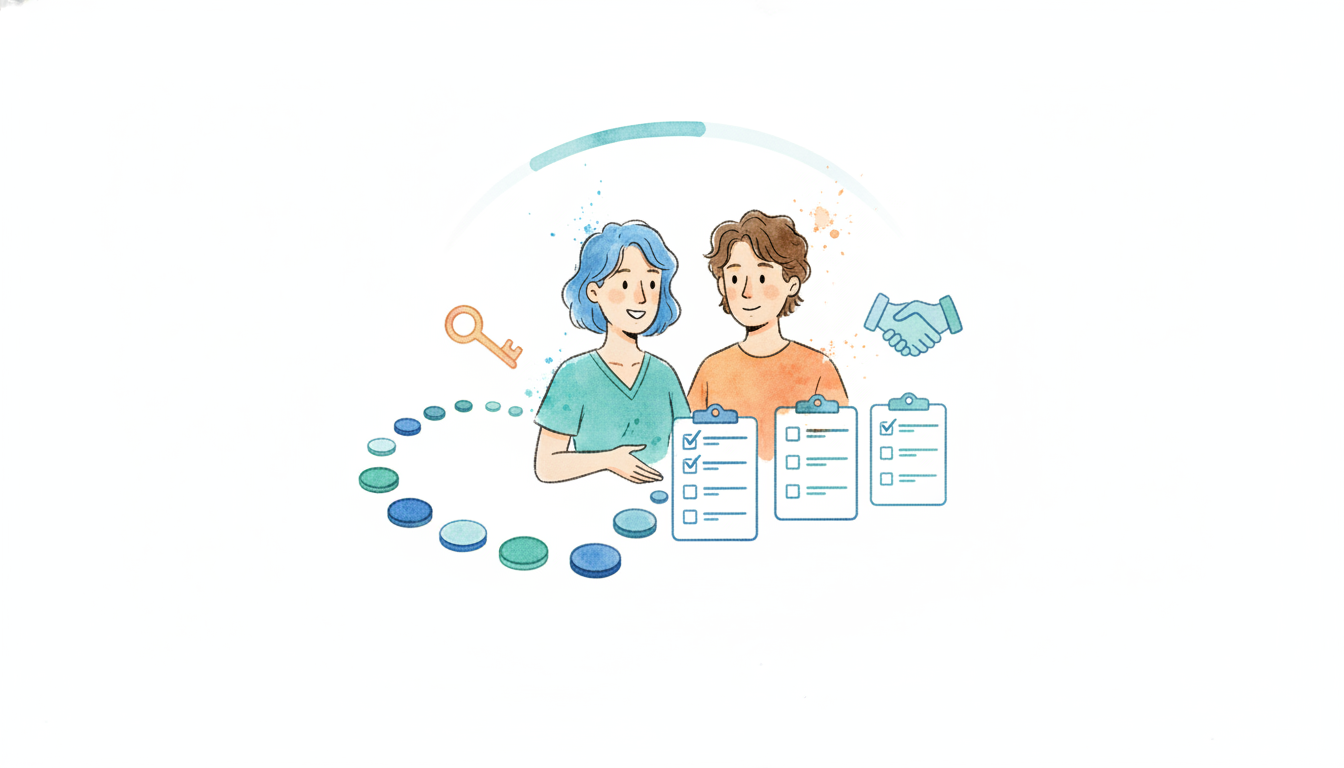
You've shipped the launch email, polished the welcome video, and scheduled the kickoff call. Then the questions arrive. One customer can't complete setup, a course participant doesn't know which lesson matters first, and webinar attendees leave without taking the next product step. Your team responds manually, but adoption still stalls because the support was designed for launch day, not for the work that follows.
Implementation support works when it helps people reach a meaningful outcome, repeat the behavior, and eventually operate with less outside assistance. That requires more than documentation or a friendly onboarding call. It requires the right support model, a clear path to first value, defined ownership, and measurement that shows where users get stuck.
What Implementation Support Really Means for SaaS and Courses
A customer can attend the kickoff, understand the product's promise, and still fail to reach activation. The administrator has not configured the workspace, end users have not joined, or the team cannot identify the workflow that should create the first useful result. In a course, learners may enter the portal and watch the introduction without completing the exercise that makes the material practical. A webinar can produce the same gap when attendees enjoy the presentation but never register, start a trial, enroll, or take the next product action.
The operating problem is the distance between knowing what the product does and using it in the context that matters. Implementation support closes that distance through sustained enablement, with heavier help early and measurable progress toward first value.
Support builds capability over time
Effective support handles four connected jobs:
- Clarify the outcome: Define success for the customer's role, team, or audience.
- Prepare the environment: Confirm access, configuration, content, integrations, and ownership before the main activity begins.
- Guide the first workflow: Help users complete the action that creates practical value instead of touring every feature.
- Transfer responsibility: Develop internal champions, feedback loops, and repeatable habits so live assistance can taper.
Support intensity should change as users gain capability. A descriptive study of external implementation support across two U.S. states found an average of 5.26 hours per month in year one, declining to 2.57 hours in year three. The year-one to year-three change supports a front-loaded model. The study also reported regional variation, with South Carolina counties averaging 2.39 hours per month and North Carolina counties 3.77 hours (descriptive study of implementation support intensity).
For SaaS, courses, and launches, put the most hands-on work before and around the first activation event. After users complete that workflow, shift to office hours, targeted guidance, health checks, and clear escalation paths. A one-time rollout leaves configuration, practice, and early recovery to the customer, precisely when stalled adoption is most likely.
Practical rule: If the only success measure is a completed kickoff, the team is measuring delivery, not implementation.
The tooling should follow the journey. A support operation may combine a knowledge base, ticketing system, in-app guidance, chat, video walkthroughs, and live sessions. Teams comparing that stack can use this guide to SaaS customer support tools to assess how each tool supports the wider service model. For interactive launches and webinars, teams can also review what FOMOchat is and decide whether conversational support belongs before, during, or after the event. The right test is practical: does the channel help a defined user complete the next activation step, and can the team reduce assistance after that behavior becomes repeatable?
Choosing Your Implementation Support Model
A customer can complete the kickoff and still fail to adopt the product. The support model should match implementation risk, including setup complexity, number of stakeholders, integration dependencies, launch timing, and the cost of a stalled workflow. Contract value alone is a weak routing signal.
If you are mapping the first week after signup, SaaS onboarding best practices pair well with this support model choice, especially when you need a self-serve path that still feels guided.

| Model | Best For | Support Intensity | Trade-off |
|---|---|---|---|
| Self-Serve | Simple products, experienced users, repeatable course content | Low, mostly asynchronous | Lower delivery cost, but higher customer effort |
| Guided | Products with meaningful setup, cohort programs, multi-step launches | Moderate, with scheduled guidance and targeted intervention | Balances scale and assistance, but requires good segmentation |
| White-Glove | Complex enterprise workflows, strategic accounts, high-stakes launches | High, with dedicated ownership and proactive coordination | Reduces customer effort, but consumes more specialist capacity |
Self-serve works when the path is narrow
Self-serve fits a product with clear setup, predictable permissions, useful in-product guidance, and a first action that does not depend on another team. It also suits an evergreen course where learners set their own pace and exercises do not require individual review.
The effort shifts to the customer. They must interpret instructions, diagnose errors, and choose the next action without live help. Documentation should describe the outcome and the steps to reach it, rather than list features. If users cannot tell whether they completed the right workflow, self-serve is under-supported.
Guided support handles meaningful complexity
Guided support combines templates, office hours, milestone emails, group sessions, and targeted human intervention. It works well for SaaS products with configuration decisions, course cohorts with deadlines, and webinar funnels that require coordination between marketing and sales.
Front-load live help around the first activation event. After the customer completes the initial workflow, reduce assistance to scheduled check-ins, health reviews, and clear escalation paths. Automation can prompt setup. A specialist should handle a wrong workflow choice, a missing owner, or an integration problem that documentation cannot resolve.
A useful benchmark for managed implementations places typical activation at 70% to 85% within 30 to 90 days, with 88% to 95% for top-quartile teams. The benchmark also identifies implementation support quality and executive sponsor engagement as major levers, and recommends measuring time-to-activate by segment alongside support intensity, sponsor participation, and workflow activation (SaaS activation benchmarks and measurement guidance).
White-glove support earns its place through risk
White-glove implementation fits workflows that affect many users, connect multiple systems, carry contractual commitments, or face a narrow launch window. An implementation manager may coordinate stakeholders, run working sessions, review configuration, and maintain a shared success plan.
Do not assign this level of service by default. Set exit criteria such as completed configuration, trained owners, a validated workflow, and a named internal champion. When those conditions are met, move the customer into guided or self-serve support. The goal is sustained enablement with high intensity early, then less human involvement as the behavior becomes repeatable.
Designing an Onboarding Flow That Delivers First Value Fast
A customer should never have to guess which action matters next. Build the journey around the first valuable outcome, then work backward to the access, configuration, training, and support required to reach it.

Start before the kickoff
Pre-boarding prevents avoidable delays. Send a short preparation message that identifies the customer's target outcome, required participants, access requirements, and first meeting decision. For a course, this might mean confirming the learner's goal and pointing to the first exercise. For a webinar, it might mean making the post-event action visible before the session starts.
The kickoff should produce decisions, not a product tour. Assign an owner on both sides, choose the initial workflow, confirm the first-value definition, and agree on the communication channel for blockers.
Configure only what the first workflow needs
Teams often overload onboarding with every setting, integration, and advanced feature. That creates cognitive friction and delays the moment when the customer can judge whether the product works.
Use a minimum viable configuration. In SaaS, configure the workspace, permissions, data, and workflow needed for one real use case. In a course, make the first lesson and exercise easy to find. In a webinar funnel, connect the event experience to the next action and make the handoff explicit.
Setup often stalls on connections and permissions. Teams that keep hitting the same integration wall should also skim integration best practices so support playbooks match the technical path customers actually take.
You can use a short internal checklist for each segment:
- Access: Can the intended users enter the right environment?
- Configuration: Is the minimum workflow ready?
- Instruction: Does each role know what to do?
- Evidence: Can the customer see that the first outcome occurred?
- Recovery: Does someone know how to resolve a stalled step?
Train by task, not by feature
A training session should mirror the work customers need to complete. Demonstrate the workflow, let the customer perform it, observe the point of hesitation, and correct the process while the context is fresh.
For a course cohort, schedule practice and feedback around the exercise that creates confidence. For a webinar, use the audience's questions to refine the next action and surface objections that would otherwise block conversion. For SaaS, train the administrator and end user differently. The administrator needs governance and configuration knowledge. The end user needs a fast route to the task they perform.
The first win should be observable and easy to describe. It might be a completed workflow, a submitted assignment, a published asset, or a qualified next action. Avoid defining it as “attended onboarding” or “logged in,” because those events don't prove that the customer received value.
Teams looking for additional process ideas can review this resource on how to boost activation and retention. For FOMOchat users, the first FOMOchat setup guide provides a concrete example of turning a product setup task into a guided first action.
Instrument the moments that create delay
Track time from the agreed start point to the first valuable outcome. Segment it by customer type, implementation model, workflow, owner, and sponsor participation. Averages can hide a serious problem, such as one segment moving quickly while another never completes setup.
When activation slips, inspect the support sequence rather than immediately adding more meetings. The missing lever may be unclear ownership, an inaccessible data source, an overlong setup path, or a sponsor who hasn't reinforced the change internally.
Staffing Roles Tooling and Automation That Scale
Implementation support becomes expensive when every issue goes to the same person. It becomes fragile when nobody owns the handoff from marketing promise to configured workflow. A scalable operating system assigns clear responsibilities and uses automation for repetition, not judgment.

Give each role a defined job
The implementation manager owns the plan, risks, stakeholder alignment, and overall outcome. This person should know whether the customer is progressing, not just whether meetings occurred.
The onboarding specialist handles repeatable education, setup guidance, office hours, and common blockers. A strong specialist turns recurring questions into better templates and clearer product feedback.
The product champion sits inside the customer organization or audience. This person reinforces the workflow, gathers feedback, and helps users continue after external support tapers.
The support engineer handles technical complexity, integration questions, permissions issues, and defects that need engineering context. This role shouldn't become a general-purpose queue for every unclear instruction.
A practical handoff looks like this: marketing records the promise and audience context, sales confirms the intended outcome, implementation validates the workflow, product or engineering resolves technical blockers, and customer success monitors continued use. Every handoff needs an owner, a trigger, and a record of what has already been tried.
Automate predictable work
Use automation for reminders, task creation, session follow-ups, status updates, resource recommendations, and low-risk nudges. Keep human review for scope changes, adoption risk, data interpretation, and decisions that affect the customer's operating model.
Your stack might include a CRM for account context, a project workspace for implementation plans, a knowledge base for durable answers, in-app guidance for contextual prompts, chat for fast questions, video for demonstrations, and analytics for activation behavior. The tools matter less than the event design. Each system should help answer who needs help, what they're trying to do, and what action should happen next.
A scalable support system doesn't remove human involvement. It directs human attention to the moments where explanation, judgment, or coordination changes the outcome.
When live help needs a conversational layer on product or webinar pages, how to automate customer support shows where bots and humans should split work. For proof that enablement sticks, browse customer success stories and notice how activation milestones show up in the narrative.
Interactive support can fit into launches and webinars when visitors need answers while they evaluate the next step. FOMOchat provides an AI company representative trained on website content and interactive group chats, with configurable personas, facts, guardrails, confidence qualifiers, branding, and visibility rules. Teams can review how to set up domain knowledge before deciding what content the assistant should use.
The system also needs operating guardrails. Set response expectations, define escalation conditions, review unanswered questions, and remove outdated guidance. During launches, create a temporary command center with one person watching customer questions, one person owning technical issues, and one person recording recurring objections for later improvement.
The team should also plan for tapering. As users complete the core workflow, reduce scheduled touchpoints and replace them with health checks, searchable guidance, and champion-led reinforcement. That protects staff capacity without abandoning customers after the first session.
Here's a short visual overview of the operating model in practice:
Measuring Success and Fixing What Breaks
A launch can look busy while adoption remains weak. Attendance, answered questions, and a full support calendar measure activity, not customer progress. Track whether customers complete the intended workflow, reach first value quickly, keep using it, and need less help over time. This treats implementation support as sustained enablement, with more intensity at the start and a measurable path toward independence.

Build a small measurement system
Set a baseline for each meaningful segment before changing the onboarding flow. The measures should connect directly to customer behavior:
- Time-to-first-value: The time required to complete the first action that proves the product or course is relevant.
- Activation rate: The share of customers who complete the agreed activation workflow within the chosen window.
- Retention signals: Continued workflow use, repeat participation, completed assignments, or progress to the next meaningful use case.
- Support intensity: Live hours, asynchronous interventions, escalations, and sponsor participation required to reach activation.
- Change success rate: Whether planned changes work as intended without avoidable rollback or emergency intervention.
- Fidelity improvement: Whether the customer follows the intended process instead of adopting a partial or distorted version.
Use consistent definitions across launches. FOMOchat's analytics dashboard for tracking onboarding performance can show where visitors drop off, which maps directly to activation tracking. If the activation event changes halfway through a launch, the trend becomes difficult to interpret. Compare segments separately when customer complexity or support coverage differs.
Use evidence to diagnose the failure
Change-oriented implementation guidance provides a useful operational comparison. Mature organizations target a 90% to 95% successful change rate, while elite digital teams often sustain 95% or higher, with failure at 0% to 10%. Emergency changes typically perform at 80% to 90% success, and common pitfalls include misclassified standard changes, weak testing maturity, and overuse of emergency changes (change success rate guidance).
These figures are reference points, not promises for every onboarding program. Routine change failures usually point to planning, testing, or rollback controls. A high volume of emergency changes calls for closer review of intake, prioritization, and release communication. Customers who finish setup but avoid the workflow may need more relevant training or a clear internal owner, rather than more technical support.
Validation often breaks at the handoff from guided support to independent use. Implementation guidance emphasizes time-to-first-value, retention-related KPIs, and usage tracking, while also identifying missing conformance testing as a structural gap (client onboarding measurement guidance). For SaaS and courses, run a practical acceptance check: ask the customer to perform the workflow without prompting, inspect the output, and confirm that the internal owner can repeat it.
Fidelity deserves its own review. A customer may appear active while using only a fraction of the intended process. Record which steps are completed, where users improvise, and whether the result still meets the promised outcome. That evidence shows whether the problem sits in product design, instruction, ownership, or follow-up support.
Your Implementation Support Checklist and Next Steps
Before the next SaaS rollout, course cohort, or webinar, write the implementation plan in operational language. A useful checklist should fit on one working page and answer who does what, by when, and how the team will know the customer has reached value.
- Define first value: Name the customer action that proves the implementation has started working.
- Choose the model: Assign self-serve, guided, or white-glove support based on complexity, risk, and customer effort.
- Map milestones: Include pre-boarding, kickoff, setup, task-based training, first win, and the follow-up check.
- Assign ownership: Name the implementation owner, customer champion, technical escalation point, and support channel.
- Prepare recovery paths: Document common blockers, escalation triggers, rollback steps, and fallback workflows.
- Set measurement rules: Record time-to-first-value, activation, usage, support intensity, and the retention signal that matters for the segment.
- Plan the taper: Decide which live touchpoints disappear once the customer can complete the workflow independently.
Run the plan with one segment before expanding it. Review unanswered questions, stalled steps, sponsor participation, and the amount of human effort required. Then revise the workflow, not just the help content. Teams focused on people operations can also adapt ideas from this resource on how to improve new hire retention with onboarding, especially its emphasis on structured early support and clear ownership.
Implementation support becomes durable when every launch creates better instructions, clearer signals, stronger champions, and fewer avoidable escalations. The first rollout is not the finished system. It's the test that shows where the system needs to mature.
FOMOchat helps SaaS teams, course creators, launch teams, and webinar hosts add an AI company representative and interactive group chats to pages where prospects need timely answers and credible engagement. Visit FOMOchat to create a preview, configure the experience, and test how conversational support can shorten the path from interest to action.