
Don't let the term "SEO" scare you. At its core, search engine optimization is just about making your website easy for both people and search engines to understand. It all comes down to figuring out what your customers are looking for, creating great content that gives them answers, and making sure your site runs smoothly.
This guide is the practical, no-nonsense roadmap I wish I had when I started. It's built to help you climb the search rankings without a huge budget or a computer science degree.
Why DIY SEO Is Your Most Powerful Growth Skill

Jumping into search engine optimization on your own might feel overwhelming, but it's genuinely one of the most valuable skills you can build for your business. The good news? You don't have to be a technical wizard to get real results. This isn't about becoming an SEO guru overnight.
It’s about understanding the fundamentals that drive sustainable traffic and growth. Think of this guide as your personal playbook, designed for marketers, creators, and founders who want to see a real impact. When you learn to do your own SEO, you take back control of your online visibility.
Why Learning SEO Is a Smart Business Move
The time you invest in learning SEO pays you back for years. Unlike paid ads, which disappear the second you turn off your budget, a single well-optimized page can bring in steady traffic for a long, long time. This is how you build a predictable, scalable stream of leads and sales.
And the market agrees. The global SEO services market is expected to jump from $108.28 billion in 2026 to an incredible $203.83 billion by 2030. That explosive growth shows just how critical online visibility has become. By learning these skills now, you’re not just keeping up; you’re getting ahead.
Learning SEO is like building an asset. Every optimized blog post and every new backlink adds to your site's authority, compounding its value over time.
A Look at What’s Inside
I’ve broken down the entire process into clear, manageable steps. We'll cover everything from building your initial plan to measuring your success, giving you the confidence to start making changes right away.
Here’s a quick preview of what we’ll cover:
- Building Your SEO Plan: We'll start with setting clear goals and finding the keywords your audience is actually searching for.
- Quick Website Wins: You’ll learn simple on-page and technical fixes that can give your site an immediate boost.
- Content That Actually Ranks: I’ll show you how to create genuinely helpful content that both Google and your readers will love.
- Earning Your First Links: We'll dive into practical, no-fluff tactics for building authority with valuable backlinks.
And as you get more comfortable, you can check out other helpful guides on the FOMOchat blog to keep learning. Ready to take control of your growth? Let's get started.
Laying the Groundwork: Your SEO Game Plan

Before you touch a single title tag or write your first sentence, we need to talk strategy. So many people dive into SEO by just throwing content at the wall to see what sticks. That’s not a strategy; it’s a recipe for burnout. A solid plan is what turns random SEO tasks into a predictable system for growth.
This is where we define what winning actually looks like. For a SaaS business, maybe it’s hitting 100 new trial signups a month from Google. If you sell courses, perhaps your goal is 500 downloads of a free guide. Get crystal clear on your destination before you start the car.
Start with Business Goals, Not SEO Metrics
Your SEO goals should be a direct reflection of your business goals. Chasing "more traffic" is a vanity metric. (For context on why trust and credibility matter as much as traffic, see our piece on social proof in marketing.) Instead, the real question is: what do you want people to do once they land on your site?
Think about what really moves the needle for your business. Are you trying to:
- Book more demo calls?
- Sell your digital products?
- Get more webinar registrations?
- Drive enrollments for your online course?
The goal you choose changes everything. A keyword like "what is social proof" is great for top-of-funnel awareness. But a keyword like "best ai chat widget for course creators" is what brings in someone who’s ready to buy. Knowing your endgame from the start helps you zero in on the keywords that actually matter.
Find the Words Your Customers Actually Use
Keyword research is the foundation of it all. It’s less about complex tools and more about getting inside your customer’s head to find the exact words and phrases they’re using to find solutions.
For now, just start with some common sense and a blank document. Brainstorm a list of topics that relate to what you sell. If you teach people how to bake, your core topics might be "sourdough starters," "cake decorating techniques," or "gluten-free baking." These are your starting points.
My biggest tip? Think in terms of problems, not products. No one wakes up and searches for "premium email marketing software." They search for "how to grow my email list faster." Solve their problem, and you’ve won half the battle.
With your topics in hand, use free resources like the "People Also Ask" box on Google or a tool like AnswerThePublic to uncover the real questions people are asking. These questions are keyword gold because they reveal search intent: what the user truly wants to achieve. If you want a deeper dive, this realistic guide on how to do SEO yourself in steps offers a great walkthrough for building out your initial strategy.
Group Keywords into Smart Topic Clusters
Okay, you’ve got a list of keywords. Don’t make the common mistake of targeting them one by one in random blog posts. A much smarter approach is to group them into thematic clusters. This strategy involves building your content around a central "pillar" topic.
Here’s what that looks like in practice. Imagine your main topic is "DIY SEO Optimization."
- Pillar Page: A comprehensive guide on How to Do SEO Optimization Yourself.
- Cluster Post: A focused article on "Best Free Keyword Research Tools."
- Cluster Post: A tutorial on "How to Write SEO-Friendly Title Tags."
- Cluster Post: A simple breakdown of an "Easy Internal Linking Strategy."
When you structure your content this way, you're signaling to Google that you have deep expertise on the entire subject. Each piece supports the others, creating a powerful, interconnected web of information that’s far more effective than a bunch of disconnected articles. This cluster model becomes your content roadmap, ensuring everything you create serves a purpose and drives you toward your goals.
Alright, you've done the heavy lifting with your strategy and keyword research. Now for the fun part: actually putting it all into action on your website. This is where we get our hands dirty with what's often called "on-page" and "technical" SEO.
Don't let the terms intimidate you. It's really just about making your site easy for both people and search engines to understand. Think of it like organizing a physical shop. You wouldn't just toss merchandise on the floor, right? You'd create aisles (headings), hang a compelling sign out front (your title tag), and make sure the doors are easy to open (page speed). This is all about getting your digital house in order.
Master Your First Impression on Google
When someone searches on Google, the first thing they see isn't your beautiful webpage. It's your title tag and meta description. This is your digital storefront window, and it's your one shot to convince them to click on your link instead of a competitor's.
It’s a make-or-break moment. A study from Backlinko revealed that the #1 spot in Google gets an average 27.6% click-through rate. That first impression matters. A lot.
Writing a Click-Worthy Title Tag: This is the blue, clickable headline in the search results. It has one job: get the click.
- Keep it under 60 characters. Anything longer will likely get cut off, and your brilliant headline will be left hanging.
- Put your main keyword at the front, as long as it sounds natural. For example, "DIY SEO Guide for Marketers | Your Brand" usually works better than the other way around.
- Every single page on your website needs a unique title. This is non-negotiable.
Crafting a Compelling Meta Description: This is the snippet of text under the title. While Google says it's not a direct ranking factor, it absolutely sways a user's decision to click.
- Stick to around 155 characters.
- Treat this like ad copy for your page. What problem are you solving? What will the reader learn?
- Work your primary keyword in naturally. Google often bolds it in the search results, which helps your entry pop off the page.
A great meta description answers the user's silent question: "Is this page exactly what I'm looking for?" It should act as a compelling preview that promises a clear solution.
Structure Content for Scanners and Search Engines
Here’s a hard truth: people don’t read most web pages from top to bottom. They scan.
Using headings (H1, H2, H3, etc.) correctly breaks your content into a logical, scannable outline. This is a huge win for user experience and also gives Google a crystal-clear map of your page's topics.
Your page should only ever have one H1 tag. That’s your main headline. From there, use H2s for your main sections and H3s for the sub-points within them. It creates a simple table of contents right on the page. For a guide on video creation, you might have H2s like "Pre-Production Planning" with H3s for "Scripting Your Video" and "Gathering Equipment." It’s an incredibly useful structure, and you can even use a video transcript as a knowledge base to quickly map out this kind of structured content.
Optimize Your Images for Speed and Search
Images are fantastic for engagement, but they are often the number one reason a website feels slow. And slow pages sink your rankings, especially on mobile.
I use a simple three-step process for every single image I upload. It takes seconds and makes a world of difference.
- Resize Your Images: Before you upload anything, resize the image to the actual dimensions it will appear in. You don't need a massive 4000-pixel photo for an 800-pixel blog column. Free tools like BulkResizePhotos.com are perfect for this.
- Compress Your Images: Compression shrinks the file size without any noticeable loss in quality. I recommend TinyPNG for this (just drag and drop). Many website platforms also have plugins that can automate this for you.
- Use Descriptive File Names and Alt Text: Please, stop uploading
IMG_4582.jpg. Rename your file to describe what it is, likeon-page-seo-checklist.jpg. Then, add descriptive alt text that explains the image for screen readers and search engines. It's vital for accessibility and helps Google understand your content.
Check Your Website's Basic Technical Health
You don't need to be a developer to spot major technical roadblocks. A few quick checks can ensure search engines can actually find and understand your site.
First, see how your site looks on a phone. With over 58% of searches happening on smartphones, a clunky mobile experience is a deal-breaker. Just pop your URL into Google's Mobile-Friendly Test tool to get an instant answer.
Next, make sure you have a sitemap submitted to Google Search Console. A sitemap is just a list of all your pages, and it helps Google find your content much faster. Most website builders (like Squarespace, Shopify, or WordPress) generate one for you automatically.
Finally, do a quick hunt for broken links and slow pages. A free tool like Screaming Frog can crawl your site (up to 500 URLs for free) and show you any "404 not found" errors. For speed, Google PageSpeed Insights will analyze your site and give you a to-do list for making it faster. More often than not, the top recommendation is simply to compress your images.
Now that you've handled the technical groundwork, it's time to dive into what I consider the real heart of SEO: creating fantastic content. This is where the magic happens. Your content is what pulls people in, shows them you know your stuff, and convinces them you have the solution they've been looking for.
But let's be clear: simply publishing blog posts isn't a strategy. We're not just filling a quota. We have to be strategic, writing for both Google's algorithm and the real, live person who will be reading our words.
The days of gaming the system by jamming keywords into a 500-word article are thankfully long behind us. Today, winning at SEO is all about providing real value. That starts with understanding search intent, which is just a fancy way of asking, "What did this person really want when they typed that into Google?" Are they trying to learn, buy, or find something specific? Your content's job is to answer that question, plain and simple.
The Power of the Topic Cluster Model
One of the most effective ways I've found to prove your expertise to Google is by organizing your content into topic clusters. Instead of writing one-off articles on random subjects, you create a hub-and-spoke system that signals deep knowledge.
Here’s how it breaks down:
- Pillar Page: This is your cornerstone. It's a comprehensive, in-depth guide covering a broad topic from A to Z. For example, we might create a massive guide called "The Ultimate Guide to AI Chat for Webinars."
- Cluster Content: These are shorter, more focused articles that explore specific subtopics mentioned in your pillar page. Think articles like "5 Ways to Write a Webinar Script That Converts" or "A Review of the Best Webinar Hosting Platforms."
Every cluster post links back to the main pillar page. This internal linking isn't just for show; it creates a powerful structure that tells search engines you're an authority on the entire subject. For anyone trying to figure out how to do SEO optimization yourself, this model is a lifesaver. It gives you a clear roadmap of what to write next.
How to Get Your Content Noticed by AI and Featured Snippets
The way we search is changing. Google handles an incredible 3.1+ trillion searches a year, but with AI-powered answers becoming more common, many searches end right on the results page. In fact, some studies show that nearly 60% of searches are now "zero-click," meaning the user gets their answer without ever visiting a website.
So, how do you win? You have to optimize your content to be the answer that Google and other AI tools want to feature.
The goal isn't just to rank number one anymore. The new goal is to be the answer. This means writing clear, direct, and scannable responses to common questions right within your articles.
This is a great visual for understanding how content fits into the bigger picture. On-page elements (like your content) and technical SEO have to work together.
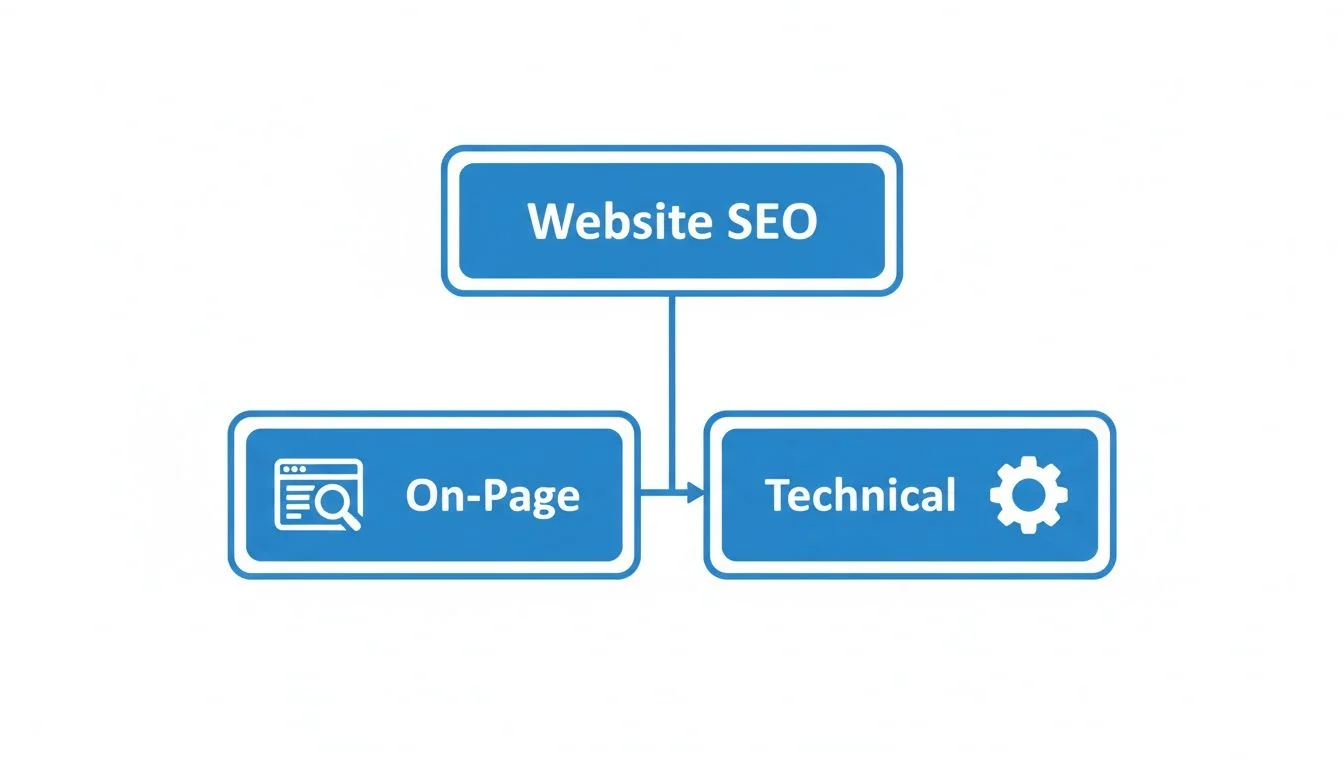
As you can see, amazing content is only half the equation. It needs a technically sound website to truly shine.
To make your content a magnet for featured snippets, start using formats that algorithms can easily understand and pull from:
- Bulleted and numbered lists: They are perfect for step-by-step instructions or feature lists.
- Q&A sections: Add an FAQ at the end of your articles to directly target those specific, long-tail questions people are asking.
- Question-based headings: Structure your content around questions.
For instance, instead of a boring heading like "AI Features," turn it into a question: "How Does AI Actually Improve Chat Responses?" This directly mirrors what someone would type into a search bar. We've got more tips on this in our guide on improving AI responses.
Writing Content That Actually Converts
Getting traffic is exciting, but if those visitors don't do anything, it's just a vanity metric. Every single piece of content you create needs a job to do. It should gently nudge the reader toward a specific goal. For a deeper look at what makes visitors convert, see our guide on how to increase landing page conversions.
That means including a clear call to action (CTA). It doesn't always have to be "Buy Now!" A CTA can be anything that encourages the next step, like downloading a free checklist, watching a demo video, or signing up for your newsletter. Just make it obvious and valuable.
Think about where your reader is in their journey. Someone reading a beginner's guide is probably just exploring. A soft CTA like "Learn more about our features" is perfect. But for someone on a page comparing your product to a competitor, a more direct "Start Your Free Trial" makes a lot more sense. When you match your CTA to the reader's intent, you create a natural path from curious visitor to happy customer.
Earning Links and Building Your Authority
Alright, so your on-page SEO is solid and your content is genuinely helpful. What's next? Now we have to show Google that other people think so, too.
This is where backlinks come in. Think of them as digital word-of-mouth. When another credible website links to your content, it’s a powerful signal to search engines that you’re a trustworthy source. It’s like a vote of confidence.
Building authority this way is a huge part of SEO, but you don't need a massive PR budget. It really just comes down to some smart, ethical outreach.
Start with Guest Posting Opportunities
One of the most straightforward ways to earn a quality backlink is by writing a guest post for another blog in your industry. You get to put your expertise in front of a whole new audience, and in exchange, you’ll almost always get a link back to your site, usually in your author bio.
The trick is finding the right blogs. Don't just spray and pray. You want to look for sites that:
- They share your audience. Your content needs to be a natural fit for their readers.
- They have some domain authority. Use a free tool to check. You're looking for quality, not just quantity.
- They aren't direct competitors. Think complementary businesses, not your head-to-head rivals.
A quick Google search for phrases like "your topic" + "write for us" or "your topic" + "guest post" works wonders. This will show you blogs that are actively looking for new writers. When you reach out, make your pitch personal. Show them you've actually read their blog and have a specific, valuable idea you think their audience would love.
Master the Art of Broken Link Building
This is a brilliant little tactic because it's all about providing value first. The idea is simple: you find a broken link (one that leads to a 404 error) on someone else's website. Then, you reach out, let them know about the broken link, and suggest your own relevant content as a replacement.
Here’s the game plan:
- Find a relevant site: Look for a resources page or a big list-style blog post in your niche.
- Scan for dead links: A browser extension like Check My Links will instantly highlight any broken links on the page.
- Offer the fix: Send a friendly, helpful email. Something like: "Hey [Name], I was just reading your excellent guide on [Topic] and saw that the link to [Dead Site] isn't working anymore. I actually wrote an updated guide on [Your Similar Topic] that might be a good replacement for your readers."
This works so well because you're helping them improve their website. It’s not a cold ask for a favor; you're offering a solution that just so happens to benefit you.
Broken link building is one of my favorite DIY SEO tactics. It immediately frames you as a helpful peer rather than just someone asking for a favor. You're improving the web for everyone.
To really get traction, it helps to draw on powerful SEO link building strategies that have been proven to work. These kinds of tactics give you a clear roadmap to follow.
Tap Into Your Existing Network
Don't forget about the people you already know! Your first few high-value links can often come from your own professional circle.
Take a minute and think about:
- Partners and suppliers: Have you worked with other companies? Ask them if they have a partners page where they can add your link.
- Podcast interviews: If you've been a guest on a podcast, double-check that the show notes page links back to your website. If not, a polite ask is totally reasonable.
- Industry friends: A friendly, relevant link exchange with colleagues can work well, as long as it makes genuine sense for both of your audiences.
These are warm leads. A short, personal email is often all it takes to get a link from someone who already knows and trusts you.
Conduct a Basic Backlink Health Check
Here’s the thing: not all links are good links. While great links build you up, spammy or "toxic" links can actually hurt your reputation with Google.
When you're just starting, this isn't a huge worry. But it's a good habit to run a basic check every once in a while. Use a free backlink checker to see who is linking to you.
If you spot anything that's obviously spam or totally irrelevant (like a foreign-language casino site linking to your handmade pottery blog), you might eventually want to look into Google's Disavow Tool. But a word of caution: use this tool very carefully. For most beginners, your time is much better spent building good links than worrying about a few bad ones.
How to Measure and Improve Your SEO Performance
You’ve put in all this work on keywords, content, and links. It feels productive, but here's the million-dollar question: is it actually working? You simply can't improve what you don't measure. This is where we close the loop and turn all your hard work into clear, undeniable results.
Tracking your performance is what separates guessing from knowing. It's how you'll prove the value of your efforts and make smarter decisions about what to do next. The best part? The two most powerful tools you need are completely free.
Meet Your SEO Measurement Duo
Get ready to become best friends with Google Search Console (GSC) and Google Analytics 4 (GA4). These two platforms work together to give you the complete story, from how people find you on Google to what they do once they land on your website.
Google Search Console (GSC): Think of this as your direct line to Google. It shows you exactly how your site appears in search results, which keywords you’re ranking for, your click-through rates (CTR), and any technical issues Google has spotted.
Google Analytics 4 (GA4): This tool picks up where GSC leaves off. It tells you what happens after someone clicks through to your site. You can see how much traffic you’re getting from organic search, which pages people visit, and how long they stick around.
Here’s a simple way to remember it: GSC tells you what Google thinks of your site, while GA4 tells you what actual visitors think of your site. You need both for the full picture.
Where to Find the Most Important Data
Don't let all the charts and tables overwhelm you. To start, you only need to focus on a couple of key reports.
Your first stop should always be the Performance report in Google Search Console. This is an absolute goldmine. It reveals the exact search queries people are using to find you, along with which of your pages are getting the most impressions and clicks. It’s the clearest view you'll get into your audience's search behavior.
Next, head over to Google Analytics and open the Acquisition > Traffic acquisition report. Just apply a filter for "Organic Search" to isolate the traffic coming directly from search engines. This number is your ultimate proof of concept: it shows your SEO strategy is successfully driving visitors to your site. If you want a consolidated view of your metrics, an analytics dashboard can be a great way to see everything in one place.
Once you're comfortable with these reports, you can start experimenting. For example, try rewriting a page title to be more compelling and then monitor your CTR for that page in GSC. If the rate ticks up, you know you’ve made a positive change. This simple cycle (measure, test, improve, and repeat) is the real secret to achieving long-term SEO success.
Diving into SEO on your own can feel a little daunting, and it's totally normal to have a few questions swirling around. Let's clear up some of the most common ones I hear from marketers who are just getting started.
The first thing everyone wants to know is about timing. How long before I actually see any results from all this work?
The honest answer? SEO is a marathon, not a sprint. You might see small wins from on-page tweaks in a few weeks, but for significant ranking improvements and real organic traffic growth, you should plan for 6 to 12 months. The key is sticking with it.
That long-term commitment naturally leads to the next big worry: Can you really do this without being a developer?
Can I Do SEO Without Being a Technical Expert?
Yes, absolutely. While the "technical" part of SEO can sound intimidating, most of the heavy lifting is handled by modern tools and platforms like WordPress. This entire playbook is designed for you, the non-technical marketer.
You can get incredible results by focusing your energy on what truly matters:
- Creating genuinely helpful content that solves problems for your audience.
- Smartly optimizing your page titles, headings, and images.
- Earning quality links from other websites to build up your credibility.
You don't need to know a single line of code to make a huge impact.
What Is the Biggest Mistake Beginners Make?
By far, the most common mistake I see is getting fixated on a handful of super-competitive "vanity" keywords. Newcomers often try to rank for broad, difficult terms right out of the gate, which is a recipe for frustration.
A much better approach is to build authority around entire topics. Instead of fighting a losing battle for one keyword, create a cluster of content that covers a subject from all angles. This strategy helps you solve real user problems and is a far more sustainable way to grow in the long run.
Ready to turn your website visitors into customers? FOMOchat uses AI-powered social proof to build trust and boost conversions. See how it works at https://fomochat.com.