
You've brought visitors to your pricing page, course offer, or webinar registration form. They're looking, but they aren't taking the next step. You're considering a review widget or chat window, yet you don't want your website to feel like a stream of sales notifications.
The useful question isn't how much activity you can display. It's what evidence would help a hesitant visitor make a confident decision, and whether you can measure the difference. That's a better starting point for choosing social proof software.
What Social Proof Software Does and Why It Works
Social proof software is a tool that shows visitors evidence that others have bought, asked questions, or expressed agreement through activity notifications, testimonials, group chats, and timed messages placed near a decision.
The underlying idea is familiar. When you're choosing a restaurant, seeing other diners can reassure you. On a website, relevant customer experiences can serve a similar purpose, especially when you can't inspect the product yourself.
Why other people's choices matter
In Solomon Asch's conformity experiments, participants answering alone were correct more than 99% of the time, but approximately 75% conformed at least once when planted participants unanimously gave an obviously wrong answer, according to Simply Psychology's account of the experiments.
That isn't a website conversion forecast. It demonstrates that people can use group judgments as information, even when those judgments are wrong. Your responsibility is to show credible evidence, not manufacture agreement. The psychology of social proof explains why that line matters so much.
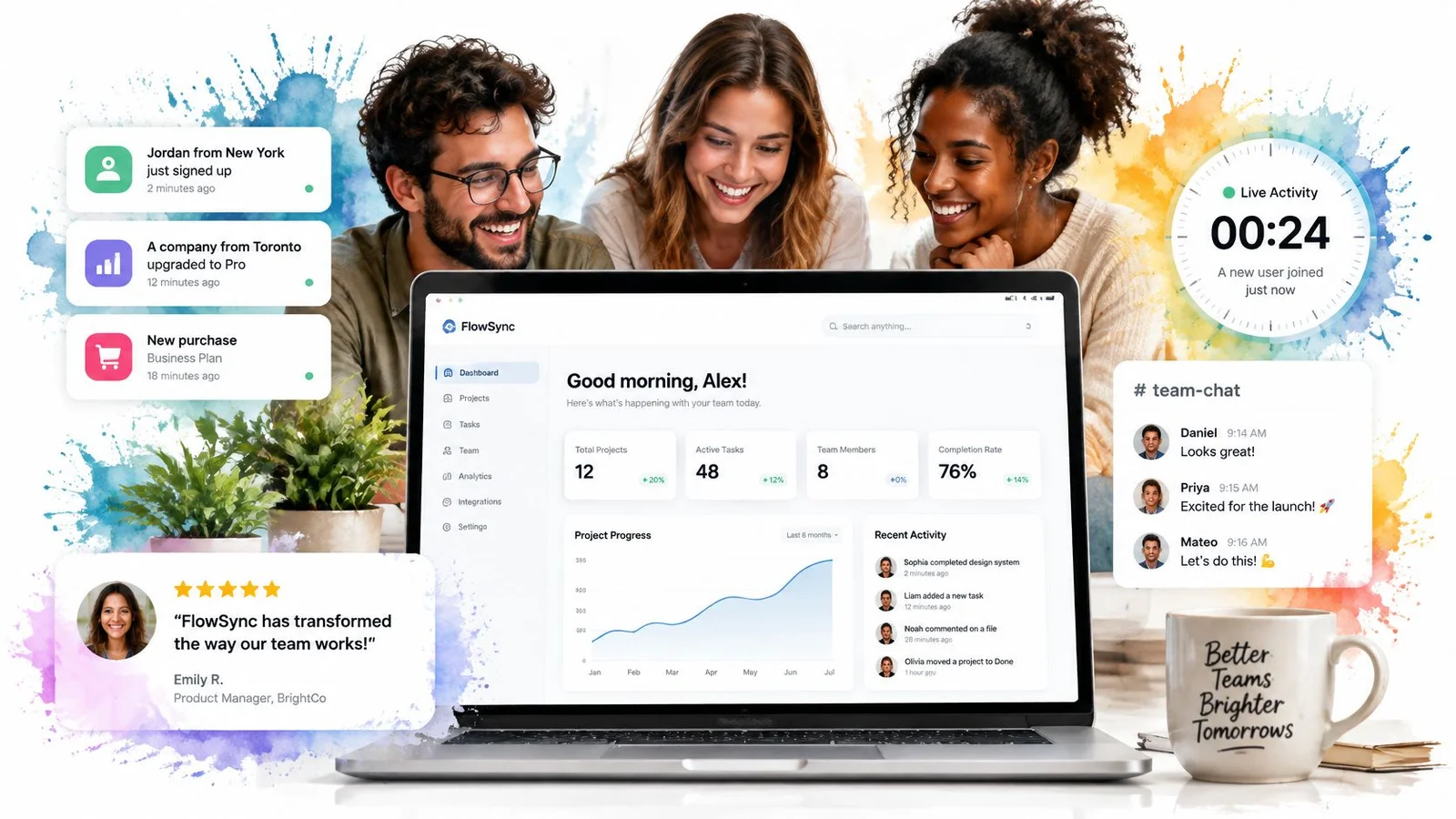
This illustration shows how customer statements can sit alongside a product experience.
What the software controls
Every implementation has distinct parts:
- Proof: The review, purchase event, or conversation the visitor sees.
- Trigger: The condition that makes it appear, such as reaching a pricing section.
- Placement: Its position relative to the question or purchase button.
JoinBrands' guide to social proof examples in marketing offers useful context for recognizing different forms of peer evidence.
FOMOchat combines an AI-powered chat widget with instant website support. Its generated conversations need a clear distinction from genuine customer evidence, because helpful explanations and authentic endorsements aren't the same thing.
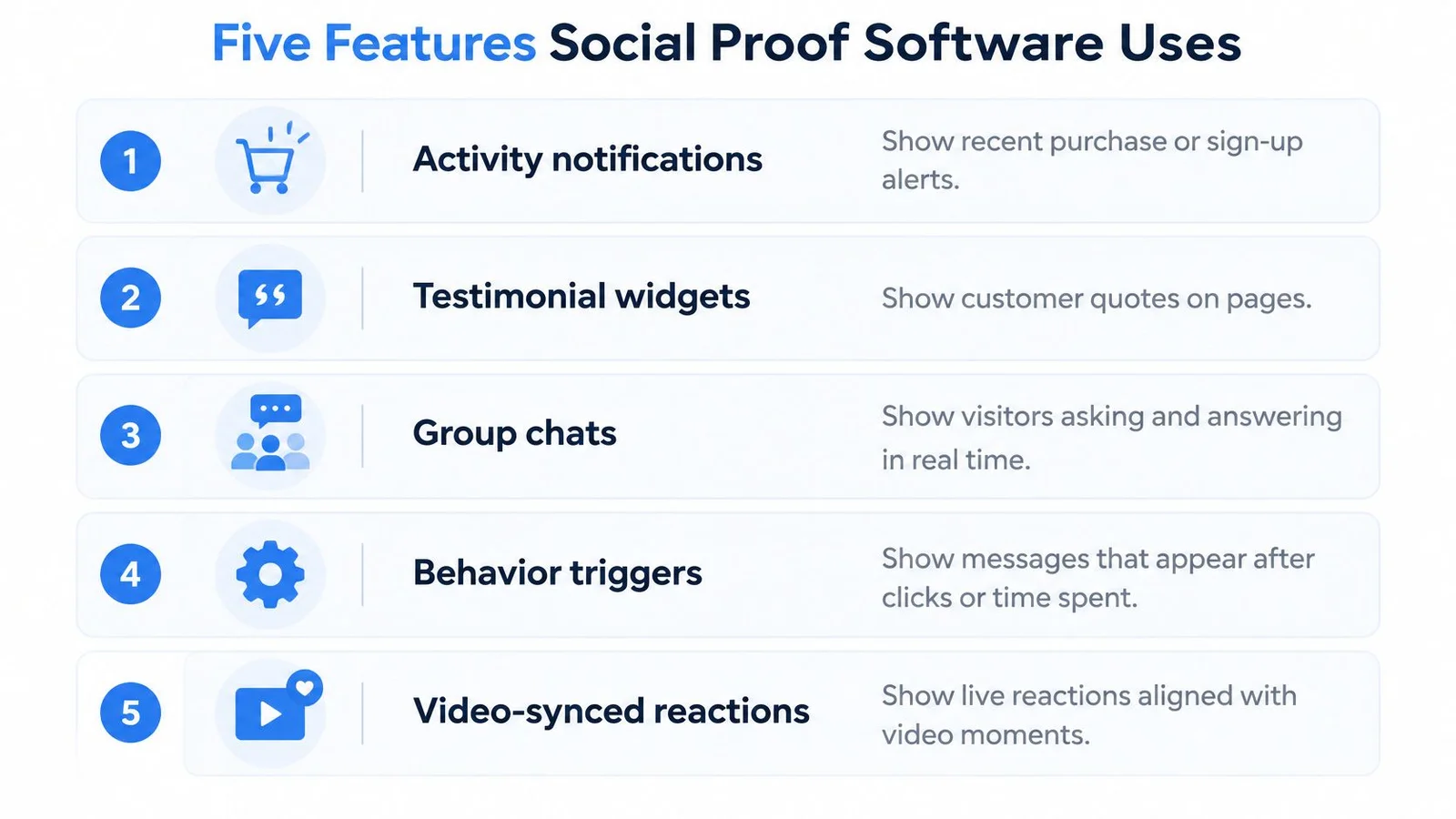
Five Features Social Proof Software Uses
Social proof features compared
| Feature | What Visitors See | Best Used On | Watch Out For |
|---|---|---|---|
| Activity notifications | Short pop-ups showing a recent signup or purchase | Product pages and pricing pages | Stale or inflated counts reduce trust |
| Testimonial widgets | Star ratings and customer quotes | Landing pages and checkout pages | Reviews need genuine sources, dates, and attribution |
| Group chats | Several participants and a host answering questions | Launches, course pages, and high-priced offers | Answers need accuracy and generated participants need clear AI labels |
| Behavior triggers | Messages after scroll depth, time on page, or exit intent | Signup and checkout pages | Too many triggers create clutter |
| Video-synced reactions | Chat messages timed to a webinar or sales video | Webinars and video sales pages | Frequent messages can distract from the pitch |
These feature categories serve different jobs, even when they appear inside the same widget. If you're already comparing vendors, our roundup of the best social proof tools sorts options by format.
Choose evidence before presentation
Activity notifications answer a narrow question: are other people taking action? Testimonials can explain why someone chose the product and what happened afterward. For help identifying useful detail in customer feedback, these five-star review examples provide a practical reference.
Don't treat either feature as a substitute for answering a product question. A purchase alert won't tell a software buyer whether an integration supports their workflow. Start with a proof format that addresses the visitor's actual hesitation, rather than installing every available display. Pop-up alerts hit a ceiling fast on considered purchases, which is why notifications struggle with complex products.
Group chat adds a different capability: the visitor can ask something. Our widget displays a simulated group conversation while real visitors can submit their own questions to the AI company representative. That interactive support is useful, but the simulated participants must not be mistaken for independent buyers.
Control timing and interruption
Behavior triggers determine when a message appears. Scroll depth can indicate that someone has reached a relevant section; time on page can delay a prompt until they've had a chance to read. Exit intent attempts to recognize when someone is about to leave, but shouldn't justify blocking their way out.
Set priorities so triggers don't compete. If a visitor has opened chat, suppress unrelated prompts, and check that the widget doesn't cover a checkout button on mobile.
For a closer look at the conversation format, this video provides a visual reference.
Our Video/Webinar Mode syncs chat with video playback, so messages appear as viewers watch. Use that timing for relevant clarification, not a running stream of applause.
Practical rule: Match the feature to the visitor's uncertainty, not to what makes the page look busiest.
What Lift to Expect and Why It Varies
Review evidence gives a useful sense of possible impact, but it doesn't establish what a new widget will deliver on your website.
Northwestern University's Spiegel Research Center reported 270% greater purchase likelihood for a product with five reviews versus none, and conversion-rate increases associated with displaying reviews of 190% for lower-priced products and 380% for higher-priced products. A separate field-and-survey program on facial review images reported an average 6.98% purchase-conversion increase compared with default images, with increased perceived trustworthiness explaining the effect.
Reported conversion effects from review and identity research
| Evidence | Reported effect | Caveat |
|---|---|---|
| Five reviews vs no reviews | 270% greater purchase likelihood | Observational, Spiegel Research Center |
| Reviews on lower-priced products | 190% conversion-rate increase | Observational, affected by review content and source |
| Reviews on higher-priced products | 380% conversion-rate increase | Observational, larger effect in the higher-priced product group |
| Facial profile images on positive reviews | 6.98% average conversion increase | Field-and-survey program, with perceived trust as the mechanism |
Turn findings into a planning assumption
These aren't interchangeable measures or promised returns. Purchase likelihood isn't the same as an absolute percentage-point increase in conversion rate. Review findings also don't automatically transfer to generated chat.
Star rating, content, review count, product price, and review source all shape the interpretation. An authentic profile image provides context; a stock portrait presented as a buyer's identity creates a different problem.
Build your business case around a range of possible outcomes, including no improvement. Confirm the result with a randomized holdout rather than budgeting against the largest published figure.
Why Group Conversations Build More Trust
A visitor considering a course may need more than a positive quote. They might want to know whether the lessons suit beginners, how feedback works, or what the refund policy covers.
A social-commerce meta-analysis published in SAGE Open, covering 20 effect sizes from 19 studies, found a positive relationship between trust and purchase intention, with pooled effects of approximately 0.6 for forums and communities and for ratings and reviews. That effect size isn't a conversion percentage, and the finding doesn't prove that a generated chat outperforms testimonials.
Separate answers from belonging
Group conversation can combine different forms of influence:
- Informational influence: An answer reduces uncertainty, such as explaining which subscription includes a feature.
- Normative influence: Genuine participation indicates that other people share the visitor's interests or goals.
Say a course visitor sees learner questions about refunds alongside a host's answer linking the policy. That exchange can clarify a decision more effectively than generic praise. If the exchange is simulated, however, it can illustrate the question without proving that actual learners asked it.
Look for useful boundaries
Our AI company representative is trained on the customer's website content and answers using its product details, pricing, and features. When evaluating a group chat for your website, check whether answers stay tied to those materials.
A credible conversation contains specific questions, concrete answers, and visible limits. It should acknowledge when a visitor needs human help rather than confidently improvising. That's the real gap between a conversation and a notification popup. One can answer back.
Trust supports a decision; it doesn't guarantee a purchase. A clear answer may help someone recognize that the offer isn't right for them. That's a better outcome than an unsuitable sale.
How to Measure Real Conversion Lift
A visitor who opens chat may already intend to buy. If that visitor purchases afterward, the software can receive credit without having changed the decision.
That's the difference between attribution, assigning credit to an interaction, and incremental lift, the additional outcomes caused by a change. Treat broad conversion-rate optimization statistics as background, not evidence that your particular installation works. Silver Spoon Agency's explanation can help teams separate attributed sales from incremental growth before choosing reporting targets.
Create a comparison you can trust
Use a randomized holdout: randomly assign eligible visitors to either receive the widget or never see it. Keep the offer, page content, and acquisition campaigns comparable between groups.
Visitor-level assignment is usually the cleaner choice when people return or browse several pages. Keep their assignment consistent. Page-level assignment can suit a page-specific rollout, but different pages may attract different audiences, so a simple comparison between pages isn't automatically a randomized experiment.
Before launch, choose the primary outcome and plan the sample size around your baseline conversion rate and the smallest improvement worth detecting. Use an experiment calculator rather than stopping when the results first look favorable. The test window also needs to cover the typical buying cycle. Our walkthrough of split testing covers the setup step by step.
Metrics to track during a social proof test
| Metric | What It Shows | How It Can Mislead |
|---|---|---|
| Assisted conversion rate | Share of conversions where the visitor opened the widget | Engaged visitors may already be ready to buy |
| Holdout conversion rate | Conversion among visitors assigned not to see the widget | It's a clean baseline only when assignment and tracking are sound |
| Time to conversion | Time from first visit to purchase or signup | Long buying cycles need longer observation |
| Refund or cancellation rate | Whether acquired customers remain satisfied with the purchase | Problems may emerge after the experiment closes |
| Support escalations | Questions the AI representative couldn't resolve | Low volume can hide visitors who left without asking |
Review outcomes and conversations together
Segment results by traffic source, device, funnel stage, and product price. Preselect the comparisons that matter so you don't mistake a favorable subgroup for an overall win.
Our analytics show individual visitor conversations and messages for review. Use conversation analytics to identify unanswered questions and misleading responses alongside your experiment results.
A chat-button click is an interaction, not a business outcome.
For software, judge qualified demos or completed signups. For education, judge completed enrollments and subsequent cancellations. For webinars, compare attendance-to-offer conversion and check whether timed messages interrupt viewing.
Labeling AI Conversations Without Losing Trust
Realistic isn't the same as credible. In consumer findings summarized by Adobe's conversational marketing guide, 91% of surveyed U.S. consumers said brands should disclose bot interactions, while 63% said they would feel betrayed if AI handled their issue without disclosure.
That's a reason to make the distinction visible before someone interacts. A label hidden in a privacy policy doesn't explain who is speaking inside a chat window.
Label the kind of evidence
Use the format that matches what you have:
- Real reviews: Preserve the customer's meaning, attribution, and relevant context. Don't rewrite feedback into stronger claims.
- Anonymized support questions: Explain that these come from support conversations, remove identifying details, and obtain any necessary permissions.
- Simulated dialogue: Identify it as AI-generated illustration or assistance. Never describe generated participants as verified customers.
- No social proof: For sensitive decisions or offers without reliable evidence, provide factual explanations and human contact instead.
Generated objection handling can still help. A simulated question about course prerequisites can introduce a useful answer, but it doesn't establish that other learners enrolled or succeeded.
Give the AI a factual boundary
Our owners can set facts that must remain accurate, and the AI representative adds qualifiers when unsure. Use those controls for refund conditions, plan inclusions, eligibility, and other details where a confident mistake could affect a purchase. For the technical side, see how to prevent AI hallucinations.
Maintain an internal answer record with the relevant source page, approved wording, and review status. If the website changes, review dependent answers rather than assuming the widget has resolved every contradiction.
Persona design belongs in your ethical AI marketing practices, too. Keep AI labels and identity details consistent. Don't pass off a stock photo as a real buyer, and don't let realistic names imply independent testimony.
Trust safeguard: A visitor should understand whether they're reading customer evidence or a generated explanation.
If you're moving from an unlabeled implementation, compare its historical outcomes with a clearly disclosed version cautiously, since other conditions may have changed. For a new experiment, compare clear disclosure treatments, not intentional concealment. Track qualified leads, refunds, support escalations, complaints, and post-purchase trust, rather than accepting a short-term conversion gain on its own.
A Buying Checklist for Social Proof Tools
Could a buyer tell what's real, what's generated, and what it costs? If not, keep evaluating before you purchase.
Apply the same criteria to each candidate. A polished demonstration can show presentation quality, but it won't establish how a tool handles inaccurate answers, page exclusions, visitor limits, or access to conversation records.
Social proof software buying checklist
| Criterion | What to Verify | Red Flag |
|---|---|---|
| Disclosure | Simulated chats and AI participants are clearly labeled | Generated participants appear without labels |
| Factual control | Owners can set accurate facts and confidence qualifiers | Owners can't restrict what the AI says |
| Page targeting | Include and exclude URL rules control visibility | No way to exclude unsuitable pages |
| Setup effort | A script tag works on your platform | Basic installation requires unexpected development work |
| Platform support | A clear installation path exists for WordPress, Shopify, Squarespace, or Wix | Your platform has no documented installation route |
| Pricing model | Visitor counting, plan limits, and excess usage are explained | Unclear counting rules or hidden fees |
| Data handling | Encryption, ownership, sharing, and processing are explained | Vague or missing data policies |
| Analytics | Conversation review and a workable conversion-measurement path | Only click counts are available |
Test the operational details
Score candidates as meets requirement, needs verification, or fails requirement. Keep a screenshot or written answer supporting each judgment. Treat missing disclosure and unclear data handling as purchase blockers, not minor deductions you can offset with attractive design.
Run the trial on a high-traffic decision page rather than across the whole website. Include mobile checks, an intentionally difficult product question, and a test of the page-exclusion rules. Also confirm who on your team will review answers after pricing or policies change.
FOMOchat is an option to assess against the same checklist. Our installation requires pasting a line of code, and it works wherever a script tag can be added, including WordPress, Shopify, Squarespace, and Wix. URL-based inclusion and exclusion rules control where our widget appears.
Compare the complete cost and data flow
Our pricing counts unique visitors who see the widget, with each counted once per month, and chat is included. Analytics are available on paid plans. Estimate cost using expected eligible visitors, not just the people you expect to open chat.
We use encryption and secure servers, and visitor data belongs to the customer. Our stated no-sharing policy should be read alongside the processing detail: user content may be sent to third-party AI providers solely to generate requested outputs. Make that distinction part of your internal review.
Don't trust customer-facing proof to a tool whose disclosure and data practices you can't explain.
Where to Start and What to Set Up First
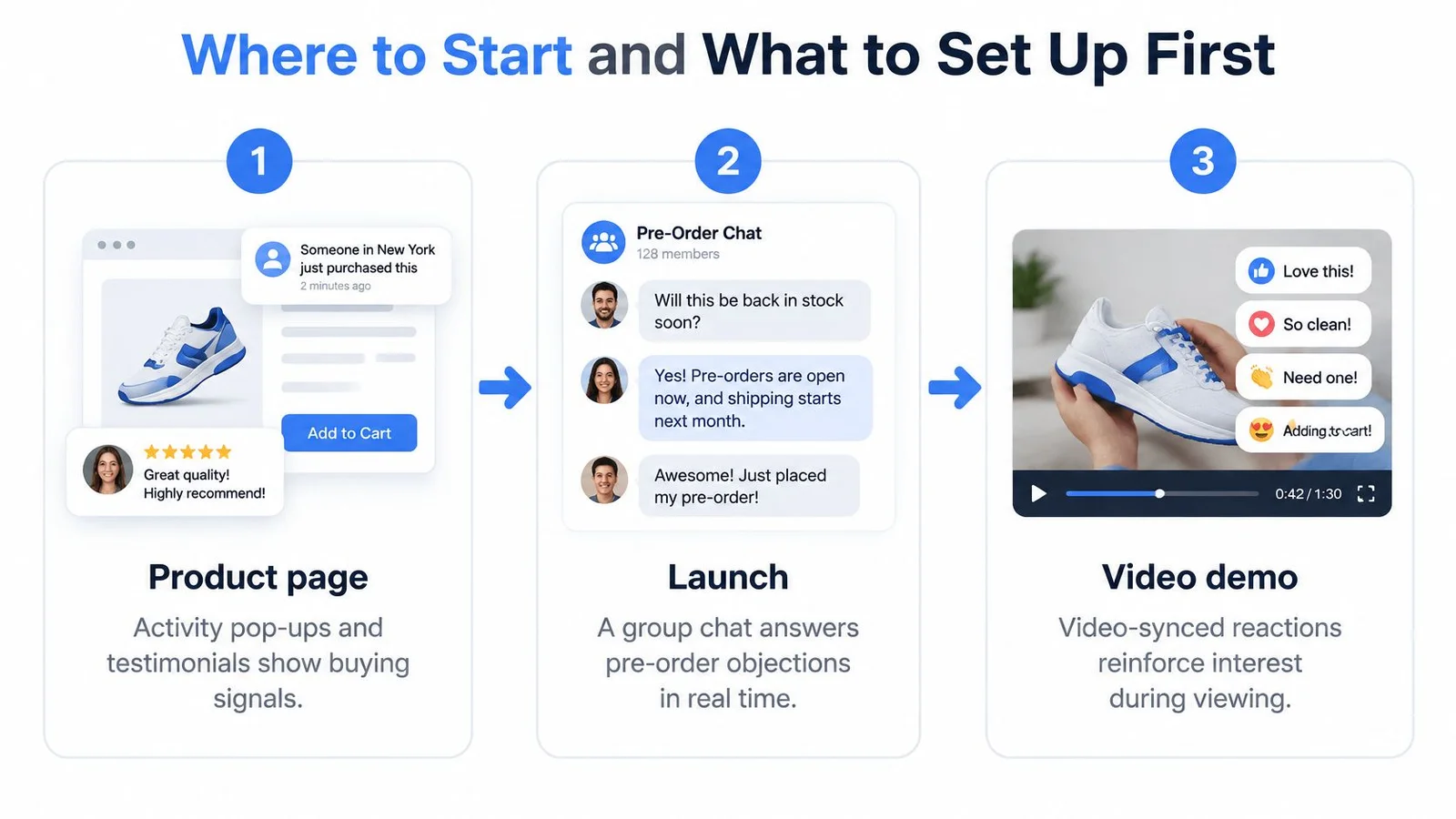
Choose the situation before configuring the widget. A product page, a launch, and a webinar create different questions, so they shouldn't receive identical conversations.
On a product page, genuine activity notifications and attributed testimonials can address buying confidence. During a launch, a clearly labeled group chat can handle questions about pre-orders, delivery, and eligibility. In a webinar, video-synced messages can clarify a point when the speaker discusses it, without requiring viewers to search elsewhere.
These examples show how the format changes with the decision.
Keep attendance and persuasion separate
In its analysis of more than 19,000 webinars across 418 brands in 2024, Goldcast reported an average attendance rate of 33%, up from 29% previously. That describes attendance, not evidence that timed reactions improve sales.
For viewers who do attend, give each message a purpose. A question about implementation belongs near the implementation explanation. Don't add an enthusiastic reaction merely because the speaker has reached the offer.
Build a focused first installation
Our basic setup takes about five minutes, though reviewing accuracy and planning a valid experiment require additional attention.
- Choose the point of hesitation. Pick a page or event with a clear decision and enough traffic to support measurement. Write down the question visitors need answered.
- Enter the website URL and let the AI analyze the content. Check that the material reflects the current offer rather than an outdated campaign.
- Add missing context. Supply information that isn't on the page, including approved constraints or explanations the representative needs.
- Generate a conversation, then review every answer. Remove unsupported claims, confirm participant labels, and test follow-up questions that challenge the initial response.
- Paste the installation code. Check the page on desktop and mobile, including whether visitors can close the widget and reach important controls.
- Compare completed outcomes against the randomized holdout. Continue until the planned sample and buying-cycle window are satisfied, then allow time for cancellations or refunds to become visible.
You can book a demo if your team wants help understanding the setup before installing. Start with that focused page or event, and expand only when the experiment supports real improvement without weaker customer outcomes.
FOMOchat offers simulated group conversations, an AI company representative, and video-synced chat to help visitors get answers while evaluating your offer. Visit FOMOchat to explore the widget or book a demo, then test it on a decision page with clear labels and a measurable outcome.