
In 2024, 98% of online shoppers across 24 countries said customer reviews influenced them, according to DHL's 2024 Online Purchasing Behavior Report. That figure changes how I treat social proof for ecommerce. Proof is not a badge you drop on a page and forget. It is a trust test you measure.
Shoppers already arrive looking for other buyers. A flawless score, a noisy chat feed, or a spike in widget opens can still fail that test. I would rather show a small amount of specific, attributable evidence than a wall of polish that makes people suspicious.
Which Social Proof Types Fit Which Pages
A 2017 study from Northwestern University's Spiegel Research Center found that displaying five reviews increased purchase likelihood by 270% compared with displaying no reviews. The lift was larger for expensive products, about 380%, than for lower-priced products, about 190%. Most of the gain in purchase likelihood shows up within the first 10 reviews, and extra reviews after the first five add less.
Star ratings have a ceiling too. Purchase likelihood generally peaked between 4.0 and 4.7 stars, then fell as ratings approached a perfect 5.0. A little visible imperfection reads as more credible than a spotless score. I would not hide a fair criticism just to protect the average.
If you want a wider menu before you pick, you can compare eight types of social proof and then cut the list to what this page's doubt needs. The same logic shows up in how shoppers read symbols of trustworthiness: the signal has to match the hesitation, not just fill space. For a plain definition of the category before you choose placements, see what social proof in marketing actually covers.
| Proof type | Best placement | Minimum before showing | Works best for |
|---|---|---|---|
| Star rating and written reviews | Under product title, then review list after price | 5 reviews (fewer than 5 weakens the effect) | Physical products and higher-priced items |
| Named customer testimonials | Near add-to-cart or sign-up button | 3 specific, named quotes with an outcome | Courses, SaaS, services |
| Customer photos and videos (UGC) | Image gallery, below the fold | 3 approved photos or videos from verified buyers | Apparel, home goods, visual products |
| Live group chat or Q&A widget | Product page, launch page, webinar replay | Real or clearly labeled questions covering 2 or 3 common objections | Launches, high-consideration products |
| Purchase activity alerts | Product page, cart page | Only when real order data exists | Stores with steady daily sales |
| Stock or deadline urgency | Near add-to-cart and checkout | Only when the stock count or deadline is real | Limited drops, timed launches |
Practical rule: Match the proof to the doubt the shopper has at that moment.
Price doubt belongs next to the price, in reviews. Trust doubt on a new course or service belongs in named testimonials next to the sign-up button. Activity alerts only belong where real orders exist. Urgency only belongs where the stock count or the deadline is real.
How to Add Social Proof to a Product Page, Step by Step
Start with one product page that already has steady traffic and a conversion number you can beat. In 2024, 76.1% of surveyed U.S. consumers said they always checked online reviews before buying something, and 92.8% said reviews had influenced their buying decisions, in CouponBirds' survey of 1,014 Americans. That is why the rating and the review list sit near the title and the price, not in a tab nobody opens.
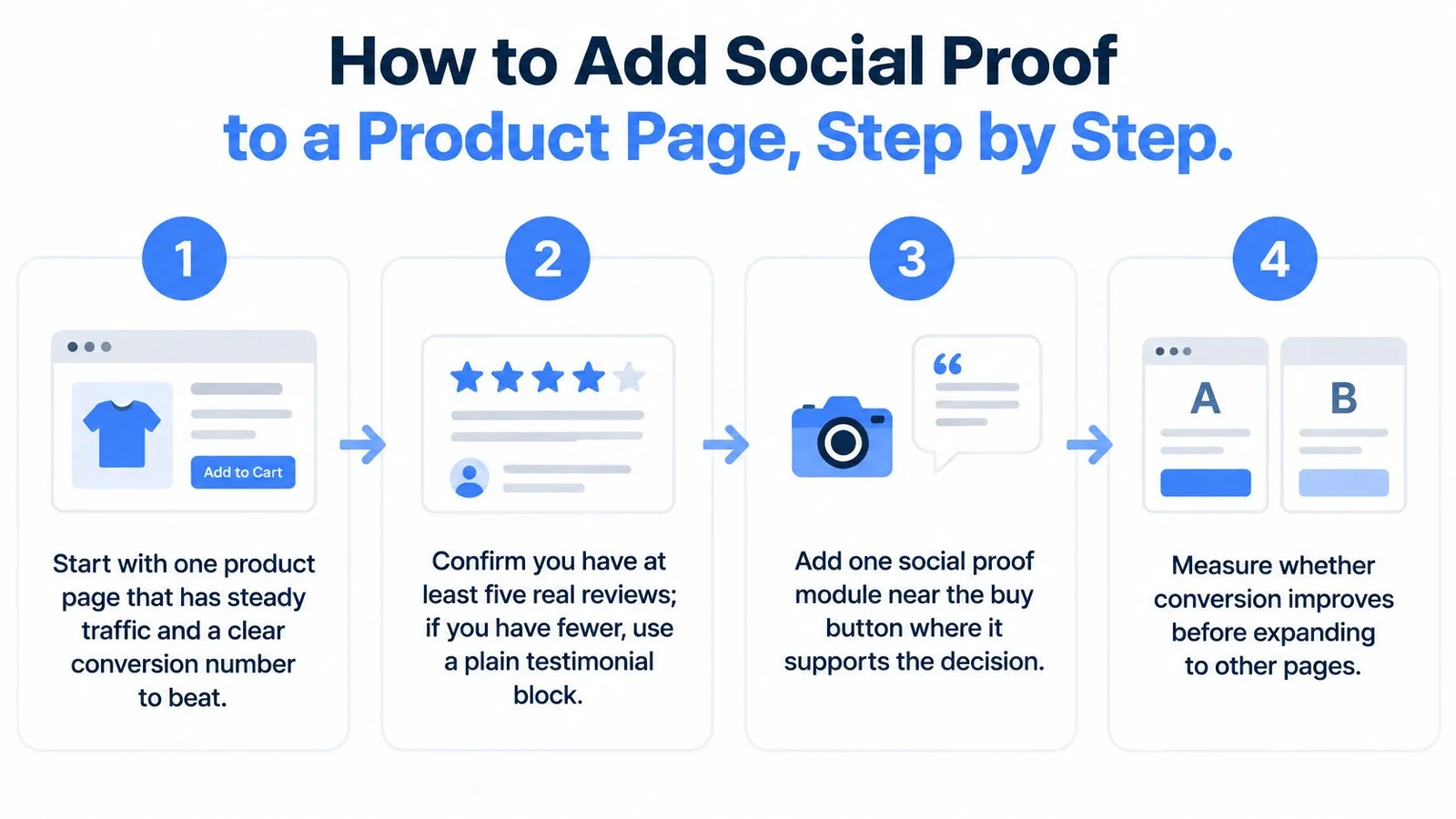
- Confirm at least five real reviews. If you have fewer, use a plain invitation to review. Do not invent a count. A thin block of real quotes beats a fake total.
- Place the star rating under the product title. Put the written review list right after the price, in the page body. Tabs hide the evidence at the moment people compare cost and risk.
- Add two or three named testimonials near the add-to-cart button. Each quote needs a specific outcome, such as time saved or a result achieved. "Great product" does not answer a buying objection.
- Install the widget with one line of code. With FOMOchat, the setup is a single snippet in the page template. You do not need a custom app build to get real-time proof and conversation on that one product URL.
- Set URL include and exclude rules. Limit the widget to this product page. Keep it off checkout and thank-you pages so it never interrupts payment or the order confirmation.
- Label any simulated or AI-generated dialogue. A short label tells visitors what they are reading. Unlabeled script reads as manipulation once someone notices the pattern.
- Test on a phone. Confirm the widget does not cover the add-to-cart button or the size selector. Mobile is where a floating panel most often blocks the buy path. Fix overlap before you look at any lift.
- Log the launch date and the baseline. Record conversion, add-to-cart, and revenue per visitor for this URL before the change. You cannot judge the page later without that starting point. Use the same definitions you already use in your product page conversion rate reporting so the before and after numbers mean the same thing.
What a healthy page looks like
The proof is visible without a long scroll. A short question block answers the top two objections in plain language. Nothing sits on top of price, variants, or the buying button.
If the phone test fails, fix placement before you add more proof types. Extra modules on a blocked button do not help the sale.
Using Live Chat and Urgency Without Misleading Shoppers
The usual backfire is a chat that looks busy and still lies. Reused generic questions, a panel that shoves the buy button down the screen, and a widget left open on every URL train shoppers to ignore you. Worse, they teach shoppers that the "crowd" is a prop.
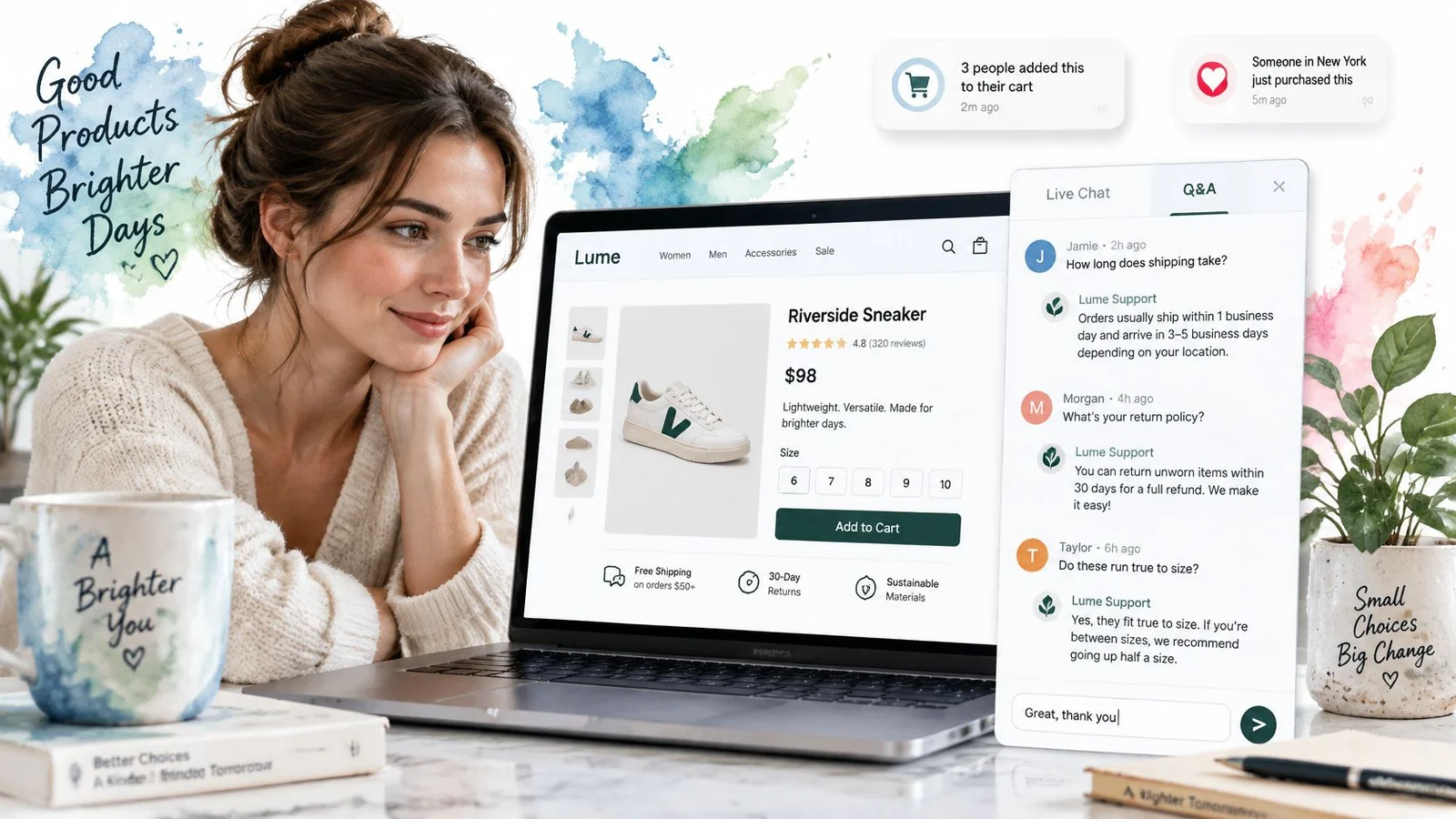
A group chat or Q&A widget works when a shopper sees objections answered before they type. FOMOchat is built for that conversational social proof: we show a simulated group chat while real visitors can also ask questions, which reads differently from a fake purchase popup. If those activity alerts feel thin on a high-consideration offer, why social proof notifications don't work for complex products explains the gap. The useful version pulls those questions from real support tickets, sales calls, or refund reasons. A course buyer asking whether the recording is included is useful. "Is this amazing?" is not.
| Tactic | Common backfire | Safer version |
|---|---|---|
| Group chat questions | Reused generic questions | Questions drawn from real support tickets, sales calls or refund reasons |
| Chat placement | Chat pushes past the buy button | Chat sits below product details and never covers add-to-cart |
| Chat scope | Widget stays open on every page | Widget limited to product, launch and webinar pages |
| Stock count or countdown | Count is inflated or resets after expiry | Show only a real count or deadline and never reset it |
Where automatic continuation is a poor fit
Automatic new messages are a bad fit in a few specific places:
- Video or webinar replay. Timing matters. Extra lines that do not match the moment on screen feel random. When the replay is the product, FOMOchat works better as a labeled Q&A strip that answers objections at that moment than as a feed of invented purchase alerts.
- Tightly controlled wording. Legal terms and regulated claims should not be rewritten by a continuing thread.
- Short pages. Checkout and thank-you pages are for finishing, not for a new conversation.
- Time-limited promotions. If the exact wording must not change, do not let the thread invent a new version of the offer.
Urgency follows one rule. Show a stock count or a deadline only when it is real, and do not reset a countdown after it expires. The quick test for each tactic is simple. Would the shopper feel misled if they learned how the number was produced? If yes, remove it.
A higher open rate on the chat can still hurt the sale when the panel hides size, price, or the buy button.
For the honest version of scarcity, see how to create urgency in sales without fake clocks. Real scarcity on a limited drop is enough. A looping timer is not.
Turning Customer Content Into Believable Proof
Shoppers read reviews and still do not treat them like a friend. Recent figures show a sharp trust gap: 96% of consumers regularly inspect reviews, yet only 42% trust reviews as much as personal recommendations. 48% distrust reviews that appear AI-written, and 74% cross-check at least two review sites, as summarized by Farabi Ulder. On your page, visitors are hunting for signs of fake or generated proof. That same instinct shows up whenever a shopper says I need proof before they will commit.
Four habits that close the gap
Separate real input from generated answers, and label both. A verified buyer comment is not the same thing as an objection-handling line written to represent common questions. Put a clear label on each. On a course page, a buyer asking whether a recording is included should be traceable to a real question or marked as a representative one.
Show where the information came from. Link a quote to its review source, or note that an answer is based on your product page. Provenance is the difference between a claim and evidence. Confidence qualifiers help too. "Based on the sizing chart" is stronger than a flat yes.
Keep the site accurate, because the widget learns from it. Our AI learns from your website content, so an old price or a retired feature will show up in answers. Update the page before you generate more dialogue. Extra context you add for facts that are not on the site has to stay current for the same reason.
Leave some disagreement visible. A feed where every line glows looks staged. One specific complaint, answered in public, often beats another five-star line. The contrarian point is practical. A few clearly attributed quotes often outperform a busy, polished chat feed.
If creators or partners supply some of that content, measure ecommerce influencer marketing ROI the same way you measure on-page proof. Attribution and a real outcome matter more than volume.
Tell visitors how their data is handled. We never share visitor data, and the data belongs to you alone. Say that in plain language near the widget, not only in a footer policy. For the upstream habit that feeds this proof, use a simple process to collect customer feedback you are willing to show.
Measuring Whether Social Proof Lifts Sales and a Two-Week Test Plan
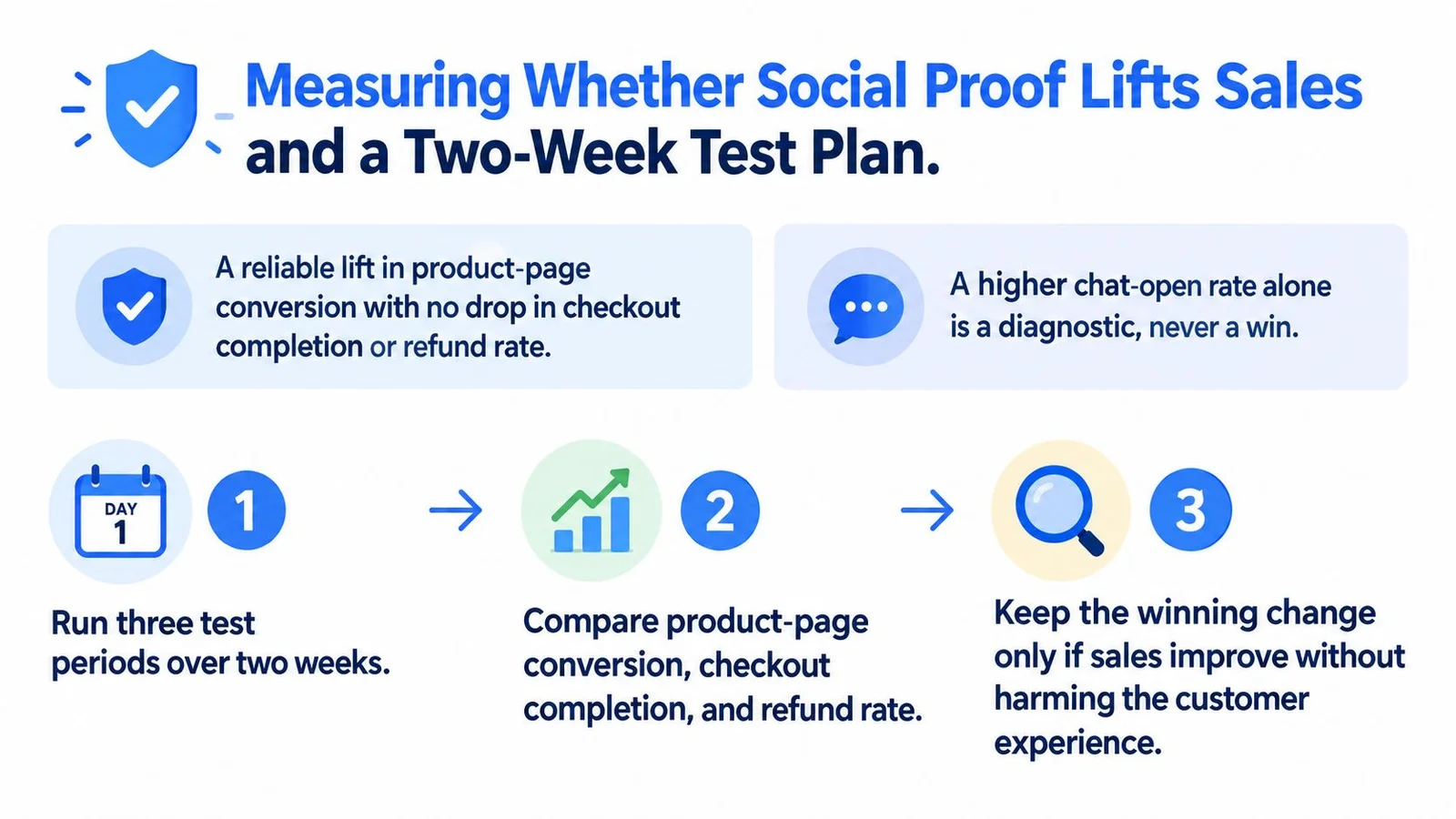
A win is a statistically reliable lift in product-page conversion with no drop in checkout completion or refund rate. A higher chat-open rate is a diagnostic. It is never a win by itself. People can open a panel, miss the size chart, and leave.
Baymard's ecommerce research uses 25 rounds of moderated think-aloud testing covering more than 4,400 participant/site sessions, 12 quantitative studies with 20,240 participants, and reviews of 344 leading US and European sites across 650+ UX guidelines. That benchmark found only 49% of those sites had a decent or good product-page UX, while 51% were mediocre or worse. Proof has to be judged as part of the whole page, not as a sticker.
Peer recommendations remain a durable trust signal beside on-site widgets. In Nielsen's 2013 Global Survey of Trust in Advertising, 84% of more than 29,000 internet respondents across 58 countries trusted recommendations from friends and family, the most trusted format in that survey, as reported by Nielsen. On-page proof is a stand-in for that peer signal. It still has to survive a controlled test.
| Metric | Why it matters | Verdict signal |
|---|---|---|
| Product-page conversion rate | Primary outcome for the test | Reliable lift with the proof on |
| Add-to-cart rate | Shows whether the proof moves shoppers toward buying | Rises alongside conversion |
| Checkout initiation rate | Shows whether the proof carries through to checkout | Stable or rising |
| Checkout completion rate | Catches proof that attracts the wrong buyers | No drop versus control |
| Refund rate | Catches overpromising from proof | No increase versus control |
| Revenue per visitor | Combines conversion and order value | Higher with the proof on |
| Chat-open and question rate | Diagnostic only, shows interest | Never a success measure alone |
Three checks before you trust a lift
Watch whether shoppers notice, understand, and trust the proof. Five people thinking aloud on the page will show a covered button faster than a dashboard will.
Run an A/B test with the proof on and off. Keep every other element on the page the same. Measure product-page conversion, add-to-cart rate, checkout initiation, answer engagement, and revenue per visitor.
Audit the build. Check placement, mobile visibility, disclosure, load speed, and whether the proof matches the product being viewed. Split results by device and by new versus returning visitors. A desktop lift can hide a mobile drop.
Calling a test early is a common way to fool yourself. Shopify testing pitfalls explained by Arlo are worth reading before you treat a two-day bump as a decision.
A two-week decision plan
Run this on the single product page with the most traffic and the clearest sales number. The widget works on any site where you can add a script tag, including WordPress, Shopify, Squarespace, and Wix, and there are installation guides for WordPress, Shopify, and Webflow.
Week one. Add only the proof types that fit that page. Record the baseline you logged at launch: conversion, add-to-cart, checkout, refunds, and revenue per visitor.
Week two and beyond. Keep the test live for at least two full weeks so weekday and weekend buying both show up. Continue until the primary metric is statistically reliable. Do not stop because the chat looks active.
The decision. Keep the change if the primary metric lifts and checkout completion and refund rate hold. If they do not, remove the widget and fix the proof before you retest. I would not expand to a second URL until this one clears that bar.
If engagement rises and conversion falls, the widget is in the way. Take it off and repair the page.
You can review individual visitor conversations and messages on paid analytics, which helps you see unanswered objections. That review is still not the success metric. The sale is.
FOMOchat is an AI-powered chat widget that puts social proof and instant answers on the same product page, so visitors see real questions handled without a fake countdown or a blocked buy button. You can book a demo, paste one line of code, and limit the widget to the URLs you choose. If you want that trust test on a live page, visit FOMOchat.